


Launching a new brand? Want a stunning logo without hiring a pricey designer? Thanks to advancements in AI logo design, creating a professional logo has never been easier or more affordable. The latest AI logo creators can generate unique, brand-ready logos in minutes—based on just a few clicks. Whether you’re starting an online store, building a personal brand, or rebranding your company, these AI logo makers give you powerful, automated design tools that save time and money. In this article, we’ll explore the 14 best AI logo maker tools of 2026, compare their features, pricing, and help you decide which one is right for you.
What Is an AI Logo Maker?
An AI logo maker (or logo design AI tool) is software that uses artificial intelligence and machine learning to generate logo designs based on user input like company name, industry, color preferences, and style choices. These tools provide hundreds of professional logo options instantly—no design experience required.
Benefits of Using an AI Logo Maker
- Fast Results: Get a ready-to-use logo in under 5 minutes.
- Affordable: Most tools offer free previews and low-cost packages.
- User-Friendly: No need for Photoshop or Illustrator skills.
- Customizable: Modify colors, fonts, layouts with easy editors.
- Scalable: Perfect for solopreneurs, startups, and small businesses.
14 Best AI Logo Makers
-
Looka
-
Brandmark
-
DesignEvo
-
LogoMaker
-
LogoAI
-
Logogenie
-
BrandCrowd
-
Logopony
-
Tailor Brands
-
GraphicSprings
-
LogoMakr
-
Ucraft
-
MyFreeLogoMaker
-
Simplified
AI Logo Maker Comparison Table
| Tool | Customization | Branding Kit | Free Plan | Download Quality | Best For |
|---|---|---|---|---|---|
| Looka | High | Yes | Preview | PNG, SVG + brand assets | Full brand identity packages |
| Brandmark | Medium | Yes (higher tiers) | Preview | PNG + vector/source (higher tiers) | Clean, modern logo concepts |
| DesignEvo | High | No | Yes (basic) | PNG/JPG; SVG/PDF in paid | DIY-friendly editor + templates |
| LogoMaker | Medium | Optional | Preview | Logo packages with multiple sizes/formats | Quick templates + pay-to-download |
| LogoAI | High | Yes | Preview | Common web + vector formats (by package) | AI logos + matching brand assets |
| Logogenie | Medium | Limited | Preview | High-res; vector add-ons vary | Fast logo creation workflows |
| BrandCrowd | High | Yes | Preview | PNG/JPG + SVG/EPS/PDF | Huge template library |
| Logopony | High | Yes (Premium) | Preview | EPS, PDF, SVG + many variations | One-time payment + lifetime access |
| Tailor Brands | High | Yes | Preview | PNG; vector in higher plan | Ongoing branding + subscriptions |
| GraphicSprings | Medium | Limited | Credits-based preview | Multiple formats on download | Credit packs for AI logo generation |
| LogoMakr | High | No | Yes (basic) | Vector in paid tiers | Hands-on editing + simple UI |
| Ucraft | Medium | No | Yes | PNG free; SVG paid | Fast free logos (great for MVPs) |
| MyFreeLogoMaker | Medium | No | Yes | Free PNG download | Truly free download option |
| Simplified | High | Yes | Yes | PNG; SVG/PDF in paid plans | Logo + marketing design suite |
Top 14 Best AI Logo Makers Reviews
1. Looka
 Review: Looka is a powerful logo design AI platform that lets you create logos based on style preferences, industry, and color. It offers branding kits, mockups, and a user-friendly editor. It’s ideal for entrepreneurs looking to launch with a solid visual identity.
Best for: Full brand identity and logo design
Features:
-
AI-generated logo suggestions
-
Business card and branding kit
-
Easy-to-use editor
Pros:
-
High-res files included
-
Intuitive interface
Cons:
-
No free downloads
Pricing: From $20 (logo only); brand kit from $65
2. Brandmark

Review: Brandmark focuses on clean, modern logo generation and sells lifetime packages (one-time payments). Higher tiers include source files and more brand collateral.
Best For:
-
Minimalist logos and modern wordmarks
-
Teams that want one-time pricing (no subscription)
Key Features: -
AI logo concepts + customization
-
Brand assets in higher tiers
-
Source files and guidelines in higher tiers
Pros: -
One-time “buy it for life” model
-
Higher tiers include serious deliverables
Cons: -
Lower tier is more limited
-
Some extras locked behind upgrades
Pricing: -
Basic $35 one-time; Designer $95 one-time; Enterprise $195 one-time
3 DesignEvo

Review: DesignEvo is a template-rich logo builder with strong manual control—great if you want to tweak everything yourself while still using quick-start designs.
Best For:
-
DIY creators and small businesses
-
People who want lots of template variety
Key Features: -
Large template library + icon sets
-
Drag-and-drop editor
-
Paid tiers for higher-res/vector options (varies)
Pros: -
Lots of customization control
-
Budget-friendly tiers
Cons: -
More “template-based” than some AI-first tools
-
Brand kits aren’t the focus
Pricing: -
Paid packages commonly start around $24.99 and go up (package-dependent)
4. LogoMaker

Review: LogoMaker is a classic online logo builder: design for free, then pay once to download the package you need (formats + sizes).
Best For:
-
Quick logos with predictable, one-time purchase
-
People who want “logo packs” in many sizes
Key Features: -
Template-led logo generation + editor
-
Logo download packages with multiple sizes/formats
Pros: -
Easy workflow
-
Pay only when you’re ready to download
Cons: -
Can feel template-heavy
-
Exact formats depend on package
Pricing: -
One-time download is commonly around $39.99 (package-based)
5. LogoAI

Review: LogoAI is geared toward AI-generated logo concepts plus a “brand center” style workflow (logos + matching visuals). It’s a good pick if you want logo + repeatable brand content from one place.
Best For:
-
Entrepreneurs building a consistent brand system
-
People who want logo + auto-matching assets
Key Features: -
AI logo generation from brand inputs
-
Brand asset generation (social/identity visuals)
-
Customization tools
Pros: -
Strong “logo + brand system” approach
-
Clean modern outputs
Cons: -
Pricing and deliverables vary by package
-
Some features may require higher tiers
Pricing: -
Typically sold as paid logo packages (check checkout for current tiers)
6. Logogenie

Review: Logogenie offers instant logo generation based on your business name and sector. You can customize fonts, icons, and layouts before downloading.
Best for: Fast and easy logos
Features:
-
Auto logo generation
-
Real-time preview
-
Multiple formats
Pros:
-
Super fast
-
HD downloads
Cons:
-
Minimal branding extras
Pricing: $24.90/logo
7. BrandCrowd Logo Maker
 Review: This top logo AI generator gives you access to thousands of templates that can be personalized with your brand style. It includes a branding toolkit and social media package.
Best for: Template lovers
Features:
-
Business card mockups
-
Logo editor
-
Industry filters
Pros:
-
Large template library
-
Branding add-ons
Cons:
-
Overwhelming options
Pricing: From $45/logo
8. Logopony

Review: Logopony is great if you hate subscriptions: you can generate ideas for free, then pay once for lifetime access and re-downloads. Premium includes vector files and a full social kit.
Best For:
-
One-time purchase + lifetime access
-
People who want social sizes + vector files
Key Features: -
One-time pricing (no subscriptions)
-
Premium includes EPS/PDF/SVG vector formats
-
Social media kit + business card designs
Pros: -
Lifetime editing + re-download
-
Great value in Premium tier
Cons: -
Basic tier is low-res and limited
-
You’ll likely want Premium for serious use
Pricing: -
Basic $20 one-time; Premium often $60 (discounted from $85) one-time
9. Tailor Brands
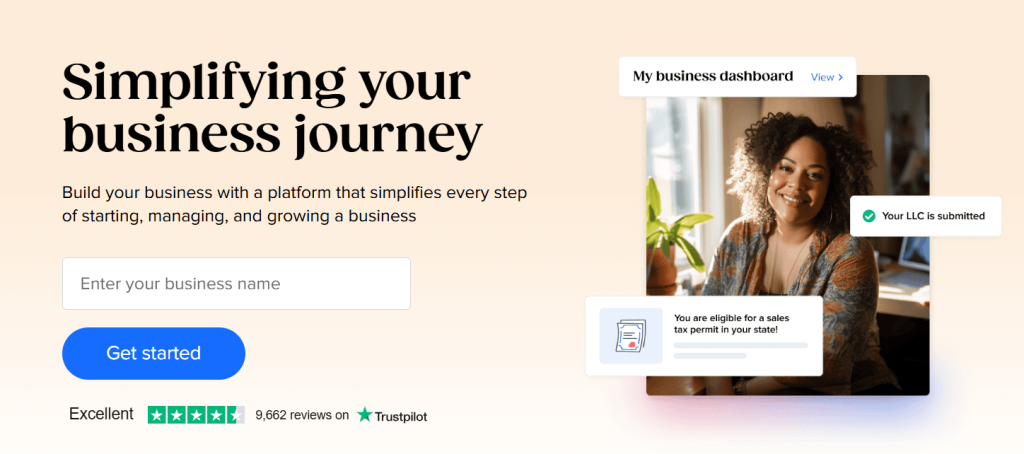 Review: One of the most popular AI logo apps, Tailor Brands builds a full brand around your logo including social media kits, websites, and business cards.
Best for: Building a full brand
Features:
-
Brand book
-
Domain + website builder
-
Logo editor
Pros:
-
Enterprise-level features
-
Great automation
Cons:
-
No one-time purchase
Pricing: From $9.99/month (billed annually)
10. GraphicSprings

Review: GraphicSprings offers an AI logo generator with a credit-based model—buy packs of credits, generate multiple designs, then download in high-res.
Best For:
-
Exploring many logo concepts with credit packs
-
Teams that want commercial rights and ownership claims
Key Features: -
Credit packs for AI logo generation
-
High-resolution downloads
-
Multiple file formats available (e.g., PNG, PDF, source, etc.)
Pros: -
One-time credit packs (not monthly)
-
Good for generating many options
Cons: -
File formats/exports depend on what you purchase
-
Not as “brand-kit-first” as Looka/Tailor Brands
Pricing: -
Credit packs: $10 (15 credits), $20 (35 credits), $30 (60 credits)
11. LogoMakr
 Review: A straightforward DIY tool with AI-assisted layout options. It’s ideal for those who like a bit more manual control over their logo.
Best for: DIY-minded users
Features:
-
Simple interface
-
SVG download option
-
Real-time editing
Pros:
-
Free to use with credit
-
Instant downloads
Cons:
-
Low-res files free only
Pricing: $19 for high-res files
12. Ucraft Logo Generator
 Review: Ucraft offers a free and intuitive logo maker AI that’s perfect for minimalist logos and clean designs. Great for startup MVPs.
Best for: Simple, clean logos
Features:
-
Icon and text editor
-
Transparent PNG
-
Basic shapes and fonts
Pros:
-
Fully free
-
Transparent background download
Cons:
-
No branding assets
Pricing: Free
13. MyFreeLogoMaker

Review: MyFreeLogoMaker is exactly what it sounds like: make a logo and download a PNG for free—no paywall surprise. Great for early-stage projects.
Best For:
-
Budget-zero founders
-
Quick logo for a landing page or test brand
Key Features: -
100% free logo maker flow
-
Free PNG download
Pros: -
Free download (rare!)
-
Simple and fast
Cons: -
Typically limited to PNG
-
Not ideal for serious print needs (vector)
Pricing: -
Free (PNG download)
14. Simplified Logo Maker
 Review: Simplified is an all-in-one design platform offering AI writing, social media design, and logo generation. It’s ideal for marketers looking for full creative control.
Best for: Content creators & social marketers
Features:
-
AI design assistant
-
Brand kit creation
-
Export in multiple formats
Pros:
-
Easy brand building
-
Generous free plan
Cons:
-
Still growing user base
Pricing: Free plan; Pro from $12/month
How to Choose the Best AI Logo Maker
- Customization vs. Speed: Need full control? Try Canva or Tailor Brands. Need it fast? Try Logogenie or Looka.
- File Types: Make sure you get high-res formats like SVG or EPS for printing.
- Branding Needs: Choose Tailor Brands or Looka for complete kits.
- Budget: Ucraft and Hatchful are great if you’re on $0 budget.
- Use Case: Are you launching an e-commerce store? Hatchful is perfect. Building a YouTube brand? Try Placeit.
Conclusion
AI has officially changed the logo game. With these top AI logo generators, anyone can create a professional, scalable brand image in just minutes—no design skills needed. Whether you’re looking for logo AI tools for startups, influencers, or established brands, there’s an option for every style and budget. So skip the $500 agency. Your next iconic logo might be just a few clicks away.
FAQ
What is the best AI logo maker in 2026?
For brand kits: Looka or Tailor Brands. For one-time value with vectors: Logopony Premium.
Are AI logo makers free?
Many let you design for free, but downloads often cost. True free downloads: MyFreeLogoMaker and Ucraft PNG.
Is an AI-generated logo good enough for a business?
Yes—especially for startups and small businesses. For trademarks/uniqueness, consider customizing heavily and checking conflicts.
Can I customize my AI logo after it’s created?
Usually yes—most tools include editors, and some (like Logopony) allow re-edits and re-downloads after purchase.
What file formats do AI logo creators provide?
Common formats include PNG (web), and vector formats like SVG/EPS/PDF for print—availability depends on the plan/package.

