
planner_5d_logo

Planner 5D

Rating: 4.4
User Satisfaction: 88%
Planner 5D is a home design tool that lets you create 2D floor plans and 3D interior layouts so you can visualize and plan renovations or new spaces without hiring a designer.

Alternative To

Overview

Planner 5D is a browser-based and mobile home design platform for creating floor plans, room layouts, and 3D interior visualizations. You can draw walls, place furniture, change materials, and render realistic scenes — all without knowing professional CAD software.

It’s used by homeowners, real estate agents, interior designers, and students who want fast, visual planning tools.

Most people can’t read architectural blueprints. Planner 5D turns ideas into clear, visual layouts. You can:

  • Test different room layouts before buying furniture
  • Visualize renovations before spending money
  • Create marketing visuals for listings
  • Plan DIY remodels with accurate dimensions

It lowers the barrier to entry. You don’t need AutoCAD or SketchUp experience. If you can drag and drop, you can design.

For non-technical users, that’s a big deal.

You start by drawing a floor plan in 2D. Add walls, doors, and windows with simple tools. Then switch to 3D mode to furnish and style the space using a built-in catalog of objects and materials.


Details

Tool Launch / Founded Date

2011-01-01 (approx.)

Best for

Homeowners, DIY renovators, Interior design students, Real estate agents, Small design studios

Access Type

Freemium + Paid Subscription

Licensing Model

Proprietary software. Users can use their created designs for personal and commercial purposes, but asset redistribution or reselling standalone models is restricted.

Feature

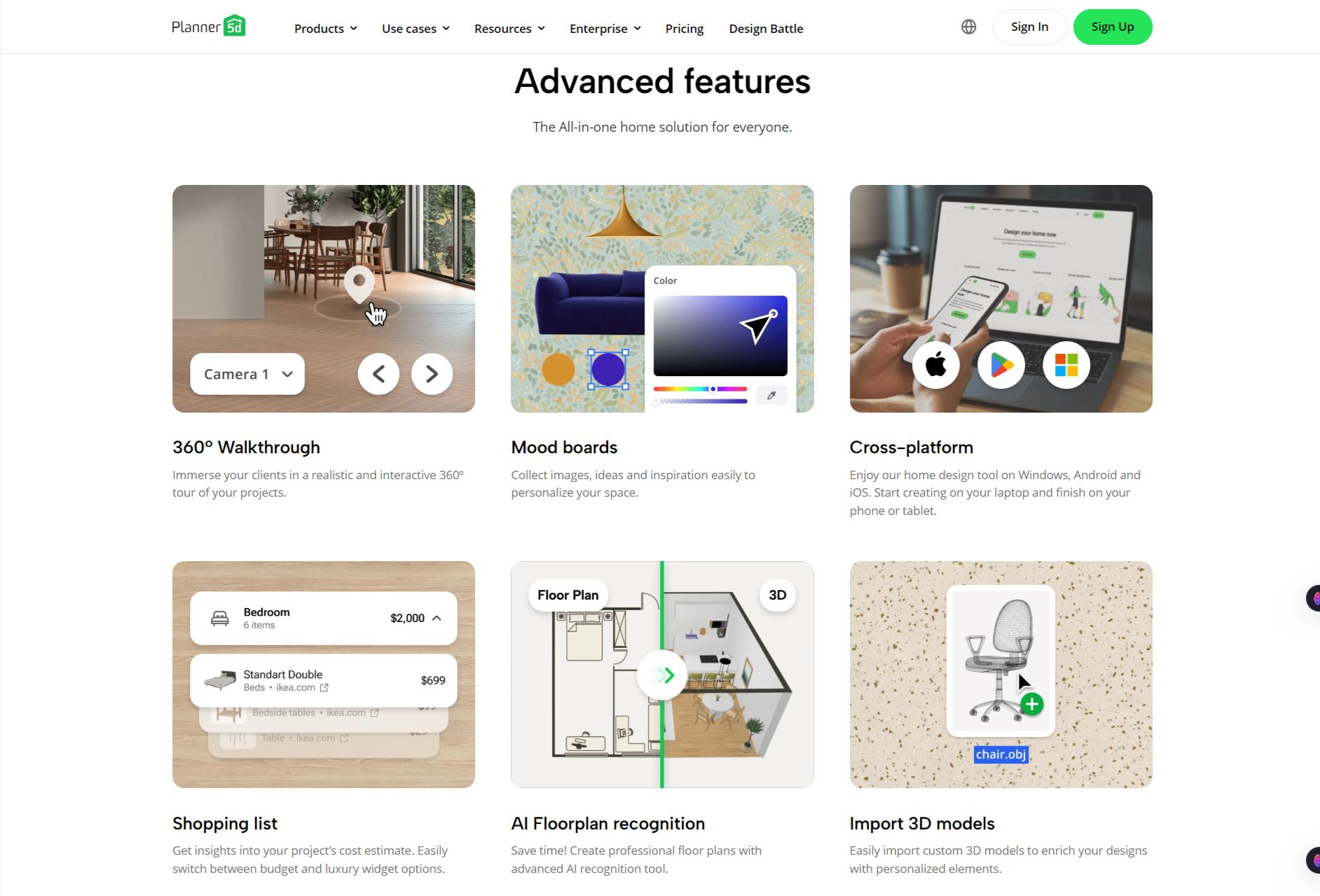
  • Create detailed 2D floor plans with precise room dimensions
  • Instantly switch to 3D visualization mode
  • Large catalog of furniture, decor, and materials
  • Photorealistic rendering options (paid tiers)
  • AI design suggestions for layouts and styling
  • Cross-platform access (web, iOS, Android, desktop)
  • Cloud save and project sync
  • Import existing plans and edit them
  • AR view support on mobile devices

Pricing Tables

Free
$0
  • Create & share an unlimited amount of projects
  • Work across various devices & platforms (web & mobile)
  • Hone your skills by participating in Design Battles and snag Premium access as your prize
Premium
$ 4.99 month

All Free features, plus

  • Access to AI Designer and Smart Wizard tools to automate project creation
  • Access to the list of 8K+ premium furniture items
  • The ability to resize or edit the texture of any item in the project
  • Renders & Textures: 5/month OR 60/year to make projects look great
  • Automatic plan recognition to create a 3D from your file or image
Professional
$ 33.33 month

All Premium features, plus

  • Unlimited 4K renders of realistic and professional quality
  • Upload your 3D models in formats .obj, .fbx, .blend, .stl...
  • Moodboards to visually organize ideas
  • Unlimited custom textures to apply to any design you want
  • 360° Panorama to showcase concepts in an engaging and dynamic manner
  • Custom branded profile to promote your work
  • Top Designers list to generate new leads for your business

Analytics

Traffic Analysis

Domain Rating
74
Organic Traffic
3.86M
Majority Users
United States

Visits Over Time

No visit data found.

Traffic Sources

No traffic data found.

Last Update Date: 2026-02-21

FAQ

Can I use Planner 5D designs commercially?
Yes. You can use your created designs for commercial projects (like client presentations or real estate listings). You cannot resell Planner 5D’s individual assets as standalone models.
How many designs can I create on the free plan?
You can create projects on the free plan, but access to premium items and high-resolution rendering is limited. Rendering credits are restricted.
Does it work on mobile?
Yes. Planner 5D has iOS and Android apps that sync with your web account. Some advanced rendering features are easier to manage on desktop.
Can I import my own floor plans?
Yes. You can upload floor plans and trace over them to create editable layouts.
Is this good for professional architects?
Not really. It’s great for visualization and light planning. For detailed technical drawings and construction documents, professional CAD software is better.
Does Planner 5D use my designs to train AI?
The company does not publicly disclose detailed information about using user designs for AI model training.
What do I get on the Professional plan that I don’t get on Premium?
You get higher-resolution renders, more rendering credits, and additional features suited for commercial and business use.

Related AI Tools

StoryGenerate is a tool that generates AI-written stories and plot ideas for writers and creators so they can
Newt is a tool that helps teams research, write, and organize content using AI so they can produce
Prescene is a tool that helps filmmakers and content creators plan scenes, scripts, and shot lists using AI
Jarvis AI is a tool that generates song lyrics for musicians and creators so they can quickly write
StoryBee is a tool that generates personalized stories and learning content for kids and educators so they can
ScribaMax is a tool that generates written content using AI for marketers and creators so they can produce