BeautyPlus logo

BeautyPlus

Rating: 4.4
User Satisfaction: 88%
BeautyPlus is an AI photo editing tool that enhances selfies and images with filters, beauty retouching, and creative effects for social media creators and everyday users.

Overview

BeautyPlus is an AI-powered selfie camera and photo editing platform. It’s best known as a mobile app but also offers browser-based editing tools. The product focuses heavily on beauty retouching, makeup filters, and creative AI effects.

You can take a photo directly inside the app or upload an existing one. Then you apply edits such as skin smoothing, teeth whitening, background changes, or artistic filters. The tool is designed to make portraits and selfies look polished without requiring advanced editing skills.

BeautyPlus has hundreds of filters, templates, stickers, and AI-based editing tools. The app is widely used on Instagram, TikTok, and other social platforms for quick image enhancement.

Most photo editing software is complex. BeautyPlus focuses on speed and simplicity.

If you create content for social media, you can clean up photos in seconds. Small imperfections—like blemishes, closed eyes, or messy backgrounds—can be fixed automatically. This saves time compared with manual editing tools.


Details

Tool Launch / Founded Date

2013-01-01 (approx.)

Best for

Social media creators Influencers and content creators Mobile photographers Casual selfie editing users

Access Type

Paid subscription (Premium plan)

Licensing Model

Proprietary software Users generally retain rights to their edited photos Premium assets and filters require a subscription

Feature

  • AI selfie beautification that automatically smooths skin, brightens eyes, and improves portraits.
  • Virtual makeup editor with lipstick, contour, eyeliner, and other cosmetic effects.
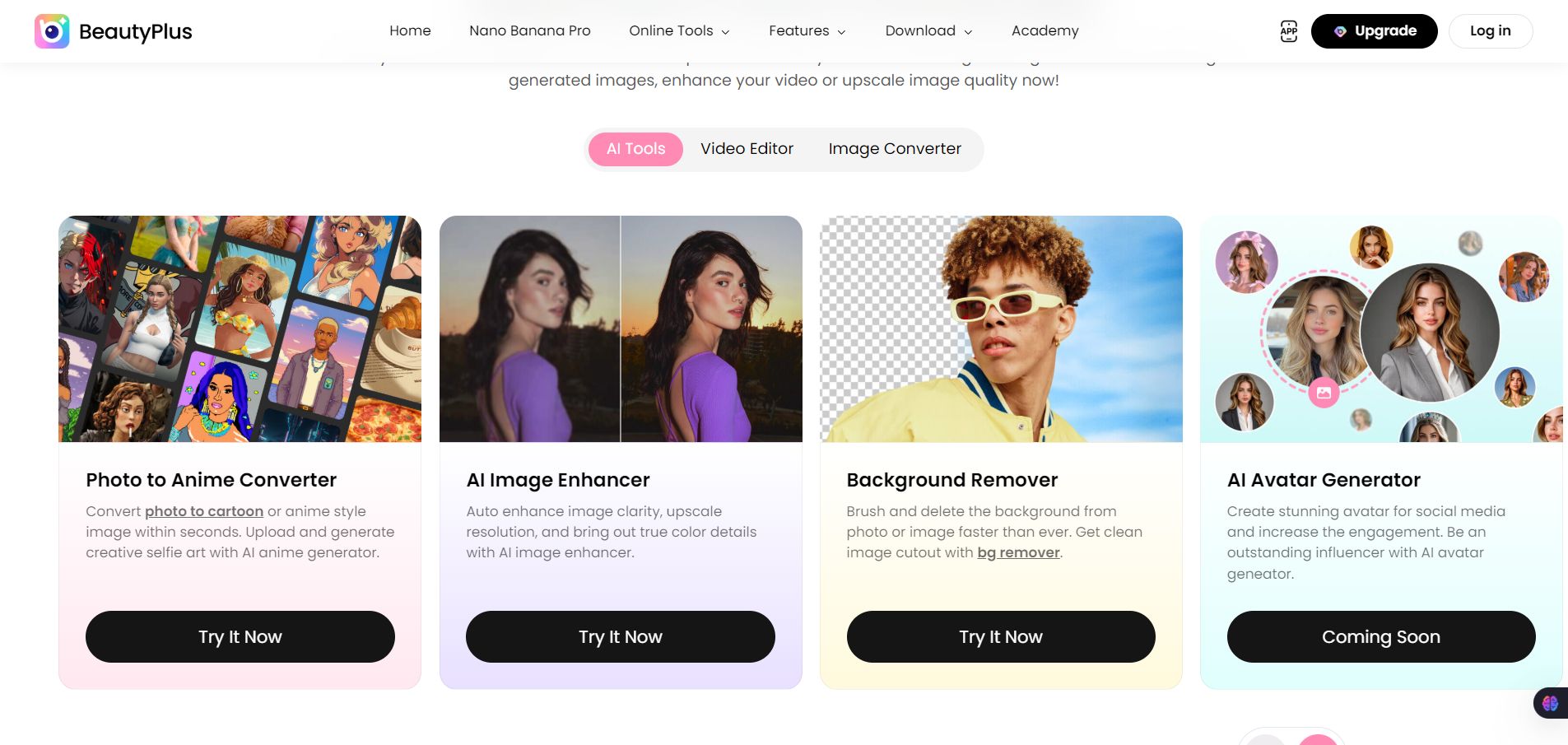
  • AI background remover for isolating subjects and replacing backgrounds.
  • Object removal tools that erase people or objects from photos.
  • AI art filters that convert photos into anime, cartoon, or painting styles.
  • Selfie camera with real-time filters so you can see edits before taking the shot.
  • Photo enhancement tools that sharpen or restore older images.
  • Templates, stickers, and frames for social media posts and stories.
  • Video editing tools for short clips with filters and effects.

Pricing Tables

Free
$0
  • Limited access to AI features
  • Access to basic assets
  • Export with watermark
MAX
$5.59/month
  • Unlimited Photo Enhancer
  • Get 500 BeautyPlus Credits/mo
  • Smart Remove: 50 photos/mo
  • Pro Assets Unlimited (Photobooth)
  • Generate 50 AI images/mo (Filter, Hairstyle...)
  • No watermarks on 4K/HD exports

Analytics

Traffic Analysis

Domain Rating
63
Organic Traffic
1.46M
Majority Users
Japan

Visits Over Time

No visit data found.

Traffic Sources

No traffic data found.

Last Update Date: 2026-03-05

FAQ

Is BeautyPlus free to use?
Yes. The app has a free version with basic editing tools, filters, and selfie features. Many advanced effects and templates require the Premium subscription.
Can I use BeautyPlus photos commercially?
In most cases, you can use the edited images you create. However, premium assets or templates may have additional restrictions depending on the plan.
How many editing tools does BeautyPlus include?
BeautyPlus includes more than 50 editing tools along with hundreds of filters, templates, stickers, and effects for selfies and social media images.
Does BeautyPlus work on desktop?
Yes, a browser-based editor exists, but the full feature set is mainly available on the iOS and Android apps.
Does BeautyPlus use AI for editing?
Yes. AI powers many features such as portrait enhancement, background removal, object removal, and artistic style filters.
Is BeautyPlus good for professional photo editing?
It’s better suited for quick social media editing and selfies. Professional photographers usually prefer tools like Photoshop or Lightroom.
What extra features come with the Premium plan?
Premium removes ads and unlocks advanced AI editing tools, additional filters, exclusive templates, and expanded editing capabilities.

Related AI Tools

StoryGenerate is a tool that generates AI-written stories and plot ideas for writers and creators so they can
Newt is a tool that helps teams research, write, and organize content using AI so they can produce
Prescene is a tool that helps filmmakers and content creators plan scenes, scripts, and shot lists using AI
Jarvis AI is a tool that generates song lyrics for musicians and creators so they can quickly write
StoryBee is a tool that generates personalized stories and learning content for kids and educators so they can
ScribaMax is a tool that generates written content using AI for marketers and creators so they can produce