Janvas-logo

Janvas

Rating: 3.2
User Satisfaction: 57%
Janvas is a browser-based SVG editor that lets you draw and edit scalable vector graphics so you can create logos, icons, illustrations, interactive graphics, and web graphics without installing software

Alternative To

Overview

Janvas is a browser-based SVG editor for creating and editing vector graphics such as logos, icons, illustrations, and web graphics. You can use it on any modern web browser without desktop installation. It supports basic and advanced SVG drawing tools including shapes, paths, text, and transformations.  

SVG (Scalable Vector Graphics) is a standard vector format that stays sharp at any scale — ideal for web design, UI assets, icons, and responsive graphics. Janvas provides a way to work with SVG graphics directly in your browser, useful for designers and developers who want vector creation/editing without heavyweight desktop software.  

  • Online Editor: Open Janvas in your browser to start or upload SVG files. 
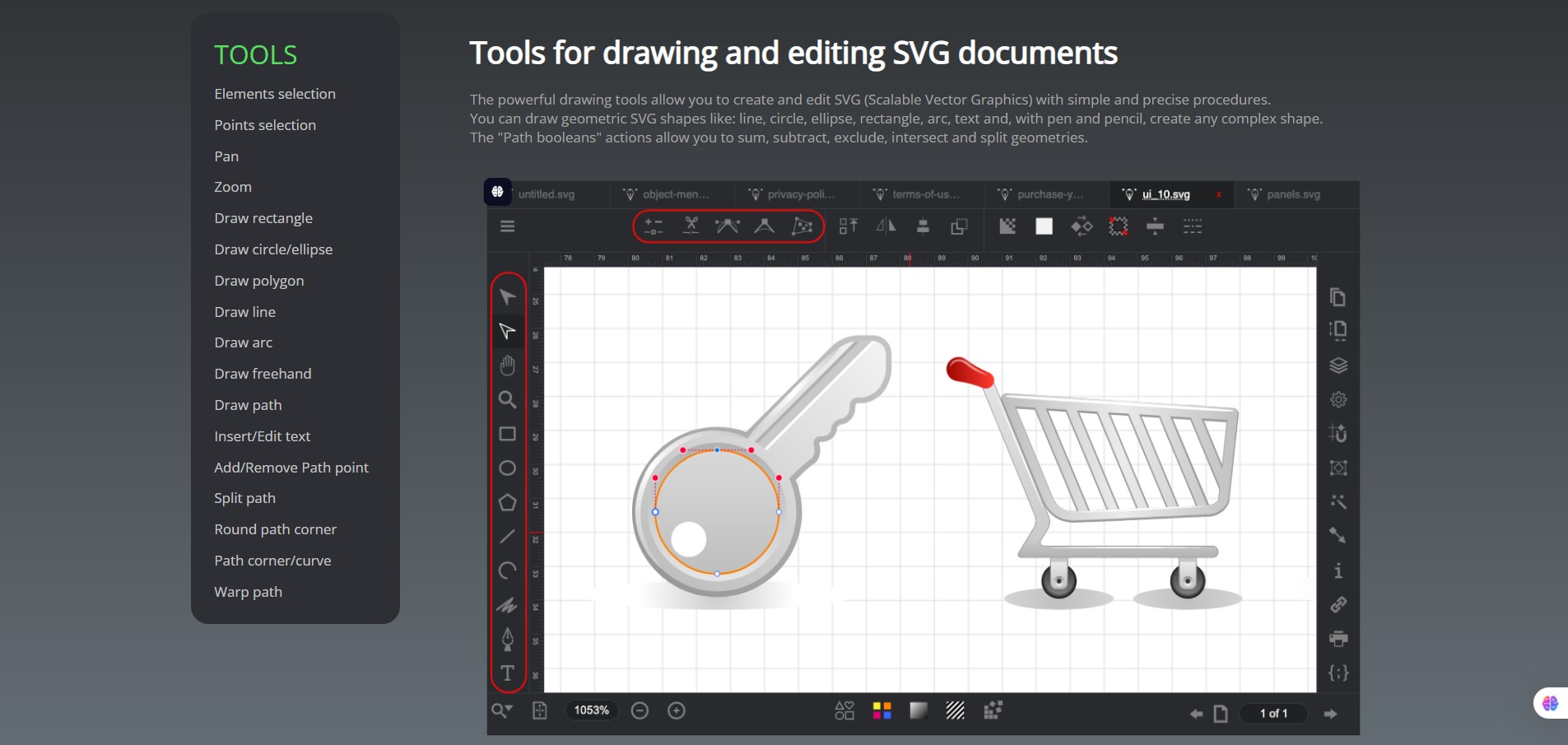
  • Drawing Tools: Use primitives (rectangles, circles, lines), pen/pencil, path editing, text, and booleans (union/subtract/intersect) for complex shapes.  
  • Panels & Properties: Adjust stroke, fill, position, size, and other attributes. 

Export / Save: Export SVG files; paid plans may be required for full download functionality (per user reports).


Details

Tool Launch / Founded Date

Not publicly disclosed (site branding suggests long history, possibly early 2000s given copyright dates).

Best for

Web designers Graphic designers on the go Developers needing SVG editing in browser

Access Type

Subscription-based online service (no free unlimited tier).

Licensing Model

Proprietary online tool; SVG you export is your created content.

Feature

  • Full web-based SVG editing (no install). 
  • Basic shapes and freehand vector tools.  
  • Path editing and boolean operations. 
  • Text and layout tools for vector graphics.  
  • Property panels to fine-tune attributes.

Pricing Tables

3 Months
€ 9 per month
6 Months
€ 7.5 per month
1 Year
€ 6 per month

Analytics

Traffic Analysis

Domain Rating
48
Organic Traffic
5K
Majority Users
Russia

Visits Over Time

No visit data found.

Traffic Sources

No traffic data found.

Last Update Date: 2026-01-10

FAQ

Can I use Janvas for free?
Janvas shows an online editor, but many export features and full use may require a paid plan. Users report free creation but paid export limitations.
What output formats are supported?
Primarily SVG; other formats depend on export tools and may be limited.
Can I import existing SVG files?
Yes — Janvas lets you upload and edit existing SVG files in the browser.
Does it work offline?
No — it’s an online browser-based editor.
Is commercial use allowed?
Your created SVG files are yours; no restrictive licensing from the editor itself. (No indication of special commercial restrictions on site.)
Does it integrate with cloud storage?
Some historical mentions suggest Google Drive storage support, but current integration details aren’t clear.

Related AI Tools

GenscriptAI is an AI-powered scriptwriting tool that helps creators and media teams generate story ideas and scripts faster
Learn Copywriting is a copywriting education platform that teaches persuasive writing and marketing skills for freelancers, marketers, and
YapRap is a tool that generates AI-written rap lyrics and freestyle ideas for creators and musicians so they
Sidewalk Social is a tool that helps businesses create, schedule, and manage AI-assisted social media content so they
Questas is a tool that helps creators build AI-powered interactive stories with branching narratives, images, and videos so
Idea Generators is an AI brainstorming tool that generates content and business ideas for creators, marketers, and online



