
Pristina AI logo

Pristina AI

Rating: 4.3
User Satisfaction: 88%
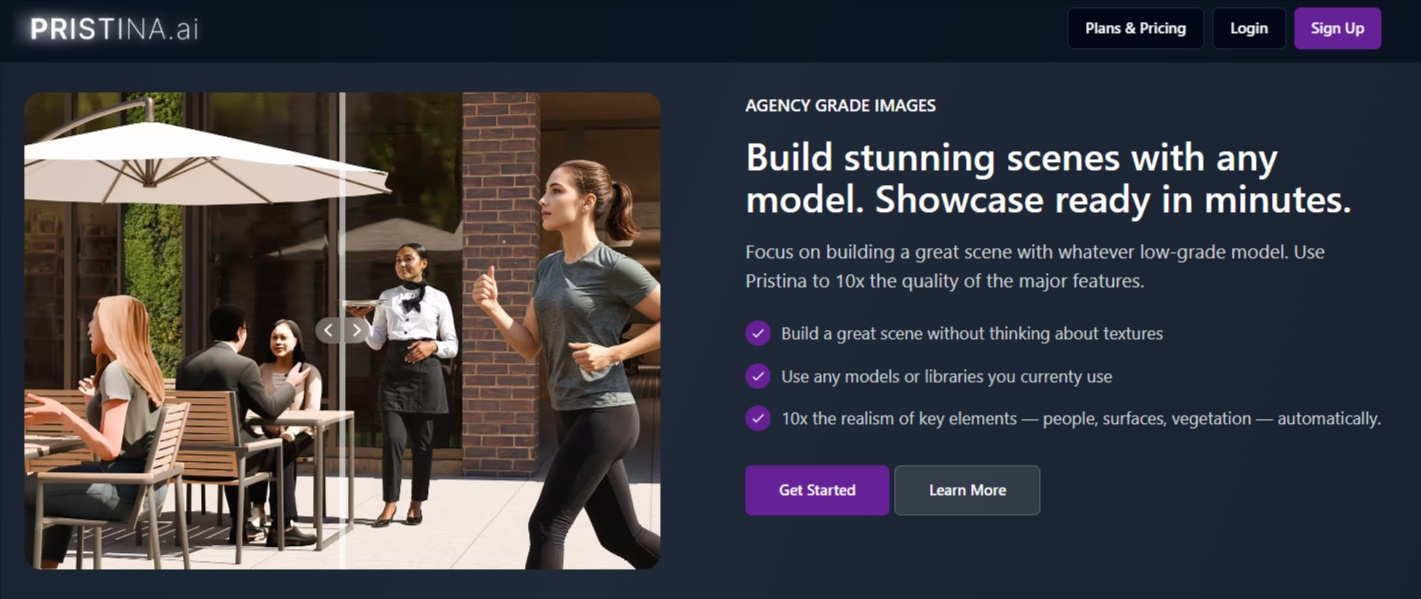
Pristina AI is a tool that enhances 3D renders inside Blender and 3ds Max so architects and 3D artists can turn rough models into photorealistic visuals faster.

Overview

Pristina AI is an AI rendering assistant designed for 3D artists working in Blender or Autodesk 3ds Max. Instead of manually building detailed textures, lighting, and materials, you can use the Pristina plugin to enhance specific objects or entire scenes using AI.

It works directly inside your 3D software. You select objects, give the AI instructions, and the system generates a more realistic version of that part of the scene.

The result: faster architectural renders, product visuals, or concept imagery without hours of manual polishing.

Architectural visualization (archviz) and 3D rendering are time-intensive. Artists often spend hours adjusting materials, lighting, vegetation, or human models to reach a photorealistic look.

Pristina AI reduces that workload.

Instead of rebuilding assets, you can start with basic models and let AI improve them. This can dramatically speed up client previews, design iterations, or marketing visuals.


Details

Tool Launch / Founded Date

Not publicly disclosed

Best for

Archviz studios Freelance 3D artists Interior designers Real estate marketing teams Product visualization teams

Access Type

Freemium Monthly subscription Credit-based generation

Licensing Model

Proprietary software Users retain ownership of generated outputs Outputs may not be unique across users due to AI generation

Feature

  • Blender & 3ds Max plugin
    Works directly inside major 3D modeling tools without exporting scenes.
  • Object-level AI enhancement
    You can enhance specific objects rather than modifying the entire render.
  • Geometry-aware masking
    AI respects camera angles and scene geometry to maintain realism.
  • Prompt-based rendering control
    Users can guide results with prompts or reference images.
  • Photorealistic upgrades
    AI improves materials, surfaces, vegetation, and human figures.
  • AI strength control
    Adjust how strongly AI modifies the scene vs. preserving the original render.
  • Cloud rendering workflow
    Heavy AI processing runs in the cloud rather than your local machine.
  • High-resolution outputs
    Supports renders up to around 6K resolution.
  • Dual-pass refinement mode
    Higher quality mode that reduces noise and improves details.

Pricing Tables

Discovery
$18 /Month
  • 1500 Credits / Month
  • AI Video
  • Free 3Ds Max / Blender plugin
  • ~150 Individual Objects / Month
  • Maintain 3D Geometric Accuracy
  • Speedy Cloud Rendering
  • 2X Accurate Upscaling
  • Human Preset
  • Ultra Quality, Dual Pass Refiner
  • Export Transparent PNG Masks
Professional
$30 /Month
  • 4000 Credits / Month
  • AI Video
  • Free 3Ds Max / Blender plugin
  • ~400 Individual Objects / Month
  • Maintain 3D Geometric Accuracy
  • Speedy Cloud Rendering
  • 2X Accurate Upscaling
  • Human Preset
  • Ultra Quality, Dual Pass Refiner
  • Export Transparent PNG Masks
Studio
$50 /Month
  • 7000 Credits / Month
  • AI Video
  • Free 3Ds Max / Blender plugin
  • ~700 Individual Objects / Month
  • Maintain 3D Geometric Accuracy
  • Speedy Cloud Rendering
  • 2X Accurate Upscaling
  • Human Preset
  • Ultra Quality, Dual Pass Refiner
  • Export Transparent PNG Masks

Analytics

Traffic Analysis

Domain Rating
12
Organic Traffic
347
Majority Users
Pakistan

Visits Over Time

No visit data found.

Traffic Sources

No traffic data found.

Last Update Date: 2026-03-14

FAQ

Can I use Pristina AI renders commercially?
Yes. Users retain ownership of the output generated through the service. However, you are responsible for ensuring your prompts and inputs do not violate intellectual property rights.
Do I need a powerful computer to use it?
Not necessarily. The heavy AI processing is done through cloud rendering, so your local machine mainly runs Blender or 3ds Max.
How many renders can I generate per month?
It depends on your credit plan. For example, the Discovery plan allows roughly 150 objects processed per month, while higher tiers increase that number.
Does it work outside Blender or 3ds Max?
Currently no. The tool is designed as a plugin specifically for these two 3D platforms.
Can I control how much AI changes my render?
Yes. The plugin includes an AI strength setting, allowing you to preserve most of the original scene or give the AI more creative freedom.
Can I use reference images?
Yes. You can provide a reference image to guide colors, materials, and overall visual style.
Does Pristina train on my content?
The company may use user content to maintain and improve the service, though the generated output remains owned by the user.

Related AI Tools

Idea Generators is an AI brainstorming tool that generates content and business ideas for creators, marketers, and online
MissionMapper is a tool that helps individuals create personal mission statements and clarify their goals, values, and purpose
JimmyGPT is an AI chatbot tool that helps individuals chat, brainstorm, and get coding or writing assistance through
Dreamland Stories is a tool that helps kids create personalized AI-generated stories with images and narration so they
WriteMyEssay.ai is a tool that generates academic essays, outlines, and citations for students so they can draft papers
StoryHero is an AI storytelling tool that creates personalized illustrated stories for children so parents, teachers, and kids



