
stablecog ai logo

Stablecog

Rating: 4.2
User Satisfaction: 84%
Stablecog is a tool that generates AI images from text prompts for creators and developers so they can quickly produce artwork, illustrations, and concept visuals.

Overview

Stablecog is an AI image generator built on top of Stable Diffusion models. It runs entirely in the browser and focuses on simplicity and transparency. You type a prompt describing the image you want, and the tool generates artwork in seconds.

Unlike many closed AI image platforms, Stablecog is open source. That means the codebase is publicly available and developers can inspect how the system works or run their own version.

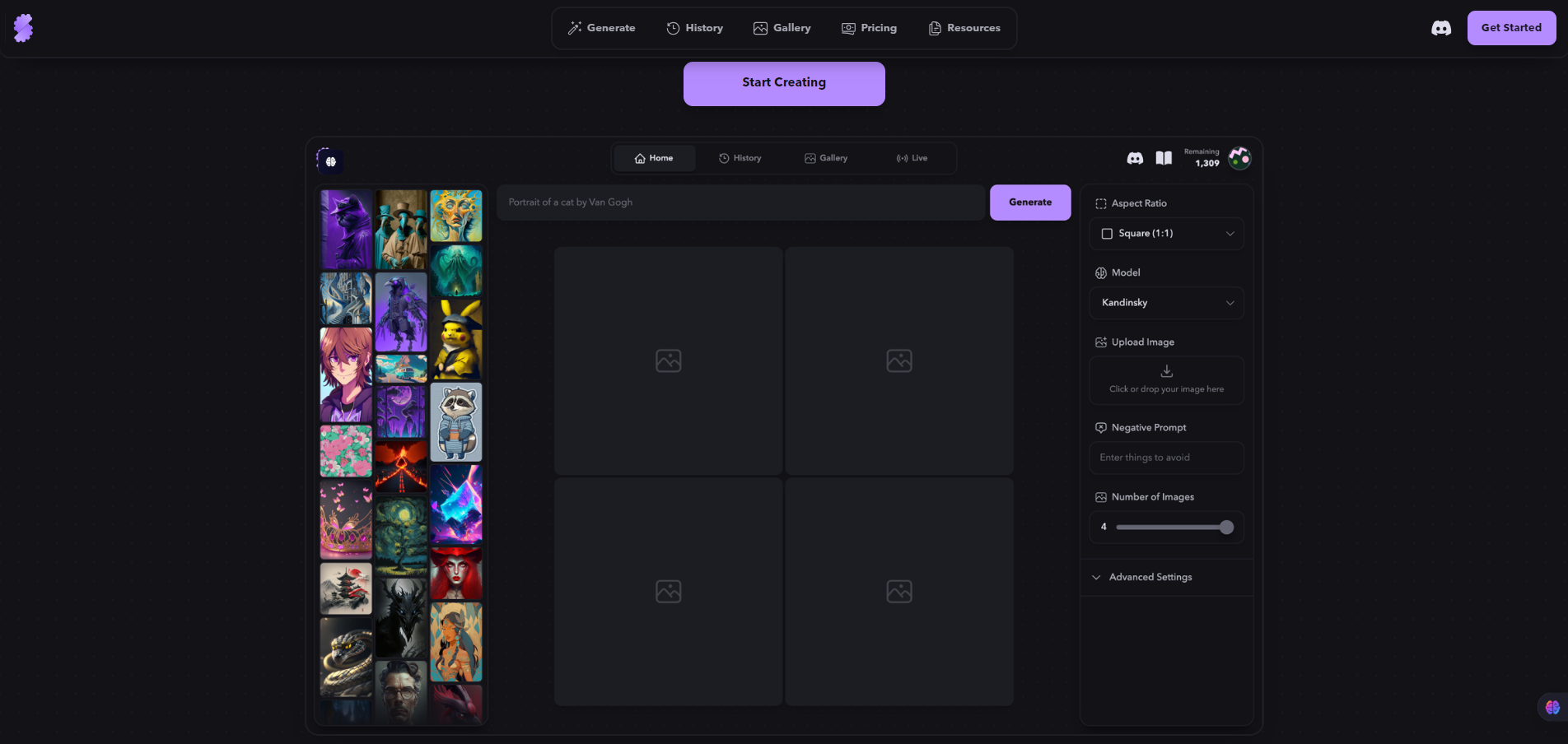
The interface is simple. You enter a prompt, choose a style or model, and generate images instantly. It’s designed for creators who want quick results without complex setup.

AI image generation has become a core tool for designers, marketers, and creators. But many platforms lock users into closed systems, limited transparency, or restrictive usage rules.

Stablecog takes a different approach.

Because it’s open source, users get more trust and flexibility. Developers can self-host it, extend it, or integrate it into custom workflows.


Details

Tool Launch / Founded Date

2022-01-01 (approx.)

Best for

Indie creators Designers experimenting with AI art Developers who prefer open-source tools Startup teams creating quick visuals

Access Type

Freemium (credits for image generation) Self-hosted option via open source

Licensing Model

Platform software is open source. Images generated typically come with commercial usage rights, depending on the plan and model used. Users cannot claim exclusive ownership of generated styles tied to training data.

Feature

  • Text-to-image generation using Stable Diffusion models.
  • Browser-based interface that works without installing software.
  • Open-source codebase for transparency and customization.
  • Prompt customization settings such as steps, guidance scale, and seed values.
  • Multiple generation styles and models depending on available releases.
  • Fast cloud GPU rendering for quick image output.
  • Downloadable images ready for creative or marketing use.
  • Self-hosting option for developers who want full control.

Pricing Tables

Free
$0
20
images per day
  • Slow generation.
  • Max. 1 image per generation.
  • No parallel generations.
  • Personal use only.
  • Images are public.
  • No credit top-ups.
Starter
$ 10 /month
2,000
images per month
  • Fast generation.
  • Max. 4 images per generation.
  • 2 parallel generations.
  • Commercial use.
  • Images are private.
  • Optional credit top-ups.
Pro
$ 25 /month
6,000
images per month
  • Fast generation.
  • Max. 4 images per generation.
  • 3 parallel generations.
  • Commercial use.
  • Images are private.
  • Optional credit top-ups.

Analytics

Traffic Analysis

Domain Rating
44
Organic Traffic
121.36K
Majority Users
United States

Visits Over Time

No visit data found.

Traffic Sources

No traffic data found.

Last Update Date: 2026-03-05

FAQ

Can I use Stablecog images commercially?
Yes, most generated images can be used commercially depending on the plan and the model used. However, users should still review the platform’s terms and any restrictions related to specific models.
Is Stablecog open source?
Yes. The core platform is open source, and the code is publicly available on GitHub. Developers can inspect, modify, or self-host the tool.
How many images can I generate?
This depends on the plan. The free tier provides a limited number of daily generations, while paid plans include larger monthly quotas and faster rendering.
Do I need to install anything?
No. Stablecog runs directly in the browser. You can generate images without installing software unless you want to run the open-source version locally.
Can I control the image style?
Yes. Users can guide the results through prompts and adjustable generation parameters such as guidance scale, steps, and seeds.
Does Stablecog train on my images?
Public documentation does not indicate that user-generated images are used to train future models. Users should review the privacy policy for the latest details.
Is it good for professional design work?
It’s useful for concept art, ideation, and quick visual assets. However, professional designers usually combine it with editing tools like Photoshop or Figma for final production work.

Related AI Tools

Kids Tell Tales is an AI storytelling tool that creates personalized children’s books for parents, educators, and young
Featherless is a tool that provides serverless access to open-source AI models for developers and AI teams so
Artypa is a tool that generates and edits AI images, videos, and audio for creators and brands so
GenscriptAI is an AI-powered scriptwriting tool that helps creators and media teams generate story ideas and scripts faster
Learn Copywriting is a copywriting education platform that teaches persuasive writing and marketing skills for freelancers, marketers, and