
PhotoCat logo

PhotoCat

Rating: 3.8
User Satisfaction: 74%
PhotoCat is a browser-based photo editing tool that lets casual creators and small teams retouch photos, add effects, and build collages without installing design software.

Overview

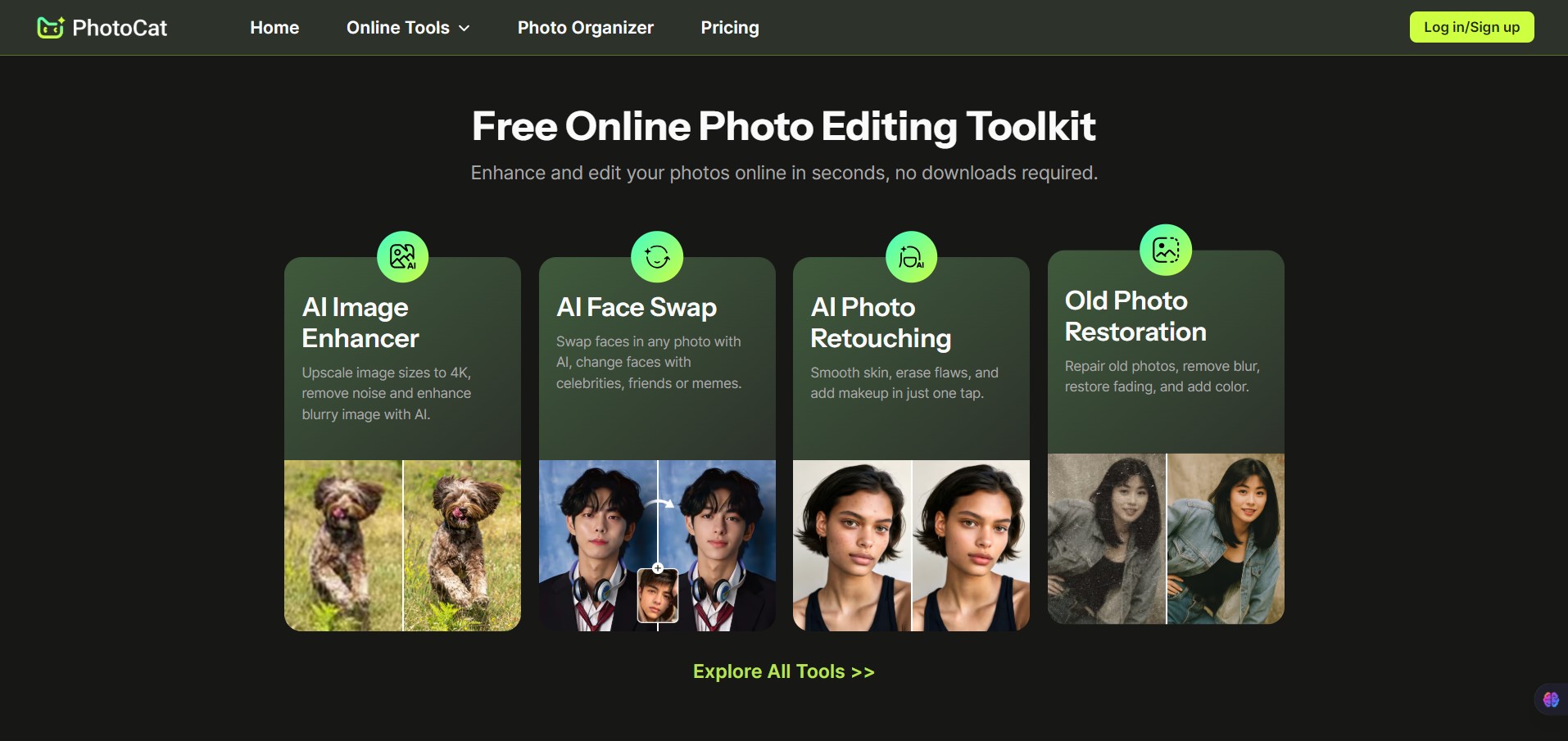
PhotoCat is a lightweight online photo editor and collage maker that runs directly in your browser. It focuses on simple image edits like retouching portraits, adjusting colors, adding frames, and building quick photo collages.

The tool sits somewhere between a casual photo app and a simplified design editor. It’s designed for people who want quick results without learning complex tools like Photoshop.

You upload an image, choose an editing mode (edit, retouch, or collage), and apply changes using built-in effects, overlays, and filters.

Many creators and small businesses need quick image edits but don’t want to install heavy software or pay for professional tools.

PhotoCat solves that problem by offering:

  • One-click portrait touch-ups
  • Easy collage layouts
  • Ready-made filters and frames
  • Basic editing tools that work instantly in the browser

Details

Tool Launch / Founded Date

Not publicly disclosed

Best for

Casual creators Students Bloggers Small businesses needing quick visuals Users who want a free browser editor

Access Type

Free web tool

Licensing Model

Proprietary software Users can download and use edited images No special commercial licensing terms publicly disclosed

Feature

  • Browser-based editor – Works instantly without downloading software.
  • Portrait retouch tools – Remove blemishes, whiten teeth, smooth skin, and brighten eyes.
  • Prebuilt filters and effects – Apply stylized looks with one click.
  • Collage maker – Combine multiple images using layout templates.
  • Frames and overlays – Add borders, textures, and decorative elements.
  • Basic editing tools – Crop, resize, rotate, adjust brightness and contrast.
  • Text and stickers – Add captions or simple graphic elements to photos.
  • Instant export – Download edited images quickly.

Pricing Tables

Free - Light Experience
$0

Clean anytime for casual use.

  • Basic photo cleanup features
  • Limited access to AI tools
  • Fixed amount of credits
  • Deep Photo Care · Full AI Access
Pro Yearly - Best Value
$1.15/week
Unlock full creative power for pennies a day. The smart choice for year-round use.
  • 5200+ Credits / Year (100 refreshed weekly)
  • Pro-Level Deep Cleanup
  • Smart photo recognition & best-pick suggestions
  • Unlock all AI editing tools
  • Ad-free experience for smooth editing
  • Early access to beta features
Pro Weekly - Flexible Choice
$6.99/week
Perfect for quick fixes and short-term projects.
  • 100 Credits every week (Valid for 7 days)
  • Pro-Level Deep Cleanup
  • Smart photo recognition & best-pick suggestions
  • Unlock all AI editing tools
  • Ad-free experience for smooth editing
  • Early access to beta features

Analytics

Traffic Analysis

Domain Rating
51
Organic Traffic
385.82K
Majority Users
Russia

Visits Over Time

No visit data found.

Traffic Sources

No traffic data found.

Last Update Date: 2026-03-05

FAQ

Is PhotoCat free to use?
Yes. PhotoCat is available as a free browser-based photo editor. You can upload images, edit them, and download the results without a subscription.
Can I use PhotoCat for commercial images?
PhotoCat does not publicly outline detailed licensing restrictions. In general, users can download and use edited images, but you should confirm licensing if using images commercially.
Does PhotoCat use AI for editing?
No. PhotoCat focuses on traditional editing tools like filters, color adjustments, and manual retouching rather than AI-generated edits.
Do I need to install anything?
No installation is required. PhotoCat runs entirely in a web browser.
Can I create photo collages?
Yes. PhotoCat includes a collage maker with preset layouts where you can combine multiple images into one design.
Does PhotoCat support layers or advanced editing?
No. The editor is simplified and does not include advanced features like layers, masks, or professional compositing tools.
Can I save projects and edit them later?
No. PhotoCat works on a per-session basis. You edit images and download them, but projects are not saved in the cloud.

Related AI Tools

Kids Tell Tales is an AI storytelling tool that creates personalized children’s books for parents, educators, and young
Featherless is a tool that provides serverless access to open-source AI models for developers and AI teams so
Artypa is a tool that generates and edits AI images, videos, and audio for creators and brands so
GenscriptAI is an AI-powered scriptwriting tool that helps creators and media teams generate story ideas and scripts faster
Learn Copywriting is a copywriting education platform that teaches persuasive writing and marketing skills for freelancers, marketers, and