deep_image_ai_logo

Deep-Image.ai

Rating: 3.8
User Satisfaction: 75%
Deep-Image.ai is a tool that uses AI to upscale and enhance images for creators and businesses so they can improve resolution, remove artifacts/backgrounds and streamline visual workflows.

Overview

Deep-Image.ai is a web-based AI service that focuses on automatically improving image quality: upscaling resolution, removing background/noise, sharpening, enhancing lighting and colors, and also offering image generation features. 

If you’re a creator, marketer, e-commerce manager or photographer dealing with many images (product shots, real-estate photos, social media visuals), manually editing each image is time-consuming. Deep-Image.ai helps by automating a lot of that editing, speeding workflows and helping you maintain visual quality at scale. 
Also, for print- or marketplace-ready images (high resolution, clean backgrounds) the upscaling + noise reduction features are a key benefit.

Details

Tool Launch / Founded Date

Approx 2021–2022.

Best for

E-commerce managers dealing with dozens/hundreds of product images Photographers or studios needing fast enhancement of many shots Real-estate marketers who need high-res, clean visuals quickly Content creators or social media managers who want to polish images without heavy editing skills

Access Type

Freemium (trial credits) → Subscription or pay-as-you-go credits. Free trial available (“try for free, no credit card”) Paid plans (credits/subscriptions) for heavier usage.

Licensing Model

Proprietary software; users upload images and get enhanced results. The website states “everything that can be done in our control panel can also be done through API”.

Feature

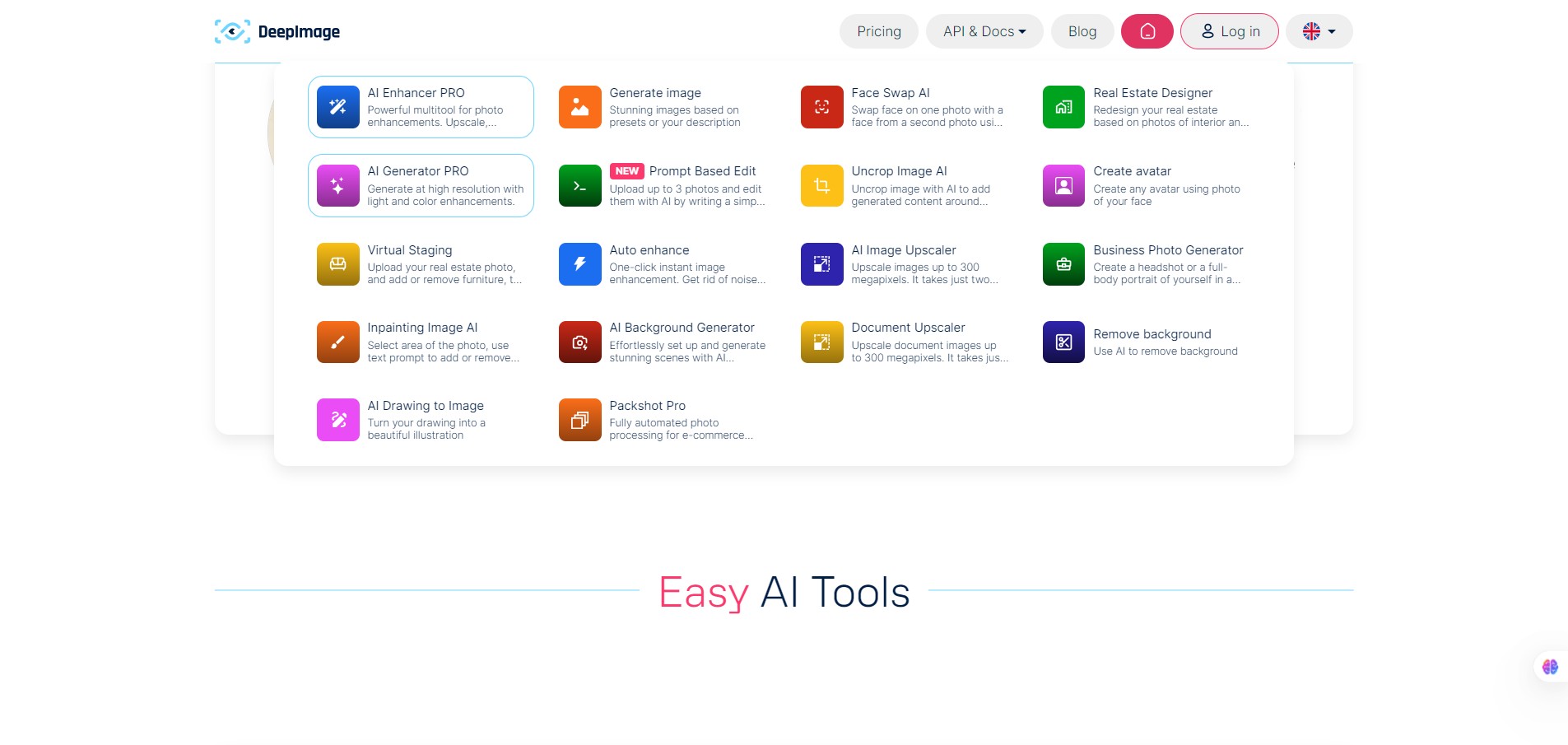
  • Upscaling images up to very high resolution (they mention up to 300 megapixels) via API. 
  • Automatic enhancement: noise reduction, blur removal, color/lighting correction, sharpening.
  • Background removal / exchange.
  • Batch processing capability (important when you have lots of images) and integration with workflows. 
  • AI image generation features: create images from text prompts or transform existing images (avatars, backgrounds, etc). 
  • API access with full parity to the web app: so you can embed into your own system/workflow.

Pricing Tables

Pay As You Go
  • 15 credits
    $0.53 / image
    $7.99
  • 25 credits
    $0.40 / image
    $9.99
  • 50 credits
    $0.32 / image
    $15.99
  • 100 credits
    $0.25 / image
    $24.99
  • 200 credits
    $0.23 / image
    $45.99
  • 300 credits
    $0.21 / image
    $61.99
  • 500 credits
    $0.20 / image
    $99.99
  • 1000 credits
    $0.17 / image
    $169.99
Subscription Plans
  • 100 credits / month
    $0.09 / image
    $9.00
  • 300 credits / month
    $0.08 / image
    $24.00
  • 500 credits / month
    $0.08 / image
    $39.00
    Resolution up to 1024 megapixels:
  • 1000 credits / month
    $0.07 / image
    $69.00
  • 2500 credits / month
    $0.06 / image
    $150.00
  • 5000 credits / month
    $0.05 / image
    $270.00
  • 10000 credits / month
    $0.05 / image
    $480.00
  • 15000 credits / month
    $0.04 / image
    $650.00
  • 30000 credits / month
    $0.04 / image
    $1200.00

Analytics

Traffic Analysis

Domain Rating
60
Organic Traffic
86259
Majority Users
United States

Visits Over Time

No visit data found.

Traffic Sources

No traffic data found.

Last Update Date: 2025-11-11

FAQ

Can I use the enhanced images commercially?
Generally yes if you pay for the plan and abide by terms, but you should check the vendor’s licence/terms of use to ensure commercial usage and reselling of enhanced assets is permitted.
How many images can I enhance per month?
Depends on your plan. For example, the Bronze plan gives ~100 credits/month, Silver ~500 credits/month. One transformation = one credit.
Can I customize or fine-tune the enhancement (manually adjust settings)?
Yes to an extent — the platform offers presets and parameters (sharpen, denoise, upscaling factor, etc) but it’s not a full manual editing suite where you adjust every pixel. Some users report that for specialized editing you may still need additional tools.
Does it integrate with other tools/workflows?
Yes — the API offers full parity with the web app so you can embed into workflows, scripts, e-commerce back-ends. Also integration with platforms such as Google Drive, Dropbox, Zapier/Make are mentioned.
Is my image data used to train the AI?
The publicly available information doesn’t clearly state whether uploaded images are used for training. If you’re handling sensitive or proprietary visuals, you should review their privacy policy or contact them for confirmation.
What do I get in the highest plan compared to the starter plan?
Higher plans give many more credits (thus more images you can process), likely faster throughput and may include business features (batch automation, API access, higher resolution outputs). The starter credit packs are for small usage, not high-volume enterprise workflows.
Does it provide mobile apps?
The main offering is web + API. There is a mobile app “Deep Image” in Google Play, but that may be a companion/consumer version rather than full feature-set.

Related AI Tools

JimmyGPT is an AI chatbot tool that helps individuals chat, brainstorm, and get coding or writing assistance through
Dreamland Stories is a tool that helps kids create personalized AI-generated stories with images and narration so they
WriteMyEssay.ai is a tool that generates academic essays, outlines, and citations for students so they can draft papers
StoryHero is an AI storytelling tool that creates personalized illustrated stories for children so parents, teachers, and kids
MindChat is a mental wellness and concussion monitoring platform that combines AI assessments with EEG data for clinicians,
FanFicGen is a tool that generates AI-written fan fiction stories for fandom creators so they can brainstorm plots,