


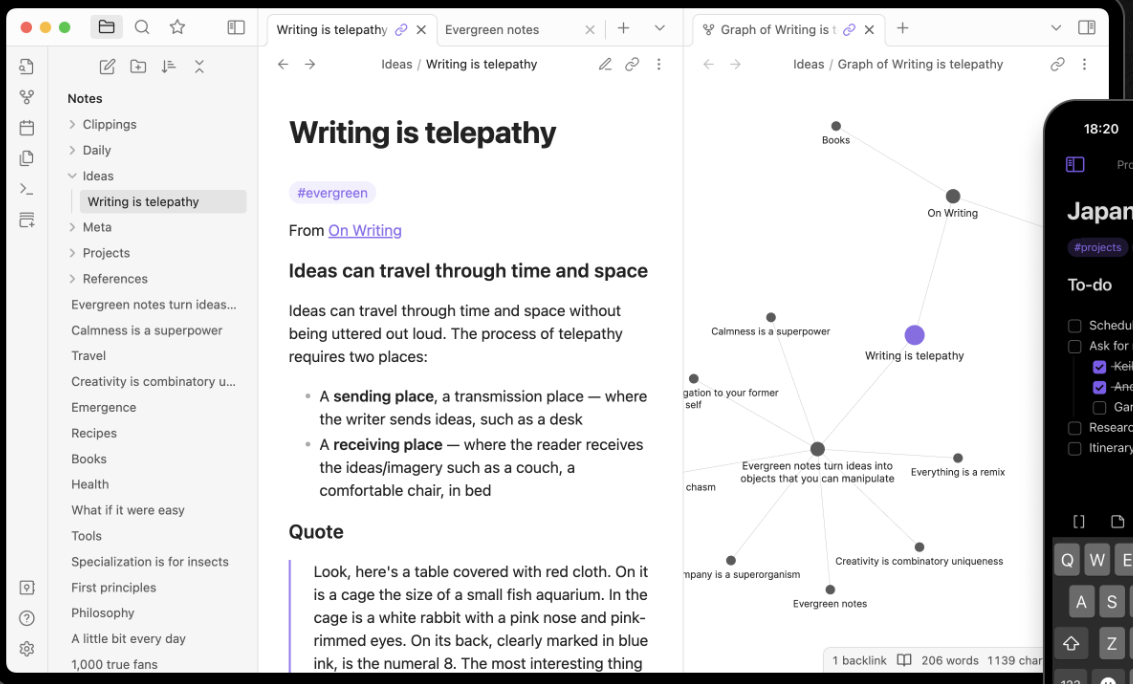
Obsidian is a cross-platform application (desktop + mobile) for taking Markdown-based notes, building a personal knowledge base, and linking ideas in a flexible way. It stores your notes as plain text files in a folder (called a “vault”).
If you often capture ideas, research, fragments, thoughts and want them to connect (rather than remain isolated), Obsidian shines. You get local-file ownership (so you keep your data), links between notes, a graph view of connections, and a rich plugin ecosystem for customizing workflows. Many users find it especially good for “second-brain” thinking, creatives, researchers, and power note-takers.
You install Obsidian on your device, point it at a folder of Markdown files (or create one), and start creating notes. You can link notes by typing [[Note Name]], browse a visual graph of your notes and connections. You can install community plugins/themes to add functionality (e.g., Kanban boards, calendars, templates). Core features are free. There are optional premium services: sync across devices with encryption (Obsidian Sync) and publish your vault to the web (Obsidian Publish).



