Standard Notes Logo

Standard Notes

Rating: 4.4/5
User Satisfaction: 91%
Standard Notes is a tool that lets you take encrypted notes and sync them across devices so you can store and organize thoughts, code, and sensitive info securely.

Alternative To

Overview

Standard Notes is a note-taking app built around strong privacy and encryption. It works across platforms (Windows, macOS, Linux, iOS, Android, Web) and gives you an encrypted vault for your notes, files, tasks and more.

If you handle sensitive personal or business data—private journal entries, code snippets, passwords, legal documents—then having encryption and cross-device sync matters. Standard Notes delivers end-to-end encryption (only you can read your notes) and unlimited device sync even on the free plan.
This makes it particularly suited for privacy-conscious individuals (e.g., freelancers, legal/consulting professionals, journalists) but also anyone who simply wants a dependable long-term note store without vendor lock-in.

Details

Tool Launch / Founded Date

2016

Best for

Solo founders, freelancers, consultants, knowledge-workers with sensitive info, privacy-focused individuals, people wanting long-term domain-agnostic note archive

Access Type

Free (basic) + Paid Subscription (yearly) — see pricing below

Licensing Model

Code is open source under AGPL-3.0 (see GitHub) Users get commercial rights to their own notes; Standard Notes emphasises “only you can read your notes”.

Feature

  • Strong end-to-end encryption for notes, tags, files: only you control the keys. 
  • Unlimited sync across devices and unlimited number of notes, even on the free tier. 
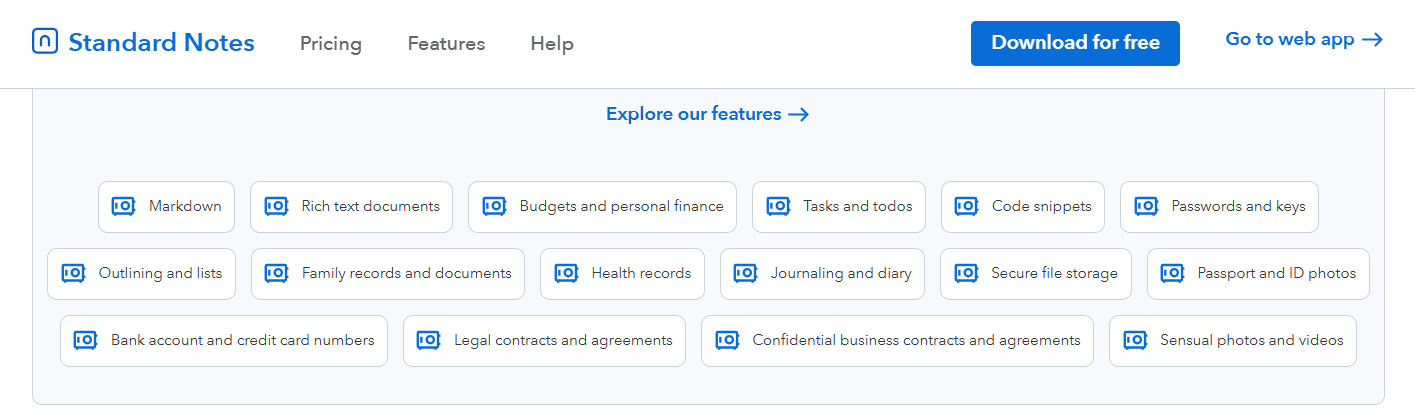
  • Multiple note-types: plain text, rich text, Markdown, code snippets, spreadsheets, tasks & todos, password/auth types.
  • Offline access and cross-platform support (Windows, macOS, Linux, iOS, Android, Web) including self-hosting possibility.
  • Version history and encrypted backups (in paid tiers): e.g., one-year history (Productivity) or unlimited history (Professional).
  • 100 GB encrypted cloud storage (Professional plan) for files/photos/videos, and backup/export capabilities.
  • Self-hosting supported: you can run your own server and subscribe to paid features if you prefer full control.

Pricing Tables

Standard (Free)
$0/year
  • Unlimited notes
  • Unlimited devices
  • Syncing across devices
  • Basic editors (plain text)
  • End-to-end encryption, two-factor authentication
Productivity
$90/year
  • Everything in Free
  • Rich text editing, Markdown, code snippets, spreadsheets, checklists & more
  • Web clipper
  • One-year note revision history
  • Dedicated support
  • Organize into folders, account-sign-in notifications
Professional
$120/year
  • Everything in Productivity
  • 100 GB encrypted cloud storage (files/photos/videos)
  • Offline file access
  • Unlimited note-history (revision)
  • Subscription sharing (up to 5 accounts)
  • Hardware security key support (e.g., YubiKey)
  • 90-day refund guarantee

Analytics

Traffic Analysis

Domain Rating
72
Organic Traffic
15535
Majority Users
United States

Visits Over Time

No visit data found.

Traffic Sources

No traffic data found.

Last Update Date: 2025-11-15

FAQ

Can I use Standard Notes commercially (for business notes, clients, etc.)?
Yes — you own your notes. The encryption model ensures only you (or your account) can access them. Paid plans simply provide additional features; there’s no “commercial-use prohibited” clause published.
How many notes/devices can I use on the free plan?
The free plan supports unlimited notes and unlimited devices. (Standard Notes) However, note-types and advanced features are limited.
Can I edit/customize the output (formatting, attachments, etc.)?
Yes — on paid plans you get rich text, Markdown, spreadsheets, attachments, folders and more. On the free plan you’re more limited to basic note formatting.
Does the company train on my content or use it for model training?
No. Your data is end-to-end encrypted and only you hold the keys; the company cannot read your content. There is no indication they use your content for training models.
What do I get on the top plan (Professional) that I don’t get on the free or Productivity plan?
On the Professional plan you get 100 GB encrypted cloud storage for files & videos, offline file access, unlimited note history (not just 1 year), hardware security key support, and subscription sharing (up to 5 accounts)
If I self-host Standard Notes, can I still subscribe and get paid features?
Yes — you can self-host the server and subscribe to the paid plan to unlock server-side premium features; client-side premium editors still require a paid plan.

Related AI Tools

FictionGenie is a tool that generates stories, plots, and creative writing prompts for writers so they can draft
Logolept is a tool that expands your ideas into structured writing for creators so they can generate content
DoodleTale is a tool that turns kids’ drawings into AI-generated stories so they can create, learn, and play
PopStory is a tool that generates branded stories and marketing content using AI for creators and businesses so
Story Legend is a tool that generates and develops stories using AI for writers and creators so they
TaleStitch is a tool that helps writers create structured stories with AI guidance so they can develop plots,