
cboard_logo

CBoard

Rating: 4.2
User Satisfaction: 87%
CBoard is a tool that gives children and adults with speech/language impairments customizable symbol-boards with text-to-speech so they can communicate, learn, and participate.

Alternative To

Overview

CBoard (often styled “Cboard AAC”) is a web-app (and mobile/desktop compatible) that acts as an Augmentative and Alternative Communication (AAC) system: it allows users with speech and language impairments (for example due to autism, cerebral palsy, aphasia) to communicate via picture-based “boards”, symbol tiles, and text that can be spoken aloud with text-to-speech.

For non-verbal or minimally verbal individuals, access to communication is critical. CBoard removes many barriers: it works across browsers/devices, supports editing of boards, works offline, supports many languages, and is open-source. It thereby gives users a voice, supports learning, social interaction, and personal agency. For caregivers, educators, therapists this means a flexible tool rather than a fixed black-box device.

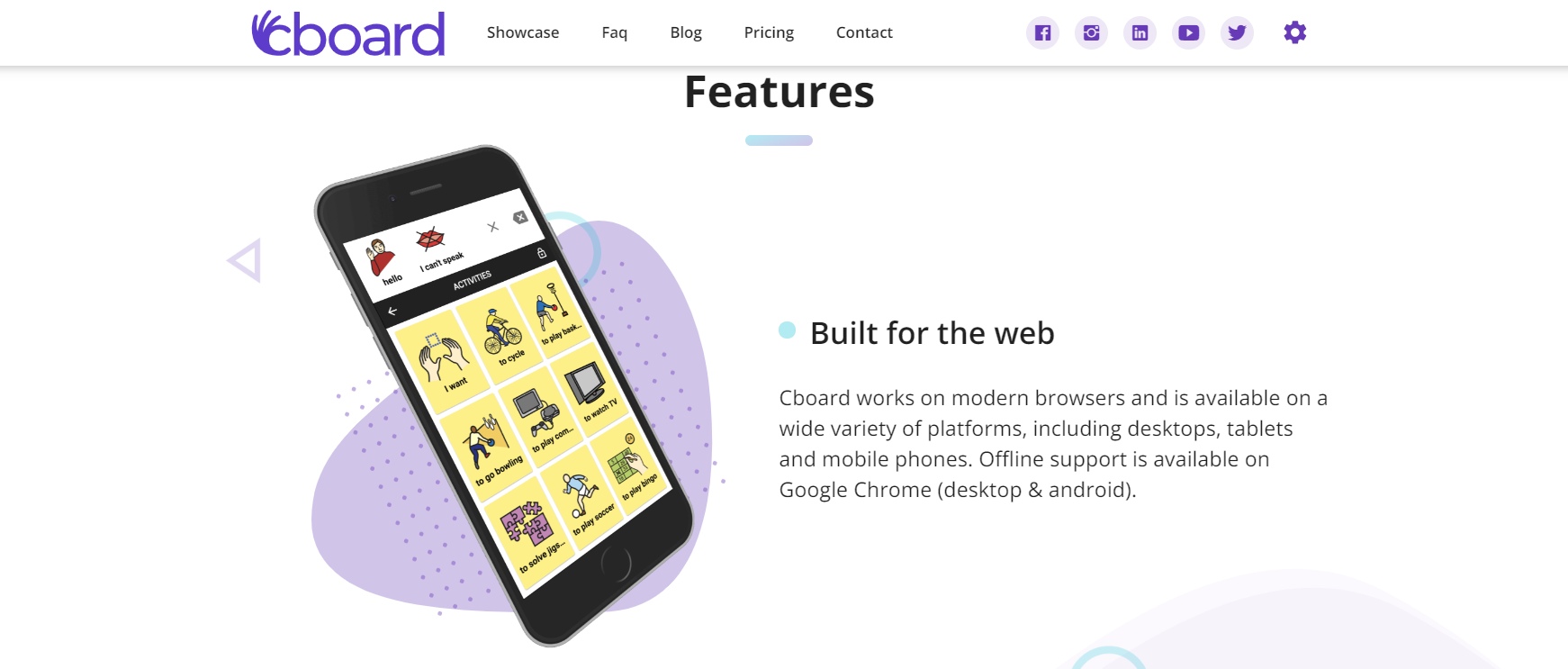
You create or select a “board” (grid of icons or tiles). Each tile can represent a concept, word or phrase. When the user taps a tile, the system uses text-to-speech to speak the tile’s label. You can personalize: upload your own images, record voices, re-arrange tiles, add new boards. The app runs in a browser (thus on desktop, tablet, phone) and has offline capabilities.

Details

Tool Launch / Founded Date

The open-source repository shows earliest commits from 2017 and multiple releases; approximate formal launch ~2017-01.

Best for

Users with speech/language impairments (children/adults); therapists & special educators; schools & institutions looking for flexible AAC; organisations in low-resource settings.

Access Type

Freemium: free tier available; paid subscription for additional features.

Licensing Model

The core software is open-source under GNU GPL v3. Users get rights to modify/host. For commercial deployment check the subscription terms for “premium” features.

Feature

  • Symbol-based communication boards: supports thousands of symbols from popular AAC libraries. 
  • Text-to-speech support: when a tile is tapped, the label is spoken aloud; supports many languages. 
  • Customisable boards: you can add, delete, replace, reorder tiles; upload your own images; record voices for tiles. 
  • Multi-platform & offline capability: usable in browser, on Android or iOS, tablets/desktops; some offline support. 
  • Multi-language support: dozens of languages available. 
  • Open-source: the codebase is publicly available and modifiable (GPL-3). 
  • Free tier possible and philanthropic usage: free in many lower-income countries / globally for basic use.

Pricing Tables

Free
$0/Forever
Pro Monthly Plan
$ 8 /Monthly
  • Online neural voices
  • Copy public boards
  • Publish boards
  • Copy tiles
  • Powerful usage analytics
  • Share boards
  • Ads free
  • Export to open board format (OBF)
  • Share phrases
  • Private support channel
  • Voice recording for tiles
Pro Yearly Plan
$79 /Yearly
  • Online neural voices
  • Copy public boards
  • Publish boards
  • Copy tiles
  • Powerful usage analytics
  • Share boards
  • Ads free
  • Export to open board format (OBF)
  • Share phrases
  • Private support channel
  • Voice recording for tiles

Analytics

Traffic Analysis

Domain Rating
59
Organic Traffic
810
Majority Users
United States

Visits Over Time

No visit data found.

Traffic Sources

No traffic data found.

Last Update Date: 2025-11-19

FAQ

Can I use CBoard commercially (e.g., in a school or for paid therapy services)?
Yes — the core version is free and open-source, and you may deploy for educational/therapeutic use. For larger institution use or premium features (e.g., analytics, sharing, neural voices) you’ll likely need the Pro plan. Always check their terms for any licensing or support disclaimers.
How many boards/tiles can I create and how many users can use them?
The free tier allows creation and customization of boards and tiles. There is no publicly detailed cap on number of boards/tiles/users in the free tier. However, premium features like sharing boards, exporting, collecting analytics are limited to Pro plan.
Can I edit the boards – upload my own images, change voices, personalize?
Yes. You can upload your images, record your voice for tiles, rearrange/rename tiles/boards. This applies across tiers, but some voice/recording features (e.g., voice-record for tiles) may require Pro.
What languages/devices are supported?
CBoard works in modern web browsers (desktop, tablet, mobile) and has native apps via PWA; the Android app is on Google Play. (Google Play) It supports many languages (40+ from open-source repo) though support may vary by platform.
Does the company train on my content (boards, phrases) or use my data for model training?
The core software is open-source and you control your boards. The privacy policy should be reviewed for any telemetry/usage analytics especially if you subscribe to Pro. For many users, local/offline usage may keep data on the device.
What happens on the free plan compared to Pro?
On free you get the main board creation, symbol sets, text-to-speech. On Pro you unlock neural voices (higher quality speech), board exporting/sharing, copying public boards, analytics, voice-recording for tiles, ad-free experience, and private support.
If I deploy in a low-resource setting (weak internet, rural school), will it work?
Yes — CBoard supports offline use and printing of boards (board export to open board format) so you can use it even without constant internet. (cboard.io) However, some features (sharing, analytics) will require online access and you’ll want to ensure tablets/devices are workable.

Related AI Tools

JimmyGPT is an AI chatbot tool that helps individuals chat, brainstorm, and get coding or writing assistance through
Dreamland Stories is a tool that helps kids create personalized AI-generated stories with images and narration so they
WriteMyEssay.ai is a tool that generates academic essays, outlines, and citations for students so they can draft papers
StoryHero is an AI storytelling tool that creates personalized illustrated stories for children so parents, teachers, and kids
MindChat is a mental wellness and concussion monitoring platform that combines AI assessments with EEG data for clinicians,
FanFicGen is a tool that generates AI-written fan fiction stories for fandom creators so they can brainstorm plots,

