
Upscayl logo

Upscayl

Rating: 4.4/5
User Satisfaction: 89.2%
Upscayl is a tool that enlarges and sharpens low-resolution images for creators, designers, and developers so they can turn blurry or pixelated pictures into high-quality, print-ready or display-ready images.

Overview

Upscayl is a cross-platform AI-powered image upscaler that helps you transform low-resolution or blurry photos into sharper, high-resolution images. It runs as a desktop application (for Windows, macOS, and Linux) — and also offers a cloud version — allowing users to upscale images without needing heavy manual editing or expensive software.

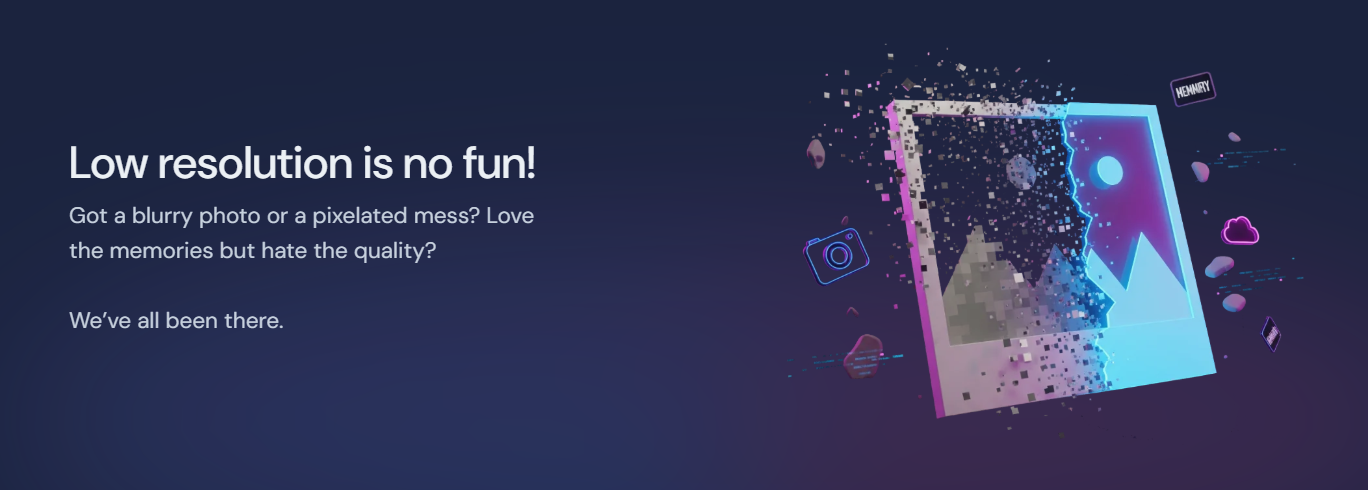
If you work with old photos, compressed images, digital art, or any graphics that look pixelated or blurry, manually redrawing or editing to restore clarity can be time-consuming and imprecise. Upscayl solves that by automatically “guessing” and re-creating missing detail, letting you quickly get higher-quality images suitable for printing, high-res displays, social media, or professional design work. For photographers, designers, content creators, or small teams — it provides a budget-friendly, efficient alternative to heavyweight photo-editing suites.

  • On the desktop version, Upscayl uses AI upscaling models (e.g., based on techniques like Real-ESRGAN) to enlarge images while preserving — or reconstructing — details.
  • You can select the upscaling factor (2×, 4×, and sometimes more), choose from different AI “models” depending on the type of image (photo, illustration, etc.), and optionally apply a “double upscale” for extra resolution.
  • It supports batch processing so you can upscale multiple images at once — handy for large photo collections, old archives, or bulk content.
  • There’s also a cloud-based version (Upscayl Cloud) that avoids the need for a powerful GPU.

Details

Tool Launch / Founded Date

2025

Best for

Solo creators, photographers, designers, small content teams, archivists, developers needing quick image upscaling without heavy software overhead

Access Type

Free & open-source desktop version; optional paid cloud subscription for higher performance / large-scale usage

Licensing Model

Open source (MIT or similar); images remain private when using desktop version. For cloud, check terms.

Feature

  • AI-powered upscaling — enlarge images up to 2×, 4×, 8×, sometimes more without major quality loss.
  • Multiple models/styles — pick the model that suits a photo, illustration, or art piece. 
  • Batch processing — upscale multiple images at once, saving time for large projects. 
  • Double-upscale option — apply upscaling twice for extra resolution boost when needed. 
  • Cross-platform desktop support — works on Linux, macOS, and Windows. 
  • Local processing — images stay on your computer (good for privacy), no cloud upload required.
  • Cloud option — for users without a capable GPU or needing convenience: cloud-based upscaling + storage.

Pricing Tables

Free
$0
  • Full desktop app available for Windows, macOS, Linux.
  • No subscription, no payment required.
  • Local upscaling; no need for cloud credits or internet.
Pro Plan
$24.99 / month
  • 300 credits per month.
  • Unused credits roll over.
  • Priority support.
  • Upscale images up to 256 MP.
  • Generate AI images (when available) + access to new models/features. 
  • 6 months unlimited cloud storage.
Business Plan
custom price

Higher-resolution upscaling (up to 512 MP). (Upscayl)

Priority support, cloud storage, and access to all features / models. (Upscayl)

Pricing not publicly listed — contact sales.

Analytics

Traffic Analysis

Domain Rating
63
Organic Traffic
50.3K
Majority Users
India

Visits Over Time

No visit data found.

Traffic Sources

No traffic data found.

Last Update Date: 2025-12-03

FAQ

Is Upscayl really free?
Yes — the desktop version of Upscayl is completely free, open-source, and you can use it without any payment.
Can I use Upscayl output commercially (e.g. for client work, prints, social media)?
Yes — Upscayl doesn’t impose restrictive licensing on output. If you use the desktop version, images remain on your own machine, giving you full control over usage. (
Do I need a powerful computer to use it?
For the desktop version, Upscayl works best with a GPU that supports Vulkan. On weak / integrated GPUs, performance may suffer or it may not run smoothly.
Can I process many images at once?
Yes — Upscayl supports batch processing, so you can upscale multiple images in one go.
Does Upscayl store or use my images for training or other purposes?
According to its privacy policy, images uploaded via cloud are only used to provide the service. The desktop version keeps everything local. They do not claim to use your images to train their models.
What’s the difference between Upscayl Desktop and Upscayl Cloud?
Desktop runs locally on your PC — good for privacy, free use, and offline work. Cloud runs on Upscayl’s servers — useful when you don’t have a capable GPU or when you need heavy upscaling, storage, and convenience. Cloud plan requires credits / subscription.
What do I get on the paid plan that I don’t get on free?
Paid (Cloud) plan gives you credits for high-res upscaling, priority support, access to the latest AI models, and cloud storage — useful if you process many images or very large images often.

Related AI Tools

AI Storyteller is a tool that generates custom stories using AI for parents, teachers, and creators so they
BedtimeStory AI is a tool that generates personalized bedtime stories for children so parents can create engaging, custom
Teachfloor is a platform that helps educators run cohort-based courses with live classes and community features so they
Surf is a tool that connects your internal apps and documents to an AI assistant so teams can
SmutFinder is a discovery tool that helps readers find adult stories and NSFW content across multiple platforms so
Greetings Island is a tool that lets you create and customize printable or digital greeting cards and invitations

