


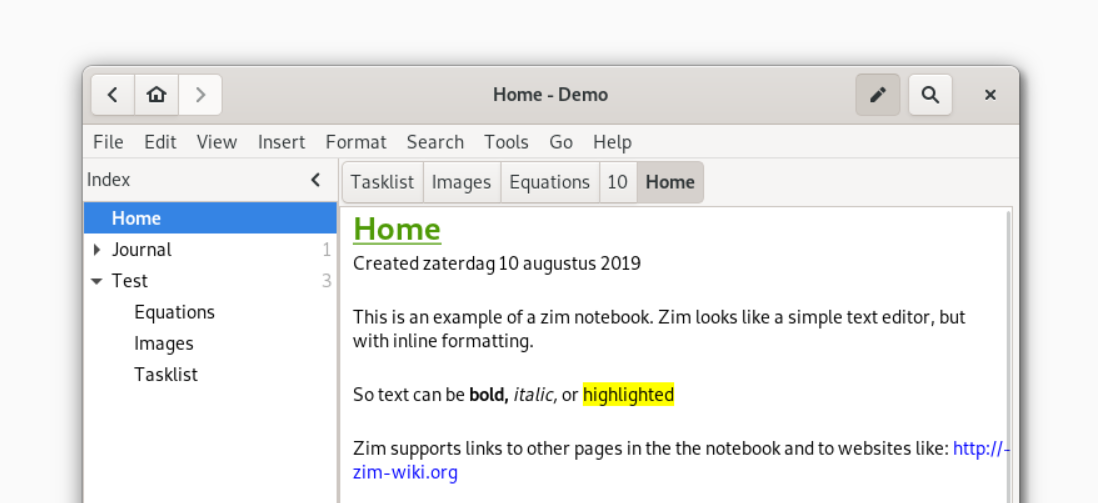
Zim Wiki is a desktop app that works like a personal wiki. Each “page” is a text file stored in a simple folder structure, and you can link pages together to build a knowledge base. It’s open source, lightweight, and runs offline. If you like the flexibility of plain text but want structure and a GUI editor instead of a raw markdown tool, Zim sits in the middle.
Zim helps you organize large amounts of information without a database or cloud dependency. Writers use it for documentation and research notes. Developers use it for personal knowledge bases and project planning. Anyone who prefers local, human-readable files over SaaS platforms will find it valuable. It reduces friction because everything is in folders you control, and export options make it easy to publish or share your notes.
You create notebooks that store pages as plain text files (with Zim’s wiki syntax). The editor supports formatting, checklists, images, attachments, and page linking. Plugins add features such as task lists, a calendar, equation editing, version control integration (Git/Bazaar), spellchecking, and HTML export.
Because it’s desktop-only, syncing requires your own setup (Git, Syncthing, Dropbox, etc.). There’s no official mobile app, and collaboration is manual. Some plugins are aging, and interface polish isn’t its main strength. But for users wanting full data ownership and a stable local wiki, Zim is reliable and mature.



