Krita logo

Krita

Rating: 4.6
User Satisfaction: 90.5%
Krita is a digital painting app that helps illustrators, concept artists, and animators create high-quality art with advanced brushes, layers, and animation tools.

Alternative To

Overview

Krita is an open-source digital painting and illustration program. It’s built specifically for artists rather than general image editing. You get a large brush engine, a customizable workspace, and support for drawing tablets. It’s widely used for concept art, comics, textures, and frame-by-frame animation.

If you’re an artist who needs pro painting tools without paying for subscriptions, Krita is one of the strongest options available. It provides deep control over brushes, layers, and color management, which makes it suitable for production work. Comic creators get panel tools. Animators get a full timeline and onion-skinning. Hobbyists benefit from the same toolset the pros use.

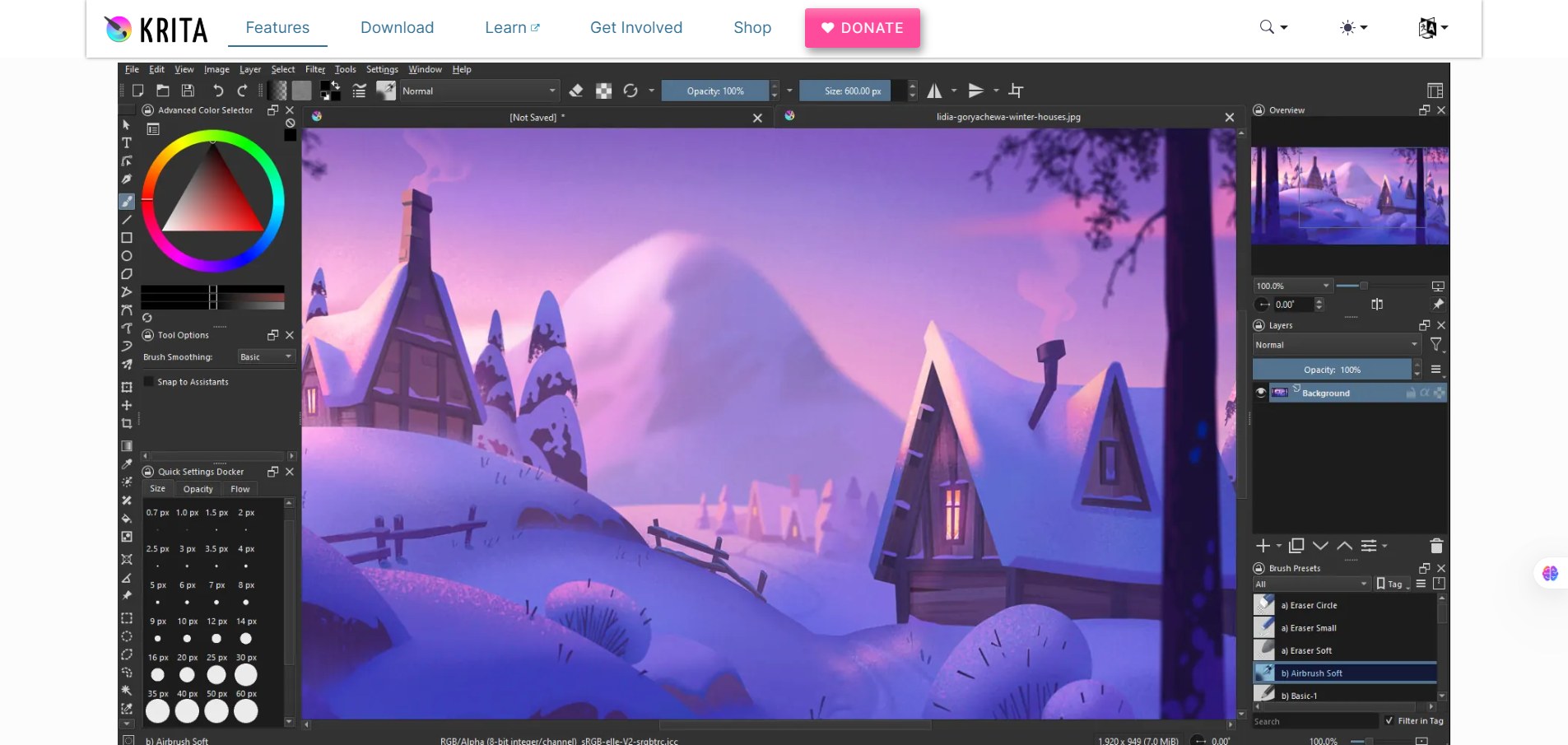
Krita runs as a desktop application on Windows, macOS, and Linux. It supports pressure-sensitive pen tablets and offers more than a dozen brush engines (pixel, smudge, particle, shape, etc.). The layer system includes masks, filters, and blending modes similar to Photoshop. There’s also a resource manager for importing/exporting brushes and palettes.


Details

Tool Launch / Founded Date

2004 (initial release; active development ongoing)

Best for

Digital artists, illustrators, game designers, indie animators, students, open-source enthusiasts

Access Type

Free download (open source, optional paid versions on app stores to support development)

Licensing Model

Open-source (GPL). Users fully own the art they create; no restrictions on commercial use.

Feature

  • Professional brush engine with 100+ default brushes and deep customization.
  • Layer system with masks, filters, blending modes, and vector layers.
  • Frame-by-frame raster animation with onion-skinning and timeline tools.
  • HDR painting and full color management support.
  • Brush stabilizers and assistants for smooth line work.
  • Comics workflow tools including panel editing and text balloons.
  • Resource manager to import/export brushes, bundles, and palettes.
  • Works with most pen tablets and displays (Wacom, Huion, XP-Pen, etc.).
  • Cross-platform: Windows, macOS, Linux.

Pricing Tables

Krita (Free)
$0
  • Full feature set
  • No watermarks
  • Local installation on all platforms
Krita (Microsoft Store)
$14.99 (one-time)
  • Same features as free version
  • Supports development
  • Easy updates via the Store
Krita (Steam)
$9.99 (one-time)
  • Same features as free version
  • Steam-based updates and convenience

Analytics

Traffic Analysis

Domain Rating
80
Organic Traffic
436598
Majority Users
Netherlands

Visits Over Time

No visit data found.

Traffic Sources

No traffic data found.

Last Update Date: 2025-12-09

FAQ

Is Krita really free?
Yes. Krita is fully free and open source. You can use it commercially without paying anything. Paid store versions are optional and only support the project.
Can I use my Krita artwork commercially?
Yes. You own everything you create and can sell or license it without limitations.
Does Krita work well with drawing tablets?
Yes. Krita supports most pen tablets with pressure sensitivity, tilt, and smoothing.
Can I animate in Krita?
Yes. Krita has frame-by-frame 2D animation with onion skinning, timeline controls, and export to video/image sequences.
Does Krita have an AI generator?
Not natively. AI features aren’t a core focus, though some community add-ons exist.
Does Krita work offline?
Yes. Everything runs locally. There’s no cloud dependency.
What do I get by buying the paid version?
Feature-wise, nothing extra. You get easier updates and support the developers.

Related AI Tools

JimmyGPT is an AI chatbot tool that helps individuals chat, brainstorm, and get coding or writing assistance through
Dreamland Stories is a tool that helps kids create personalized AI-generated stories with images and narration so they
WriteMyEssay.ai is a tool that generates academic essays, outlines, and citations for students so they can draft papers
StoryHero is an AI storytelling tool that creates personalized illustrated stories for children so parents, teachers, and kids
MindChat is a mental wellness and concussion monitoring platform that combines AI assessments with EEG data for clinicians,
FanFicGen is a tool that generates AI-written fan fiction stories for fandom creators so they can brainstorm plots,



