
Capture one logo

Capture One

Rating: 4.4
User Satisfaction: 75%
Capture One is a photo editing tool that helps photographers and studios edit, organize and deliver high-quality RAW images so they can work faster, maintain colour fidelity and manage production workflows.

Overview

Capture One is a professional desktop photo-editing and workflow application built for RAW image processing, tethered studio capture and high-end colour control. While many photographers know tools like Adobe Lightroom or Adobe Photoshop, Capture One positions itself as a more studio-centric, precision tool (with cataloguing, sessions, tethering, layers, masks etc.) for the serious photographer. 


If you shoot RAW files, work in a studio, do tethered capture, or demand top-tier colour fidelity (especially for editorial, fashion, product or commercial work), Capture One offers tools tuned for that workflow. It helps you manage large image volumes, make precise colour edits, tether cameras during shoots, and export deliverables—all in one tool. Because of its strong colour profiles and workflow support, it’s preferred by many pro-photographers. User feedback highlights: very good colour handling, excellent tethering support. 
However, the trade-off: it’s less beginner-friendly, cost is higher than entry tools, and if you’re only doing casual edits you may get over-engineered features for your needs. 


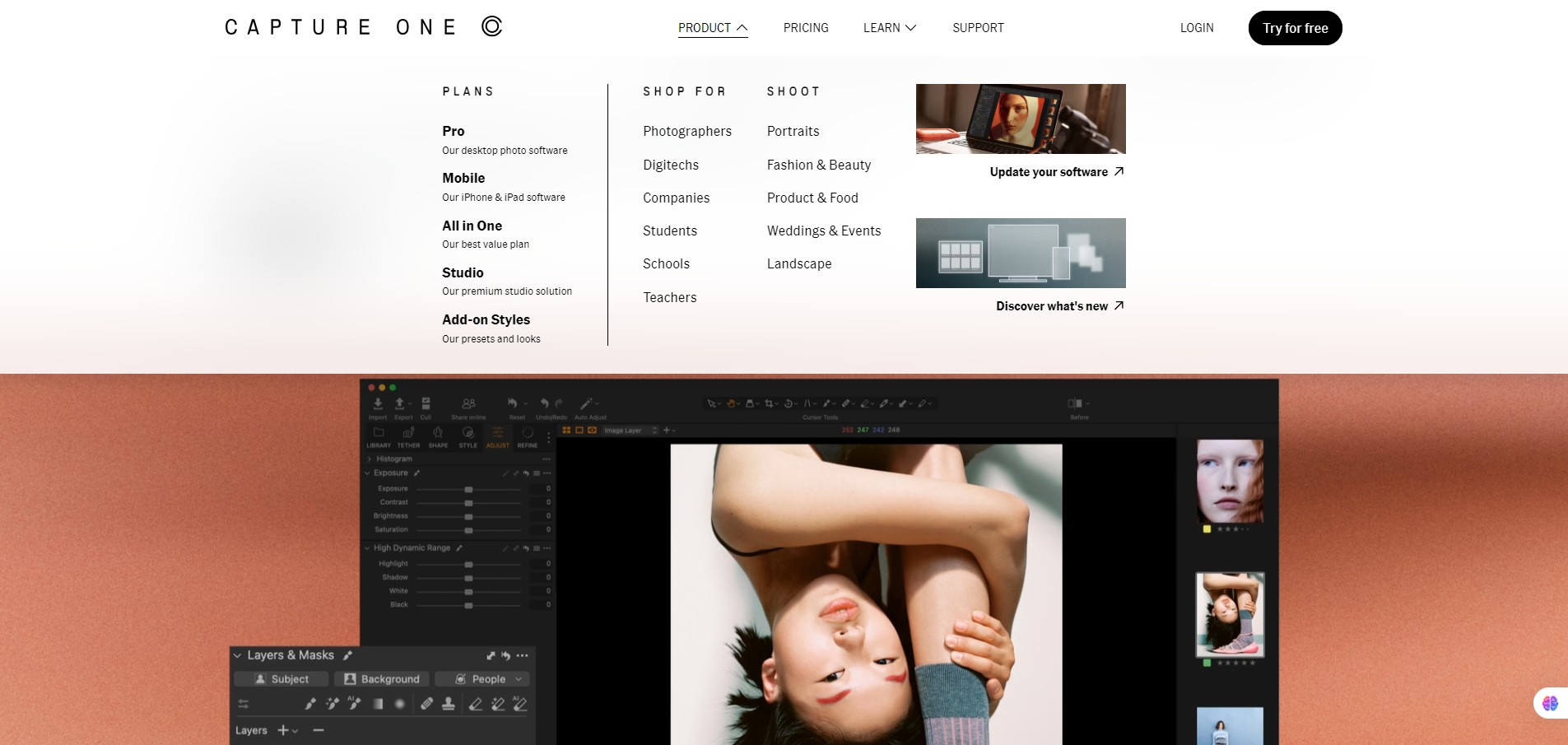
You install Capture One on Windows or macOS. You import your RAW (or other) image files, or tether your camera directly to the software for live capture. Within the interface you can apply colours, masks, layers, smart adjustments, styles & presets, organize using catalogues or sessions, export deliverables, print, or share. It supports advanced studio workflows (tether, multiple cameras, live-view), collaboration tools (live feedback).

Details

Tool Launch / Founded Date

Approx 1994 (software roots)

Best for

Professional photographers, commercial studios, fashion/product/image-intensive workflows, photographers doing tethered capture on set, users demanding high-end colour fidelity.

Access Type

Subscription (annual) and perpetual licence options (varies by region/offer).

Licensing Model

Proprietary software. You purchase licence (or subscription) to use the software. As for image output rights: typical for photo editing software — you retain rights to your images; using the software doesn’t transfer rights away. (No open-source licence.)

Feature

  • Advanced RAW conversion with support for 550+ cameras, refined colour profiles. 
  • Studio tethering/capture support: connect camera, live view, review on set, built for pro shoots. 
  • Layers & masks: supports luminosity masks, radial/linear gradients, refine mask, AI-assisted masking tools. 
  • Workflow and catalog/session management: Import, cull, keywords, smart albums, export recipes. 
  • Styles & presets: apply looks, fine-tune, or start from scratch; good for consistent output across shoots.
  • Collaboration tools: features like Live (cloud feedback) and output/proofing for professional deliverables. 
  • High-performance editing: speed, refined interface, lots of customization (workspace, shortcuts) to scale for pros.

Pricing Tables

Pro
$17.00 / month
  • Superior color profiles
  • Outstanding RAW conversion
  • Industry leading tethering
  • Support for 550+ cameras
  • Continuous updates
  • Intuitive file management
  • Advanced desktop editing tools
All in One
$23.25 / month
  • Mobile iOS App on iPad and iPhone
  • Access to the full Capture One ecosystem
  • Online collaboration tools
  • Support for 550+ cameras
  • Cloud shared settings
  • Priority support
  • Embed Content Credentials
  • Free styles included
Studio
$45.75 / month
  • Offline collaboration tools
  • Multiple viewer screens
  • Automated cropping
  • Automatic backup
  • Tool locks
  • More studio workflow enhancements

Analytics

Traffic Analysis

Domain Rating
75
Organic Traffic
23792
Majority Users
United States

Visits Over Time

No visit data found.

Traffic Sources

No traffic data found.

Last Update Date: 2025-11-21

FAQ

Can I use Capture One output commercially (e.g., client work, print sales)?
Yes — when you edit photos in Capture One, the output files are your images and you hold the rights to your images. The software license doesn’t prevent you using the images commercially. Just check any specific license terms you agree with.
How many images or edits can I do per month?
There’s no fixed “number of edits” cap documented publicly — it’s a software license. The primary limitation is your machine’s performance and license validity, not a fixed quota.
Can I customise or edit what the software generates? (e.g., masks, adjustment layers)
Yes — Capture One offers full-featured masks, layers, gradients, refine mask, styles and presets, and you can customize extensively.
Does Capture One integrate with other tools/workflows (Photoshop, mobile, cloud)?
Yes — you can export to other apps; there’s mobile/tablet support via the All-in-One bundle; and recent versions include collaboration/live feedback features. But it may not seamlessly integrate every workflow the way some simpler tools do.
Will my images or edits be used to train AI models or shared?
There’s no widely publicized claim that user images are used to train models. If you’re concerned, check the most recent privacy or data-usage policy from Capture One.
What do I get on the higher tier (All-in-One) compared to the basic Pro licence?
The bundle adds mobile/tablet editing & cloud collaboration/live feedback features that go beyond the desktop-only Pro licence. If you only edit on desktop, the Pro licence may suffice; if you also want mobile/cloud features, the bundle is worth it.
What support is available?
Capture One offers documentation, tutorials, knowledge base, and support via their website. For subscription users, typical support is included, but check SLA/support terms if you’re a studio needing guaranteed response times.

Related AI Tools

JimmyGPT is an AI chatbot tool that helps individuals chat, brainstorm, and get coding or writing assistance through
Dreamland Stories is a tool that helps kids create personalized AI-generated stories with images and narration so they
WriteMyEssay.ai is a tool that generates academic essays, outlines, and citations for students so they can draft papers
StoryHero is an AI storytelling tool that creates personalized illustrated stories for children so parents, teachers, and kids
MindChat is a mental wellness and concussion monitoring platform that combines AI assessments with EEG data for clinicians,
FanFicGen is a tool that generates AI-written fan fiction stories for fandom creators so they can brainstorm plots,

