
insmind logo

insMind

Rating: 4.3
User Satisfaction: 86%
insMind is an AI design and photo editing tool that generates and enhances images for creators, marketers, and e-commerce sellers so they can produce high-quality visuals faster.

Alternative To

Overview

insMind is an AI-powered platform for creating and editing images, product photos, and marketing graphics. It combines multiple creative tools—AI image generation, photo editing, background removal, and design templates—into a single web-based workspace.

Instead of using separate apps for image editing, product photo creation, and graphic design, insMind lets you handle everything in one place.

The platform is designed for beginners and non-designers but still useful for professionals who want to create visuals quickly.

Visual content drives modern marketing. But traditional design tools like Photoshop require time and skill.

insMind solves this by automating many design tasks with AI. You can generate images from text, remove backgrounds, create ad creatives, and enhance photos in seconds.

It’s especially useful for:

  • E-commerce sellers improving product photos
  • Social media creators producing visuals quickly
  • Marketing teams generating ad creatives
  • Small businesses without a dedicated designer

The main benefit is speed. Tasks that normally take 20–30 minutes can often be done in a few clicks.


Details

Tool Launch / Founded Date

2024-01-01 (approx.)

Best for

E-commerce sellers Social media creators Small business marketing teams Designers who need quick mockups

Access Type

Freemium Paid subscription (monthly / annual) Credit-based AI generation

Licensing Model

Proprietary software Commercial use generally allowed for generated images on paid plans Free tier exports may include watermark restrictions

Feature

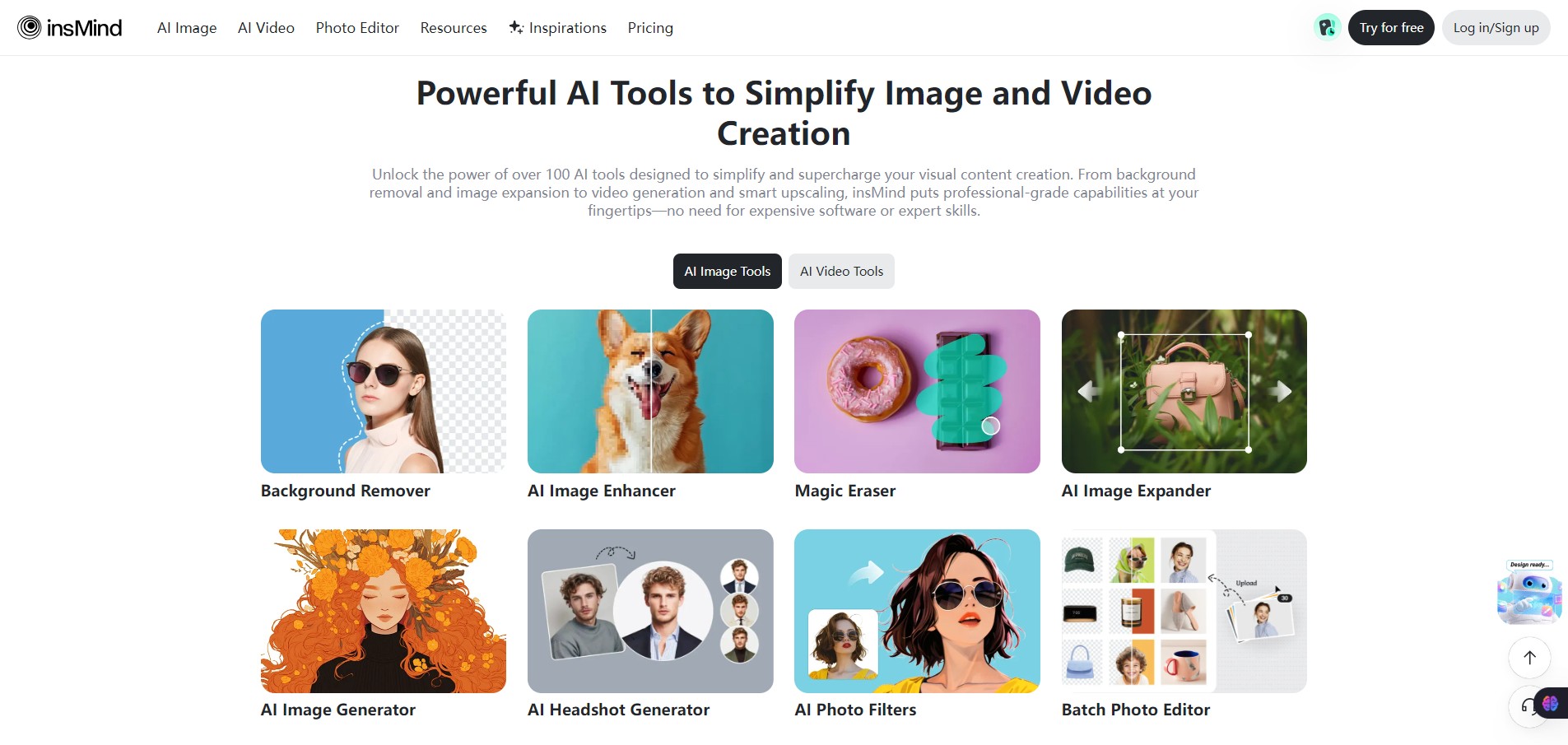
  • AI image generator that turns text prompts into artwork or graphics.
  • One-click background remover optimized for product photos and e-commerce images.
  • AI object remover (magic eraser) to delete unwanted objects or people from photos.
  • AI image enhancer that improves sharpness, brightness, and resolution automatically.
  • AI design generator for logos, posters, banners, and marketing graphics.
  • Template library with hundreds of layouts for ads, social posts, and product listings.
  • AI image expander that intelligently extends the edges of images.
  • Batch editing tools to process multiple images at once.
  • AI fashion models and product visuals for e-commerce marketing images.

Pricing Tables

Free
$0
  • 50 free credits
  • Templates & backgrounds (with watermark)
  • Premium fonts, stickers & shapes (with watermark)
  • Limited Storages
Basic
$6.99/month
  • 1,000credits/month
  • Up to 100 images/month
    Up to 20 videos/month
  • Premium design templates and background
  • Premium fonts, stickers, and shapes
  • No watermark
  • HD download
  • Batch editing
  • Unlimited background removal
  • Cloud storage
Pro
$24.99/month
  • 5,000credits/month
  • Up to 500 images/month
    Up to 100 videos/month
  • Premium design templates and background
  • Premium fonts, stickers, and shapes
  • No watermark
  • HD download
  • Batch editing
  • Unlimited background removal
  • Cloud storage

Analytics

Traffic Analysis

Domain Rating
60
Organic Traffic
1.68M
Majority Users
Russia

Visits Over Time

No visit data found.

Traffic Sources

No traffic data found.

Last Update Date: 2026-03-05

FAQ

Is insMind free to use?
Yes. insMind offers a free plan with basic AI editing tools. However, exports may include watermarks and there are limits on AI generation credits.
Can I use images from insMind commercially?
In most cases yes, especially on paid plans. Commercial use is typically allowed for generated images, but you should review the licensing terms for restrictions.
How many images can I generate each month?
It depends on your plan. Free users get limited credits, while paid plans provide a monthly credit allowance and additional AI generation capabilities.
Can I edit existing photos?
Yes. You can upload photos and apply tools like background removal, object erasing, image enhancement, and AI design transformations.
Does insMind generate videos too?
Yes. The platform includes basic AI video generation tools alongside image creation and editing features.
Does insMind integrate with other tools?
Currently, it mostly operates as a standalone web platform. Direct integrations with collaboration tools or marketing platforms are limited.
Who should use insMind the most?
E-commerce sellers, marketers, and creators who need fast product visuals and marketing graphics without learning complex design software.

Related AI Tools

Kids Tell Tales is an AI storytelling tool that creates personalized children’s books for parents, educators, and young
Featherless is a tool that provides serverless access to open-source AI models for developers and AI teams so
Artypa is a tool that generates and edits AI images, videos, and audio for creators and brands so
GenscriptAI is an AI-powered scriptwriting tool that helps creators and media teams generate story ideas and scripts faster
Learn Copywriting is a copywriting education platform that teaches persuasive writing and marketing skills for freelancers, marketers, and