
Uizard logo

Uizard

Rating: 4.2/5
User Satisfaction: 75%
Uizard is a tool that uses AI to generate and edit UI/UX designs for teams so they can ideate, prototype and hand off apps or websites quickly.

Alternative To

Overview

Uizard is a web-based UI/UX design and prototyping tool that uses AI to help you go from sketch or text idea to clickable screens. It supports wireframing, mock-ups, design systems and developer hand-off.

If you’re a startup founder, product manager, marketer or designer, you often need to show a UI concept quickly. Uizard aims to let you iterate fast, skip early design bottlenecks, and communicate ideas clearly without building everything from scratch. It can save time, lower the barrier for non-designers, and help teams align earlier in the process.

  • You sign up and choose a template or start from scratch.
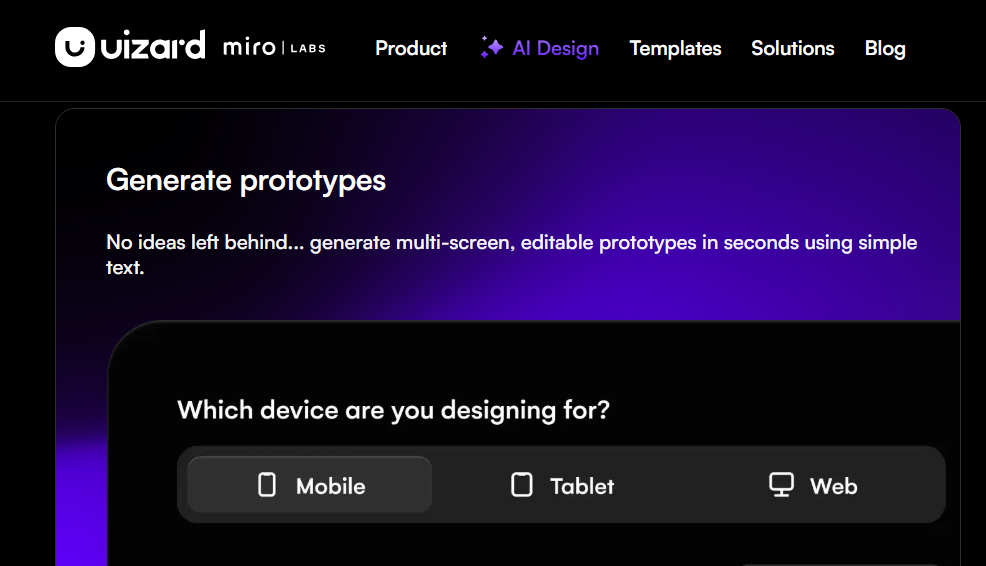
  • Use text prompts (via their “Autodesigner” AI) to generate screens/design themes.
  • Upload hand-drawn wireframes or screenshots; Uizard can digitize them into editable UI. 
  • Use their drag-and-drop editor to fine-tune layouts, interactions and prototype flows. 
  • Collaborate with teammates, share prototype links, and for paid tiers export or hand off CSS/React code.


Details

Tool Launch / Founded Date

2017

Best for

Startup founders prototyping MVPs; product teams iterating features; marketers needing client UI assets; smaller design teams needing faster throughput.

Access Type

Freemium (free tier) + Paid subscription (Pro, Business, Enterprise).

Licensing Model

Proprietary software platform; users retain rights to their created designs (no indication of commercial restrictions in standard plans – check terms).

Feature

  • AI “Autodesigner” generates multi-screen UI designs from simple text prompts. 
  • Wireframe Scanner: upload hand-drawn sketches and convert to editable screens. 
  • Screenshot Scanner: import screenshot of existing UI and edit/refactor it.
  • Drag-and-drop editor with templates and UI component library for rapid prototyping. 
  • Collaboration & sharing: viewers/commenters unlimited (in free) and real-time editing.
  • Developer hand-off: export to CSS/React code (on paid tiers).

Pricing Tables

Free
$0

Unlimited free viewers/commenters; 3 AI generations/month; 2 projects; 10 templates.

Pro
$12/creator/month

Unlimited viewers; 500 AI generations/month; Autodesigner 2.0; up to 100 projects; full template library.

Business
$39/creator/month

 Everything in Pro; 5,000 AI generations/month; unlimited projects; custom brand kit; priority support.

Enterprise
Custom:

Unlimited AI generations; unlimited teams; design system setup; white-glove onboarding.

Analytics

Traffic Analysis

Domain Rating
75
Organic Traffic
193167
Majority Users
India

Visits Over Time

No visit data found.

Traffic Sources

No traffic data found.

Last Update Date: 2025-11-27

FAQ

Can I use Uizard designs commercially?
Yes — you own the output of your designs under Uizard’s standard user terms (no special attribution required). Always check the latest Terms of Service for your region.
How many screens or projects can I build per month?
It depends on the plan. On the Free plan you get only 2 projects and very limited AI runs (3/month). On Pro you can have up to 100 projects and 500 AI generations/month. On Business it’s unlimited projects and 5,000 AI generations/month.
Does Uizard integrate with Figma or other tools?
There is limited direct import/export with Figma. While you can export assets/code, the workflow between Uizard and Figma isn’t seamless. Some reviews flag this as a weakness.
Does Uizard train its AI on my content?
The policy is not clearly advertised in the public materials. If you’re working on sensitive or proprietary content, you should contact Uizard for clarity on data training & retention.
What support do I get if I pay?
Paid tiers (Business and up) include priority support and may include SLAs for enterprise. Free tier has standard support only.
What features do I get in the higher plan that the Free plan lacks?
In the Free plan you’re limited in AI generations, project count, template access, and export/hand-off features. In Pro/Business you gain much higher usage, export to code, brand kit, unlimited projects (Business) and deeper collaboration.
Is this tool good for professional designers or only beginners?
It works well for rapid ideation, prototyping, and for non-designers. Some professional designers find the output too generic and say it still needs heavy refinement if you require polished production-level UI and full design system control.

Related AI Tools

WriteMyEssay.ai is a tool that generates academic essays, outlines, and citations for students so they can draft papers
StoryHero is an AI storytelling tool that creates personalized illustrated stories for children so parents, teachers, and kids
MindChat is a mental wellness and concussion monitoring platform that combines AI assessments with EEG data for clinicians,
FanFicGen is a tool that generates AI-written fan fiction stories for fandom creators so they can brainstorm plots,
RedQuill is an AI storytelling tool that generates personalized erotic fiction and fanfiction for adult users who want
Fableoo is a tool that helps users generate AI-powered stories and interactive fiction experiences so they can create



