
Remini Logo

Remini

Rating: 4.0
User Satisfaction: 75%
Remini is a tool that enhances low-quality photos and videos so you can restore old memories, improve product visuals or create sharper content.

Alternative To

Overview

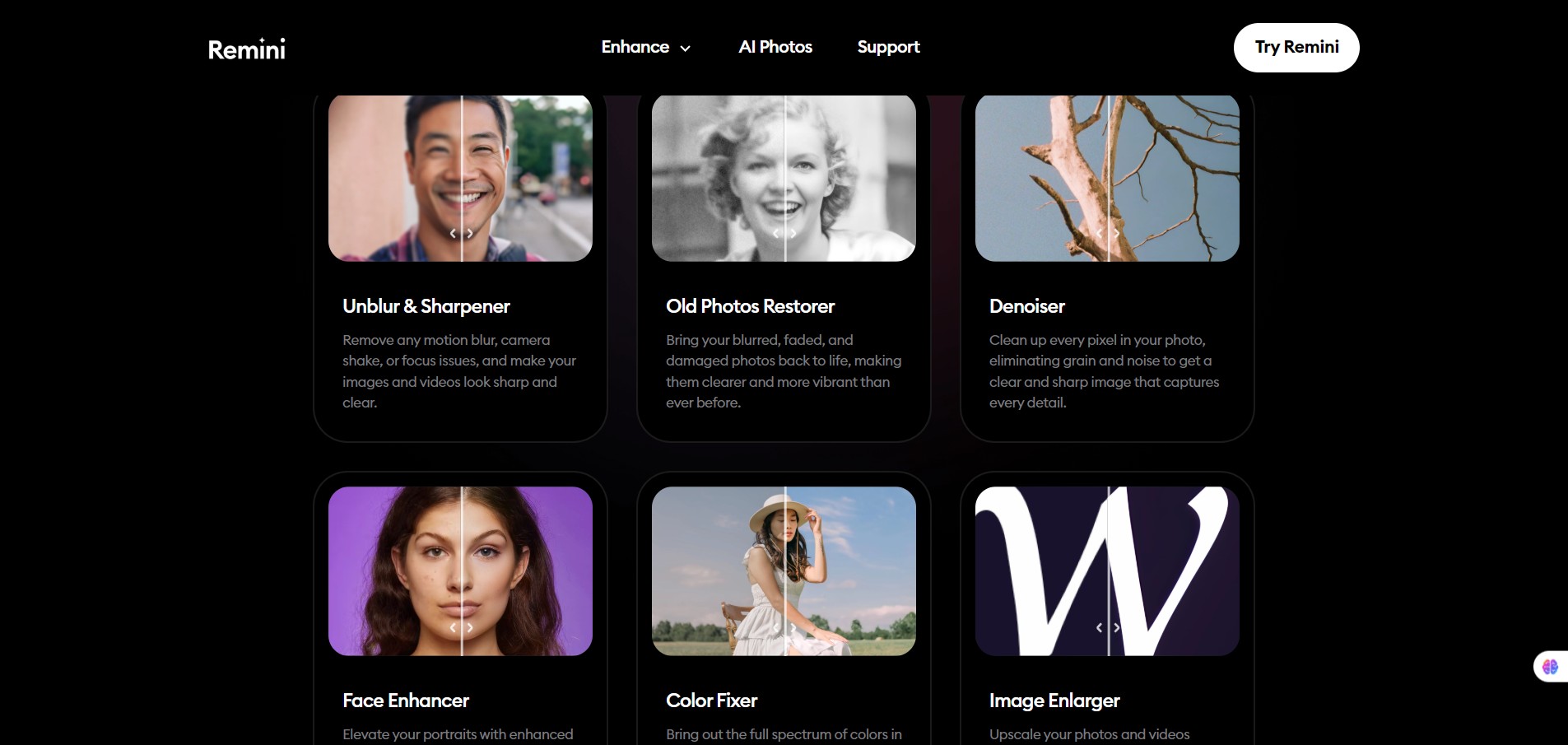
Remini is an AI-powered web and mobile application that takes blurry, pixelated or old photos/videos and attempts to upscale and enhance them automatically. It offers one-tap style enhancement for images, and video upscaling and restoration features. It is available on iOS, Android and web. 

If you have old family photos, low resolution imagery, or product imagery that needs a quick “make-better” touch, Remini offers a fast path without deep manual editing. For creators, social media, e-commerce or even casual use, the ability to turn a grainy or out-of-focus photo into something sharper is attractive. Many users don’t have Photoshop skills — Remini handles complexity for you. Reviews note that it’s especially useful for restoring older photos or improving clarity.

You upload an image (or video), choose the enhancement mode (photo enhance, upscaling, video enhancement) and the AI runs—often server-side—to produce a sharper output. The website states you can increase size up to ~2× and improve detail for low‐quality images.
There’s also mention of API/ integration for developers: their “Low-quality enhancer” webpage includes: “With just a few lines of code, you can easily integrate transformative HD technology”.

Details

Tool Launch / Founded Date

Approx. early 2019

Best for

Individuals wanting to clean up old/blurry personal photos Content creators or social-media users wanting sharper visuals Small businesses needing improved product images with minimal editing skill Users of legacy videos needing a quick clarity boost

Access Type

Freemium model (free tier with limitations) + paid subscription plans.

Licensing Model

Proprietary software. Commercial-use rights seem available in higher tiers (“Business plan includes commercial use rights”) according to pricing breakdowns.

Feature

  • One-tap photo enhancement: from low-quality/blurry to sharper HD image. 
  • Video enhancement: Upscale or improve clarity of videos (e.g., up to ~2× upscale) via AI.
  • Old photo restoration: Specifically targets vintage images with scratches or blur and improves them. 
  • Multi-platform support: Mobile apps (iOS/Android) + web. 
  • Bulk / commercial features (in higher plan): according to some breakdowns, supports formats like JPG/PNG/TIFF and bulk uploads.

Pricing Tables

Free Tier
$0
  • Basic enhancements with daily caps. Watermarked output; ads. Good for testing.
Business Plan
$9.99/week
  • Unlimited photo enhancements. 
  • Support for JPG, PNG, TIFF formats. 
  • Commercial use rights, bulk upload, higher video limits (e.g., 120-second per video, 480 seconds/week) in certain breakdowns.
Personal Plan
$6.99/week
  • Up to ~20 photo enhancements per week. 
  • Video support: e.g., 60-second clips up to cumulative ~240 seconds/week (per one source) 
  • Format support: JPG only (per some breakdowns)

Analytics

Traffic Analysis

Domain Rating
70
Organic Traffic
484714
Majority Users
United States

Visits Over Time

No visit data found.

Traffic Sources

No traffic data found.

Last Update Date: 2025-11-10

FAQ

Can I use the enhanced images commercially (e.g., in a product catalogue)?
Yes — but only on the plan that explicitly includes “commercial use rights” (e.g., the Business plan according to pricing breakdowns). Check the latest terms for your region.
What extra do I get on the top (Business) plan vs the Personal one?
According to sources: unlimited photo enhancements, support for more formats (PNG/TIFF), commercial use rights, bulk upload, higher video limits. But you might still want to verify current official feature list as it may vary regionally.
Does the company use my uploaded photos/videos to train their AI models?
The privacy policy indicates user content may be collected, but it’s not clearly stated whether uploads are used for model training or how they are stored. If you’re dealing with sensitive content, check the latest policy and region-specific terms.
Does the tool provide manual editing controls (like Photoshop)?
No — Remini is designed as an automated enhancement tool. It does not give fine-grained control over every edit the way a full editor would. If you need detailed control or retouching, a dedicated editor may be better.
Can I enhance videos as well? A: (Tools for Humans)
Yes — Remini supports video enhancement/upscaling. But video length and cumulative limits apply (for example 60 seconds per video and ~240 seconds/week on some plans).
How many photos can I enhance per month/week?
On the free tier you get limited credits per day. On paid tiers the “Personal” plan gives ~20 enhancements/week (per one source). The “Business” plan claims unlimited photo enhancements in one breakdown.

Related AI Tools

JimmyGPT is an AI chatbot tool that helps individuals chat, brainstorm, and get coding or writing assistance through
Dreamland Stories is a tool that helps kids create personalized AI-generated stories with images and narration so they
WriteMyEssay.ai is a tool that generates academic essays, outlines, and citations for students so they can draft papers
StoryHero is an AI storytelling tool that creates personalized illustrated stories for children so parents, teachers, and kids
MindChat is a mental wellness and concussion monitoring platform that combines AI assessments with EEG data for clinicians,
FanFicGen is a tool that generates AI-written fan fiction stories for fandom creators so they can brainstorm plots,

