fotor logo

Fotor

Rating: 4.2
User Satisfaction: 85%
Fotor is a tool that enhances photos and designs visuals for creators and marketers so they can save time, improve image quality, and produce graphics without advanced editing skills.

Alternative To

Overview

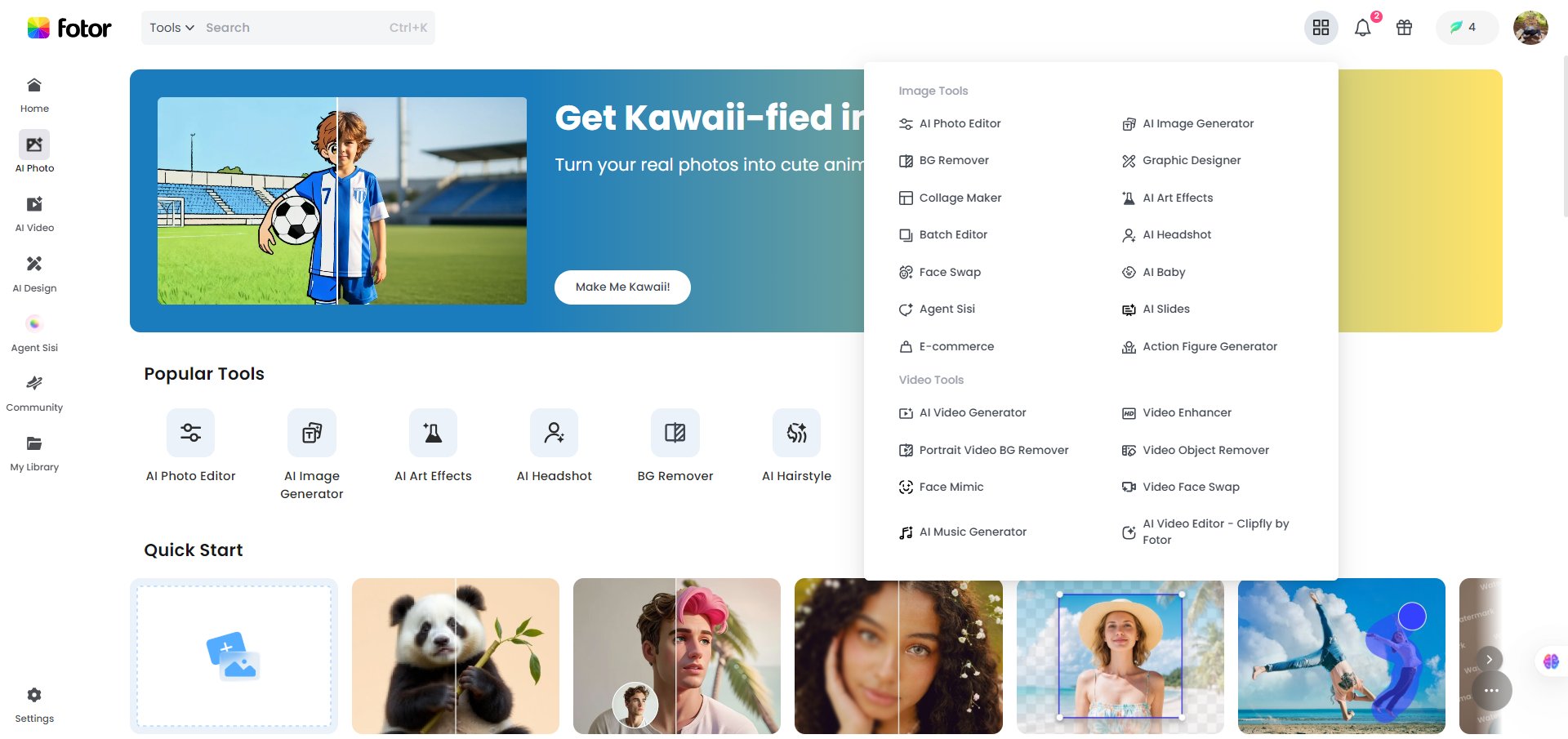
Fotor is a web-based (and mobile) photo editing and graphic-design platform that gives you tools for enhancing photos, removing backgrounds, applying filters, and even generating images via AI. It’s aimed at users who don’t want to dive deep into complex software like Photoshop. 

If you’re a creator, marketer, small business or content-owner, you often need to clean up photos (for social, website, e-commerce) quickly, improve image clarity, or make simple designs. Fotor’s one-tap enhance feature means you can fix lighting, colour, noise and resolution in seconds rather than hours. Also, by combining photo editing + design templates + AI generation, it means fewer tools to juggle.

You upload an image (JPG, PNG, HEIC, etc) and use the “1-Tap Enhance” (or auto-enhancer) feature. This automatically adjusts exposure, colour correction, sharpness, upscales resolution (2× or 4×) and reduces noise. Beyond that, you can use other tools like background remover, object remover, AI generator for new images, batch editing etc.

Details

Tool Launch / Founded Date

approx. 2012-01 (company founded in 2009/2012 depending on source)

Best for

Content creators / social media managers who need quick photo edits Small business owners needing product or promo images without hiring a designer Non-designers who want better basics (lighting/colour/clarity) without professional tools

Access Type

Freemium model (free tier + paid subscriptions)

Licensing Model

Proprietary software. According to the Terms of Use, the company reserves the right to modify or discontinue services. You must review their terms for specifics about commercial use of generated assets.

Feature

  • One-click “1-Tap Enhance” automatic photo improvement (exposure, colour, clarity) 
  • Image upscaling (2× or 4× resolution boost) without heavy quality loss
  • Background removal and object removal tools via AI (remove unwanted elements) 
  • AI image generation (text-to-image) and AI image editing (replace, extend) for creative visuals beyond just photo fixes 
  • Web-based + mobile support means you can edit from browser or app (Windows, Mac, iOS, Android)

Pricing Tables

Fotor Basic
$0
  • Basic editing features
  • Basic design & collage templates
  • Limited effects, fonts, elements
  • Limited credits for generative AI
  • Export in normal JPG/ PNG/ PDF
  • Download with watermark
  • 512 MB of cloud storage
Fotor Pro
$ 8.99 /month
  • Advanced editing & AI tools
  • Premium design & collage templates
  • Premium effects, fonts, elements
  • 100 credits/month for generative AI
  • Private mode & custom AI styles
  • HD & transparent PNG download
  • No watermark
  • Ad-free
  • 2 GB of cloud storage
Fotor Pro+
$ 19.99 /month
  • AI slides
  • AI batch editing
  • Brand kits
  • 300 credits/month for generative AI
  • 100 GB of cloud storage

Analytics

Traffic Analysis

Domain Rating
82
Organic Traffic
7891536
Majority Users
United States

Visits Over Time

No visit data found.

Traffic Sources

No traffic data found.

Last Update Date: 2025-11-10

FAQ

Can I use images enhanced by Fotor commercially?
Yes, the platform allows downloading enhanced images. But you should check the Terms of Use for any specific licensing restrictions especially for generated-AI content.
What do I get on the top plan vs the starter free plan?
On paid plans you get no ads, access to premium templates and design elements, higher resolution exports (including transparent PNG), more cloud storage, more AI-generation credits, and features like batch editing and brand kit management. Free plan covers core editing & one-tap enhance but fewer extras.
Does my uploaded content feed into Fotor’s AI training?
The publicly visible documentation doesn’t clearly detail whether your uploads become training data for their AI models. If that’s a concern (e.g., for proprietary client images), you should check the latest privacy policy or reach out to their support.
Does Fotor integrate with other design tools or APIs?
Fotor has a browser and mobile app interface. They’ve referenced an API program in some company sources but you’d need to check with them directly for full API access.
Can I edit my photos further after using the one-tap enhance?
Yes. After the automatic enhancement you can use further editing (adjustments, filters, export options) to fine-tune your image.
How many images can I enhance per month?
For the free plan, there’s no explicit published hard cap for basic enhancement, but advanced features (e.g., generative AI credits) are limited. On paid plans you get defined AI credits per month (e.g., 100 or 300) for generative tasks.

Related AI Tools

JimmyGPT is an AI chatbot tool that helps individuals chat, brainstorm, and get coding or writing assistance through
Dreamland Stories is a tool that helps kids create personalized AI-generated stories with images and narration so they
WriteMyEssay.ai is a tool that generates academic essays, outlines, and citations for students so they can draft papers
StoryHero is an AI storytelling tool that creates personalized illustrated stories for children so parents, teachers, and kids
MindChat is a mental wellness and concussion monitoring platform that combines AI assessments with EEG data for clinicians,
FanFicGen is a tool that generates AI-written fan fiction stories for fandom creators so they can brainstorm plots,

