pho.to logo

Enhance.Pho.to

Rating: 3.8
User Satisfaction: 70%
Enhance.Pho.to is a tool that automatically enhances digital photos for casual users so they can correct color imbalance, remove noise, sharpen, and fix red-eye in one click.

Alternative To

Overview

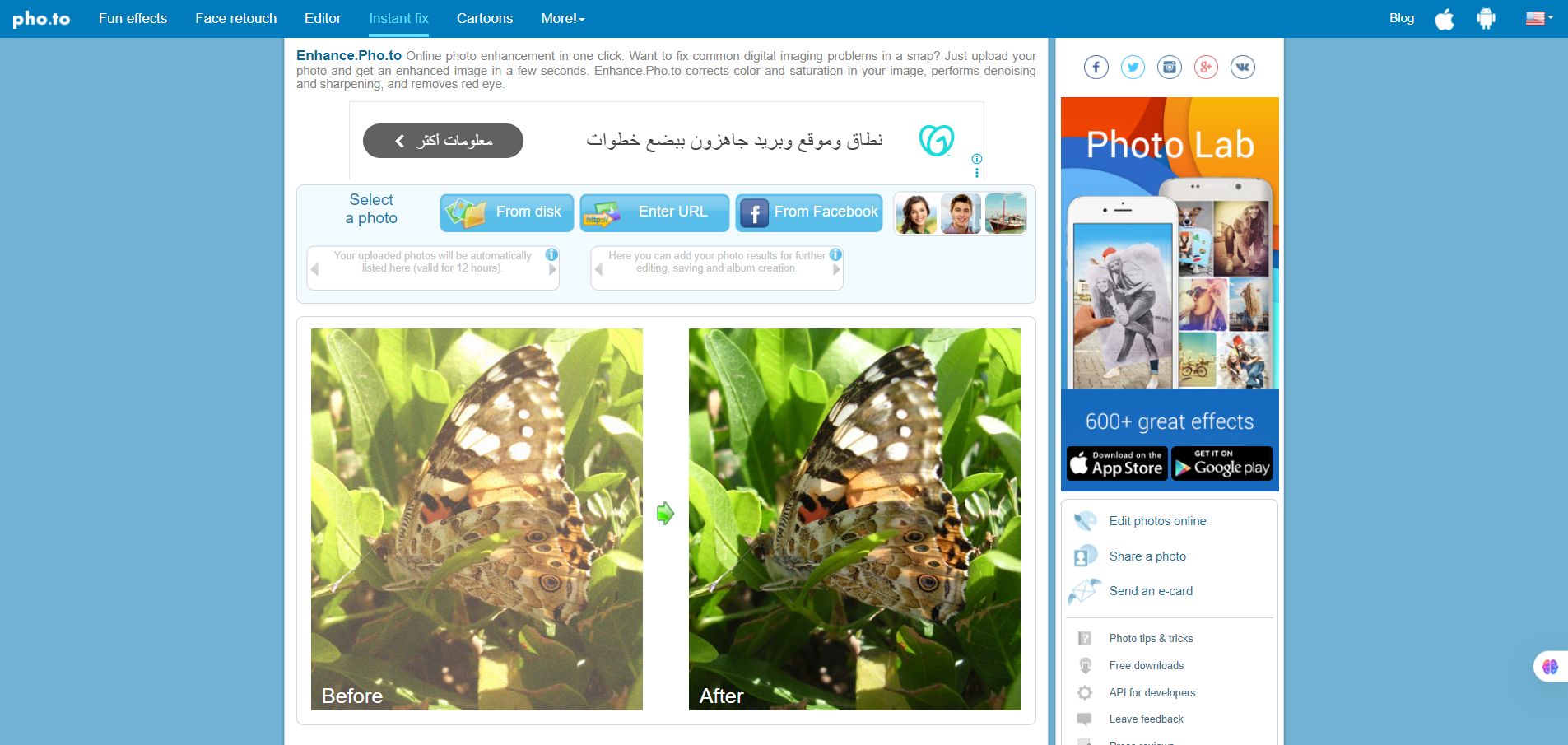
Enhance.Pho.to is a simple web-based photo enhancement service where you upload a photo and the tool applies automatic fixes — such as color correction, sharpening, de-noising and red-eye removal — in just a few seconds. 

If you have a casual photo that’s under-lit, noisy, out of balance, or has red-eye, this tool gives you a fast way to improve it without needing a full-blown photo editor. It’s especially useful for non-designers who want “good enough” quality quickly.
If you are preparing images for social media, personal albums, or low-effort retouching, it fills a gap between “upload and go” and heavy manual editing.

You go to the website, upload an image (from your computer or via URL) and the service processes it automatically with its algorithms (fixing color, deblur/ sharpen, denoise, red-eye removal). Afterwards you can optionally toggle checkboxes for specific adjustment

Details

Tool Launch / Founded Date

Approx. 2001 (Company founded)

Best for

Casual photographers Social media users Bloggers and personal use who need quick image improvement Anyone without advanced photo-editing skills

Access Type

Free web-based service. (No clear publicly listed paid tier for this exact enhancement tool).

Licensing Model

Proprietary. Users upload images; the service processes them. The service statement: “Uploaded images and results are only visible to you. They will be deleted in 12 hours.

Feature

  • Automatically corrects dull colors and bad color balance.
  • Removes digital noise and improves sharpness / deblurs image.
  • Fixes red-eye in portrait photos. 
  • Optional checkboxes allow toggling specific enhancements (color temperature, lighting correction, saturation, denoising) after auto-process. 
  • No registration required; upload and download quickly.

Pricing Tables

Free
$0
  • Feature: Upload an image, automatic enhancement, download result.
  • Feature: No registration required.
  • Feature: Results deleted after ~12 hours.

Analytics

Traffic Analysis

Domain Rating
76
Organic Traffic
52
Majority Users
United States

Visits Over Time

No visit data found.

Traffic Sources

No traffic data found.

Last Update Date: 2025-11-11

FAQ

Can I use the enhanced image commercially?
The site does not explicitly state commercial use rights for the free version. As you retain your image after download, you likely can use it, but if you need for commercial production you should review the terms of service / licensing carefully.
How many photos can I enhance per month or per day?
The tool appears free and with no strict published limit, but because it’s a simple web tool you may encounter performance / rate limitations. The site states images are deleted after 12 hours.
Can I edit or customize the enhancement settings?
Yes — after the automatic process you’ll see checkboxes for options like lighting correction, color temperature, saturation, denoising, red-eye removal, which you can toggle.
Does it integrate with other tools or an API?
The main “Enhance” tool is a web upload/download service. They mention API / business partner options in their broader brand pages. E.g., “Partnership via API” is listed in their press overview.
Does the company train on my content or retain my images beyond 12 hours?
They declare: “Uploaded images and results are only visible to you. They will be deleted in 12 hours.” If your use case requires long-term storage/privacy you may want to verify with them.
What do I get on the higher or paid version?
The publicly visible “Enhance.Pho.to” tool is free; they don’t list tiered paid upgrade details on that page. If you need premium (bulk processing, higher resolution, API access), you may need to contact them for a business solution.
Is it worth using instead of a full photo editor like Photoshop?
If you just need fast, automatic image fixes (color, noise, red-eye) and not full creative control, yes it’s a good quick tool. But if you require detailed edits, layers, design-workflow, or commercial production quality, you might prefer a more advanced editor.

Related AI Tools

AI Storyteller is a tool that generates custom stories using AI for parents, teachers, and creators so they
BedtimeStory AI is a tool that generates personalized bedtime stories for children so parents can create engaging, custom
Teachfloor is a platform that helps educators run cohort-based courses with live classes and community features so they
Surf is a tool that connects your internal apps and documents to an AI assistant so teams can
SmutFinder is a discovery tool that helps readers find adult stories and NSFW content across multiple platforms so
Greetings Island is a tool that lets you create and customize printable or digital greeting cards and invitations