


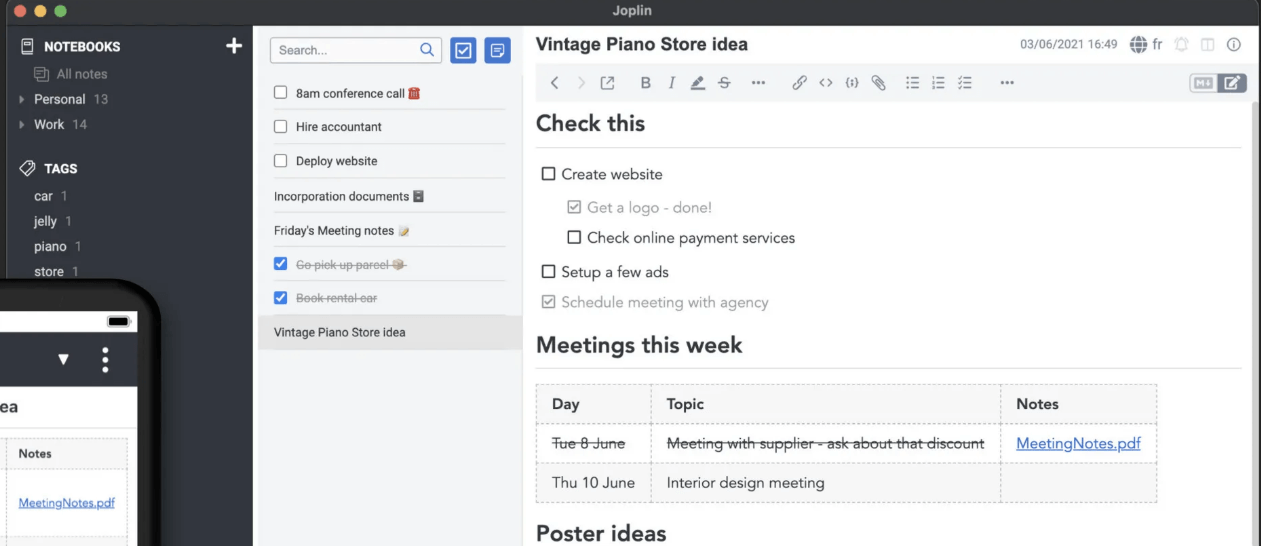
Joplin is a free, open-source note-taking and to-do application (desktop + mobile) that works offline and syncs when you’re online. It supports Markdown, attachments, notebooks, tags, and more.
You can run it locally, sync via your own cloud service (Dropbox, OneDrive, WebDAV, Nextcloud), or use Joplin’s paid cloud.
If you care about privacy, owning your data, cross-device access, and a robust note system (not just a simple notepad), Joplin offers a strong alternative to proprietary apps like Evernote or OneNote. Because it’s open-source and your notes are in Markdown (or plain files), locking tends to be minimal. According to reviews:
“This is my current note taking app! I sync the notes over my NextCloud installation… it works great!”
It solves the problem of “I want my notes everywhere, securely, without being locked into a single vendor or format”.
You install Joplin on your devices. You create notebooks and notes (or to-dos). Notes support Markdown and rich content (images, PDFs, audio). You can sync via supported back-ends or Joplin Cloud. It supports end-to-end encryption (E2EE) so your data remains private.
You also get a web-clipper (browser extension for Chrome/Firefox) to save web pages.
Watch-out notes: If you go with self-sync, you’ll need to pick/configure your storage (Dropbox, OneDrive, WebDAV). The UI, while mature, may require a little learning compared to highly polished commercial apps. Some users mention UX quirks on mobile. Also, for full team collaboration features you likely need the paid “Joplin Cloud” plans rather than purely free usage.



