
GitLab logo

GitLab

Rating: 4.3/5
User Satisfaction: 85%
GitLab is a tool that provides code hosting, CI/CD pipelines, security scanning and deployment for development teams so they can plan, build, test, release and monitor software from one platform.

Alternative To

Overview

 GitLab is a unified DevSecOps platform that combines code repository hosting, issue tracking, continuous integration/continuous delivery (CI/CD), security testing, and monitoring—so your development, operations and security teams can work in one system.


If you’re shipping software, you typically juggle tools for version control, build pipelines, deployment, monitoring and security. GitLab brings many of those capabilities under one roof. That means fewer tool-handoffs, clearer traceability from code to production, and easier collaboration across dev/ops/security. Teams moving faster, with fewer silos, get more value.


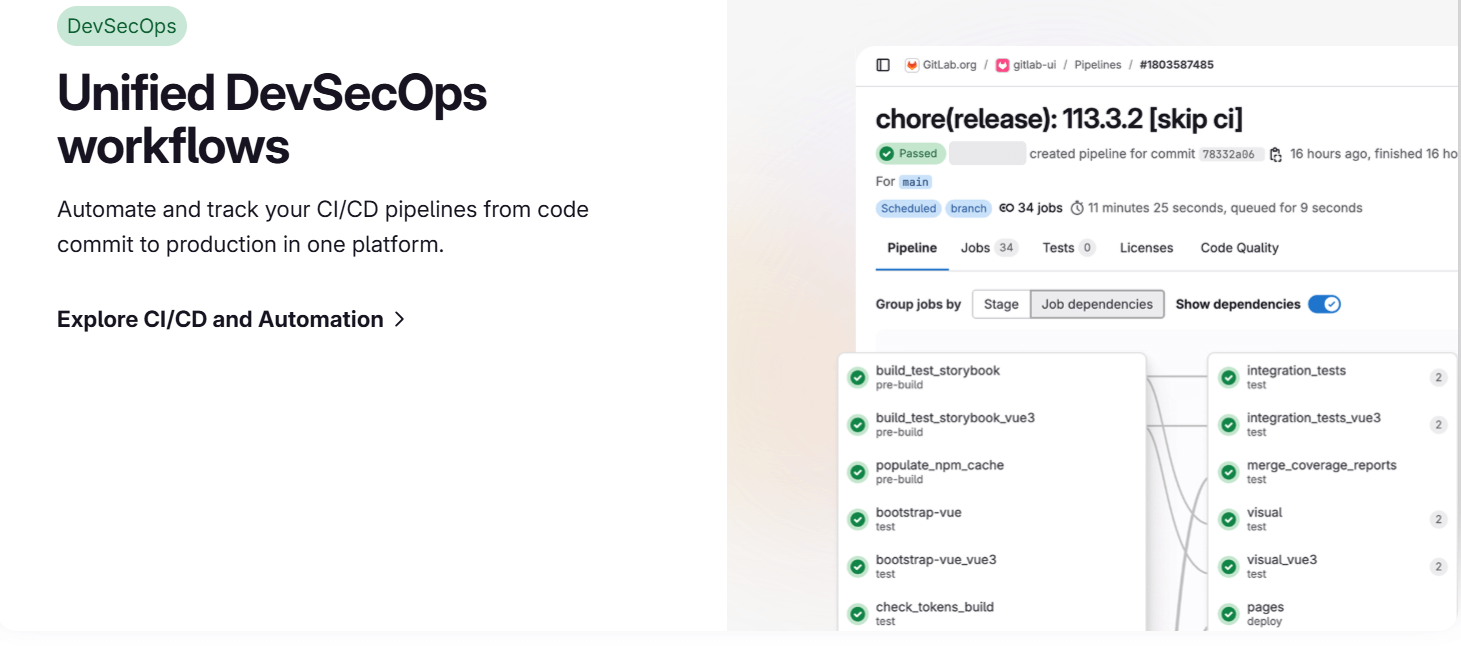
You host your code (public or private). You define pipelines (build, test, deploy) via YAML configuration. You leverage built-in security scanners like SAST/DAST, dependency scanning, container registry and more (depending on tier). You monitor deployment and performance. On the self-managed or SaaS version, you choose the tier that fits your team size and required features.

Details

Tool Launch / Founded Date

2011

Best for

Development teams (small to large), DevOps organisations, companies wanting to unify dev/ops/sec, teams considering self-hosted or SaaS alternatives to point tools.

Access Type

Freemium model: there is a Free tier, plus paid subscriptions (per user) for Premium/Ultimate features.

Licensing Model

The Community Edition (self-managed) is open-source under MIT (for core features) and GitLab offers enterprise edition (proprietary or source-available) for advanced features.

Feature

  • Integrates source control (Git) with issues, merge requests, wiki, snippets in one platform.
  • Built-in CI/CD pipelines: Define build/test/deploy flows.
  • Security scanning: SAST, DAST, dependency scanning, container scanning for higher tiers.
  • Deployment & monitoring capabilities: single application covering code → deploy → monitor.
  • Self-hosted or SaaS flexibility: You can run GitLab on-prem or use GitLab.com.
  • Supports large teams & portfolios: For organizations with many projects, groups, compliance needs.

Pricing Tables

Free
$0/user/month
  • Core features (repository, issues, basic CI/CD)
  • Limited storage/CI minutes (for SaaS) or self-hosted unlimited but you manage infra
  • Good for small teams, hobby projects, open-source
Premium
$29/user/month (billed annually) [list price]
  • Advanced collaboration features, more CI/CD minutes / runners
  • 24/7 support, faster response times
  • Storage / LFS limits higher than Free.
  • Note: this price reflects increase from $19 to $29 in recent change.
Ultimate
Contact sales / custom pricing
  • Full enterprise features: advanced security/compliance, portfolio management, risk & governance features. 
  • Ideal for large organisations with strict compliance and security requirements

Analytics

Traffic Analysis

Domain Rating
92
Organic Traffic
1263970
Majority Users
United States

Visits Over Time

No visit data found.

Traffic Sources

No traffic data found.

Last Update Date: 2025-11-15

FAQ

Can I use GitLab for commercial projects?
Yes. The Free plan allows private projects and commercial use. The licensing of what you build and how you distribute it depends on your own code, not GitLab’s. Review the terms for your region.
How many build minutes or storage do I get in the Free plan?
On GitLab.com Free tier there are set limits for CI/CD minutes and storage per project (e.g., 10 GiB for combined Git + LFS for Free SaaS). If you hit those limits you might need to upgrade or self-host.
Can I edit/customize the pipelines?
Yes. You define your CI/CD flow via YAML files (.gitlab-ci.yml) and you can configure runners, variables, caching, deployment environments. It’s flexible. But advanced features (e.g., advanced review apps, multi-cluster deploy) may require higher tiers.
Does GitLab train on my code or use my repositories for model training?
They haven’t publicly positioned GitLab as an AI model-training service for user code. But you should check your privacy/data terms especially if you have sensitive IP.
What do I get in the top plan vs the starter plan?
The top plan (Ultimate) adds advanced security/compliance (e.g., full vulnerability management, audits, risk dashboards), portfolio management, and enterprise-grade support. The Free plan gives core repo/CI features but less around security governance or large scale enterprise needs.
Does GitLab integrate with other tools I already use (Jira, Slack, Kubernetes)?
Yes. GitLab supports integrations (webhooks, APIs) and is designed to play well in dev ecosystems including Kubernetes, Slack, etc. You’ll want to check if specific integrations cost extra or require a paid tier.

Related AI Tools

ToyPal is a storytelling device that attaches to soft toys and delivers personalized AI-generated stories for children so
Kidgeni is a tool that creates AI-generated art, stories, and books for children so they can learn, create,
SermonGPT is a tool that generates sermon drafts and outlines for pastors, ministers, and speakers so they can
Lyrics Generator is an AI songwriting tool that creates lyrics for musicians, creators, and hobbyists so they can
Love Letter Generator is a tool that creates personalized romantic letters for couples and individuals so they can
AI Diary is a journaling tool that uses AI conversations, mood tracking, and writing analysis to help people

