Bear logo

Bear

Rating: 4.4
User Satisfaction: 82%
Bear is a tool that helps you capture, write and organize notes on Apple devices so you can focus on ideas, link thoughts, and export/share easily.

Alternative To

Overview

Bear is a native note-taking app designed for the Apple ecosystem (macOS, iPadOS, iOS) that uses Markdown for writing and a flexible tagging system for organization. 

If you’re someone who writes more than just lists — maybe journaling, drafting, coding snippets, building a personal knowledge base — Bear gives you a clean, distraction-light interface plus power features like export formats, encryption and iCloud sync. It’s particularly good for people working in the Apple ecosystem and who prefer writing in Markdown and tagging rather than rigid folder systems.

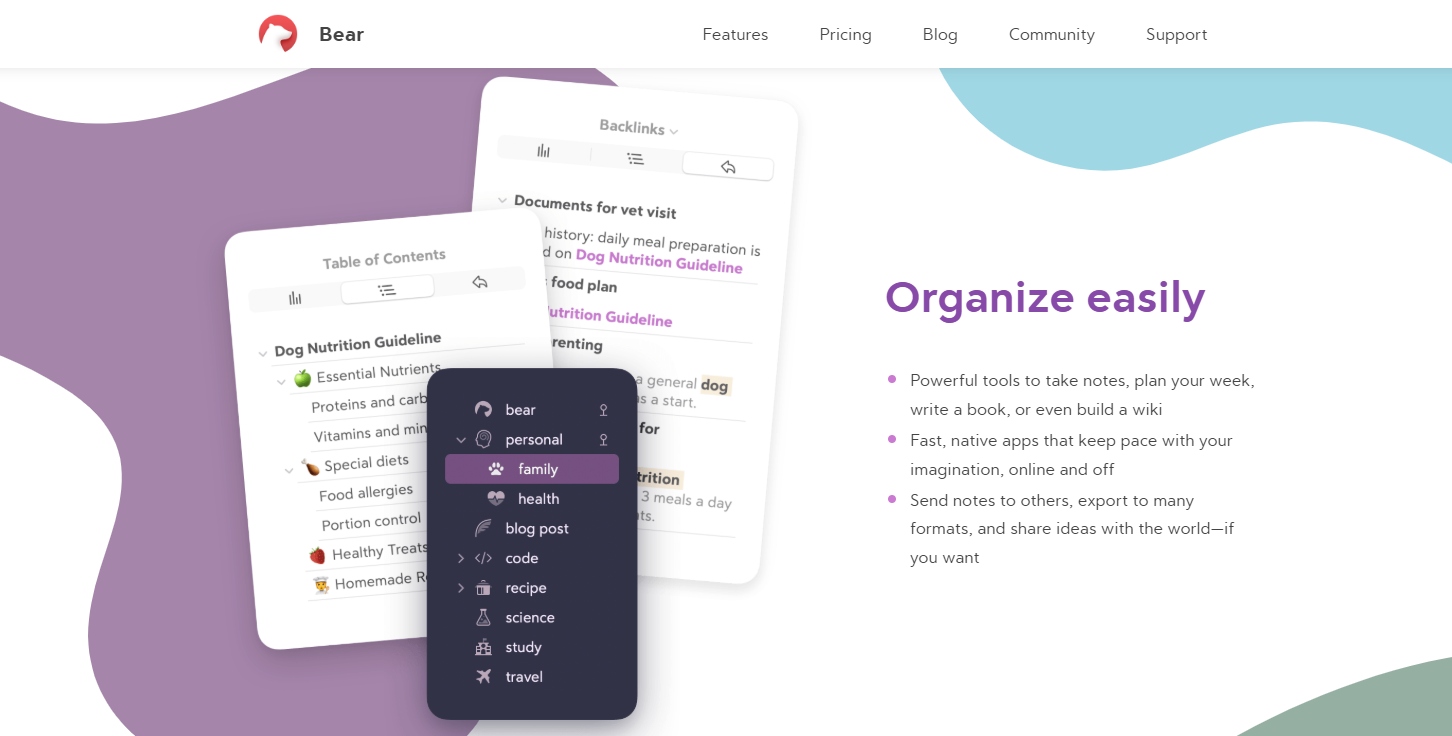
You write notes in Markdown (e.g., bold, italic, code, lists) and apply tags directly in the text (e.g., #project, #2025/meeting). Notes can include images, tables, to-do lists, sketches (on iPad) and you can link between notes (wiki-style). Many advanced features (iCloud sync between devices, advanced exports, encryption) are behind the “Pro” subscription.

Details

Tool Launch / Founded Date

The initial version of Bear was released 2016-11-01 approx.

Best for

Solo creators, writers, developers, students, Apple ecosystem users (mac + iPad + iPhone) who want a clean but feature-rich note tool

Access Type

Freemium. Free version with basic writing & tagging; paid “Pro” subscription unlocks sync, export and themes.

Licensing Model

Proprietary software by Shiny Frog. For the content you create, you own your notes. Encryption and privacy are emphasised (“Your notes, not ours”).

Feature

  • Markdown-based writing: full support for bold, italics, lists, tables, code blocks. 
  • Flexible tagging system: use #tags, nested tags, anywhere in the note.
  • Cross-note linking / wiki-style links: connect notes easily. 
  • Export options (Pro): PDF, DOCX, HTML, JPG, ePub, Markdown. 
  • Encryption & privacy: Individual note encryption, app lock, iCloud only (not server storing content). 
  • Themes & customization (Pro): Many built-in themes and icon choices for the app. 
  • Works offline and across iPhone/iPad/Mac via iCloud sync (Pro). 
  • Built-in search including inside images/PDFs (Pro).

Pricing Tables

Free
$0
  • Local access to your notes
  • Document scanning
  • Export to: TXT, Markdown, TextBundle, RTF
  • 3 free themes
  • 1 app icon
PRO
$2.99/month
  • Local access to your notes
  • Document scanning
  • Export to: TXT, Markdown, TextBundle, RTF, PDF, JPG, HTML, DOCX, ePub
  • 28+ themes
  • 15 app icons
  • Search inside PDFs and images
  • Sync with iCloud

Analytics

Traffic Analysis

Domain Rating
74
Organic Traffic
19706
Majority Users
United States

Visits Over Time

No visit data found.

Traffic Sources

No traffic data found.

Last Update Date: 2025-11-15

FAQ

Can I use my notes commercially (e.g., publish them) if I use Bear?
Yes. You own your content. Bear does not claim ownership over your notes; you’re free to export and publish what you create. Just ensure you’ve done any necessary formatting/export.
How many devices can I sync with the Pro plan?
With the Pro subscription you can sync across all your Apple devices that use the same Apple ID via iCloud (iPhone, iPad, Mac).
Is there a limit to how many notes I can make or how big they can be?
There is no publicly disclosed strict limit on the number of notes or size, but performance may vary depending on device storage, note complexity (images, PDFs) and iCloud sync health.
Does Bear support handwriting recognition or Android/Windows apps?
Bear supports sketching and Apple Pencil on iPad, but it doesn’t currently support full handwriting-to-text recognition as a core feature, and it does not support Android or Windows natively (Apple ecosystem only).
Does the company train models on my notes / read my content?
According to Bear’s privacy claims, notes are stored via iCloud, encryption is available, and the company says “Your notes, not ours.” There’s no indication that your private notes are used for training models, but you should still review their Privacy Policy to confirm for your region.
What upgrades do I get on Pro that I don’t get on free?
Pro adds iCloud sync across devices, advanced export formats (PDF, DOCX etc), individual note encryption/app lock, themes & icons, OCR search for images/PDFs, and more customisation. Free covers core note-writing, tagging and basic export.
If I cancel Pro, what happens to my notes?
You’ll retain all your notes and continue to have local access on the device(s) you used, but you will lose the sync across devices and access to Pro-only features (advanced export, themes, encryption) until you resume subscription.

Related AI Tools

JimmyGPT is an AI chatbot tool that helps individuals chat, brainstorm, and get coding or writing assistance through
Dreamland Stories is a tool that helps kids create personalized AI-generated stories with images and narration so they
WriteMyEssay.ai is a tool that generates academic essays, outlines, and citations for students so they can draft papers
StoryHero is an AI storytelling tool that creates personalized illustrated stories for children so parents, teachers, and kids
MindChat is a mental wellness and concussion monitoring platform that combines AI assessments with EEG data for clinicians,
FanFicGen is a tool that generates AI-written fan fiction stories for fandom creators so they can brainstorm plots,