
TeamGantt logo

TeamGantt

Rating: 4.4/5
User Satisfaction: 85%
TeamGantt is a tool that gives teams visual Gantt-chart scheduling, resource tracking, and collaboration so they can plan projects clearly, monitor progress, and hit deadlines.

Alternative To

Overview

TeamGantt is a cloud-based project management app centered on intuitive Gantt charts. It helps teams — from solo freelancers to mid-size businesses — plan projects visually, assign tasks, track timelines, and collaborate in one unified workspace. 

Many general-purpose project tools are either too basic (simple to-do lists) or overly complex (full enterprise suites). TeamGantt strikes a balance: it gives you a powerful, easy-to-use scheduling and resource-management backbone. For teams that care about deadlines, dependencies, and clarity (e.g. marketing teams, construction crews, creative agencies, software roadmaps), it reduces the risk of missed deadlines, resource overload, and miscommunication. 

  • Projects are visualized via drag-and-drop Gantt charts.
  • You can switch between different project views (Gantt, board [Kanban-style], list, calendar) based on your workflow. 
  • Tasks can have dependencies, milestones, baselines, and you can track planned vs. actual progress. 
  • Resource and workload management help you avoid overloading team members; you can also track time, budgets, and costs (with paid features). 
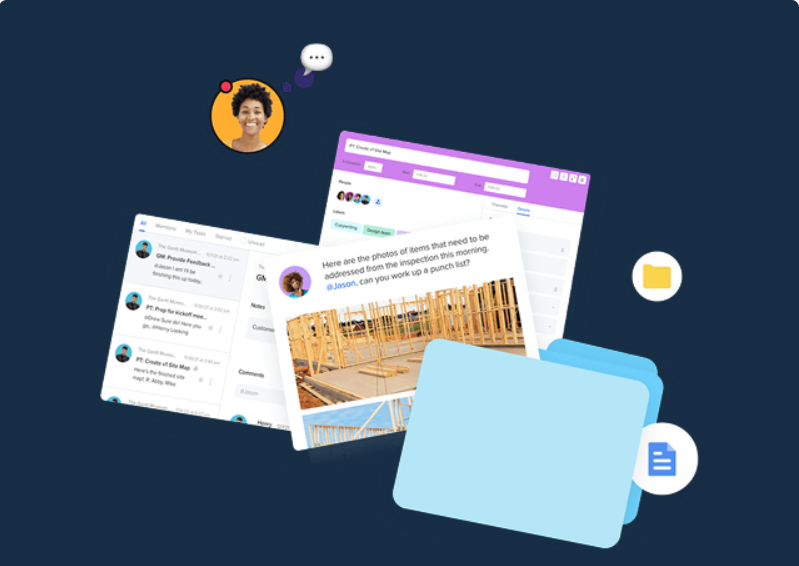
  • Collaboration is built-in: file sharing, comments, shared timelines, real-time updates.

Details

Tool Launch / Founded Date

2009

Best for

Small to mid-sized teams (marketing, agencies, construction, product dev), freelance project leads, project managers who prefer visual scheduling over heavy enterprise tools.

Access Type

Small to mid-sized teams (marketing, agencies, construction, product dev), freelance project leads, project managers who prefer visual scheduling over heavy enterprise tools.

Licensing Model

Proprietary SaaS. As a cloud service, you don’t need to manage licensing for software installs. (No public notice of open-source.)

Feature

  • Drag-and-drop Gantt chart builder — create or update timelines easily without steep learning curve. 
  • Multiple project views — Gantt, list, board (Kanban), calendar — choose what fits your team’s workflow.
  • Task dependencies, milestones, baselines — define how tasks relate, track progress vs plan, and adjust on the fly.
  • Resource & workload management — see who’s overloaded, assign tasks smartly, avoid burnout. 
  • Time tracking, hourly estimates, cost-loaded scheduling (in paid plans) — helps manage budgets, forecast costs and track actuals.
  • Collaboration tools — file sharing, task comments, shared timelines, real-time updates — useful for remote or distributed teams. 
  • Portfolio view (paid) — monitor multiple projects from a high-level dashboard; useful for agencies or PMOs.

Pricing Tables

Forever Free
$0/mo
  • 1 manager, up to 2 collaborators
  • Basic Gantt chart + calendar and list views
  • Suitable for small, personal projects or simple task lists
Pro
$49/mo per manager
  • Up to 20 projects per manager
  • Unlimited tasks and collaborators
  • Gantt, list, board, calendar views; integrations; project boards; workload tracking; baselines; time tracking; hourly estimating; portfolio management; priority support

Analytics

Traffic Analysis

Domain Rating
72
Organic Traffic
95.7K
Majority Users
United States

Visits Over Time

No visit data found.

Traffic Sources

No traffic data found.

Last Update Date: 2025-12-04

FAQ

Can I use TeamGantt’s free plan for commercial work?
Yes — the free plan is available forever at no cost. It’s designed for small or personal projects, but there is no limitation that forbids commercial use.
How many projects can I manage on the free plan?
The free plan supports only one project (with limited collaborators), so it’s not ideal for managing multiple concurrent projects.
How many projects can I manage on the free plan?
The free plan supports only one project (with limited collaborators), so it’s not ideal for managing multiple concurrent projects.
Can I track costs and time with TeamGantt?
Yes — but cost tracking, time tracking, and budget forecasting are part of paid plans / add-ons.
Can I use TeamGantt on Mac and Windows?
Yes — it’s a cloud app, so it works through a browser on any operating system.
Is it good for large complex projects or enterprises?
TeamGantt tends to be better suited to small-to-mid teams and project scopes. For highly complex workflows, heavy automation, or enterprise-scale project management, more robust tools (like Wrike or Smartsheet) may be a better fit.
How quickly can a team get started with TeamGantt?
Very quickly — because of drag-and-drop Gantt charts and a friendly UI, you can have a simple project set up in minutes, even without formal training.

Related AI Tools

JimmyGPT is an AI chatbot tool that helps individuals chat, brainstorm, and get coding or writing assistance through
Dreamland Stories is a tool that helps kids create personalized AI-generated stories with images and narration so they
WriteMyEssay.ai is a tool that generates academic essays, outlines, and citations for students so they can draft papers
StoryHero is an AI storytelling tool that creates personalized illustrated stories for children so parents, teachers, and kids
MindChat is a mental wellness and concussion monitoring platform that combines AI assessments with EEG data for clinicians,
FanFicGen is a tool that generates AI-written fan fiction stories for fandom creators so they can brainstorm plots,

