


When it comes to academic success, assignments play a crucial role in testing your knowledge, skills, and creativity. However, students often face difficulties in organizing, structuring, and presenting their work effectively. That’s where AI tools for assignments come in.
With advancements in technology, AI tools for assignment writing can help streamline your assignment creation process by offering features like content generation, grammar correction, formatting assistance, and even research suggestions. These tools are designed to make assignments more efficient and help students save time while ensuring high-quality results.
In this article, we will explore the top 10 AI tools for assignments, discussing their features, benefits, pricing, and who they are best suited for. Whether you’re struggling with research, grammar, or formatting, these tools will give you the edge you need.
What Are Assignment Making Tools?
Assignment making tools are software solutions designed to assist students in creating, organizing, and completing their academic assignments. These tools can help with various aspects of the assignment writing process, such as research, writing structure, grammar, plagiarism checks, and citation management. AI-powered assignment tools use algorithms and machine learning to enhance the quality and efficiency of assignment writing, making it easier for students to produce well-written work.
Benefits of Assignment Writing Tools
- Time Efficiency: AI tools automate time-consuming tasks such as grammar checking, research, and citation generation, saving students significant time.
- Improved Quality: These tools ensure that assignments are grammatically correct, well-structured, and free of plagiarism, improving the overall quality of the work.
- Enhanced Research: Some AI tools provide access to relevant academic sources, research papers, and articles, helping students gather reliable information for their assignments.
- Personalized Feedback: Many AI writing tools offer real-time feedback, which helps students identify areas of improvement and refine their writing.
- Plagiarism Detection: AI-powered plagiarism checkers ensure that your work is original and properly cited, avoiding academic dishonesty.
Top 10 AI Assignment Writing Tools
- hyperwriteai
- perplexity_ai
- humata_ai
- pdfai_app
- connectedpapers
- TutorAI
- perusall
- coggle.it
- explainpaper
- reverso.net
Comparison Table
| Tool | Best For | Key Features | Pricing |
|---|---|---|---|
| HyperWrite | Writing with citations | Real-time info + citations, personas, writing tools | Premium ~$19.99/mo or ~$16/mo billed annually |
| Perplexity AI | Research with sources | Citation-based answers, file uploads, study mode | Pro $20/mo; Education $4.99/mo |
| Humata AI | Studying PDFs fast | Ask questions across documents, summarize/compare | Free (60 pages); Student $1.99/mo |
| PDF.ai (pdfai_app) | Chat with PDFs | Ask, extract, summarize PDFs | Hobby free; Pro ~$10/mo (annual) or $15/mo |
| Connected Papers | Literature discovery | Visual paper graph, prior/derivative works, multi-origin | Free 5 graphs/mo; paid plans vary |
| TutorAI | Learning & revision | Personalized courses, flashcards, spaced repetition | Free; Mentor $13.33/mo; Genius $17.50/mo |
| Perusall | Assignment reading + discussion | Social annotation, peer learning, AI-supported scoring | Often institution-funded; suggested ~$15 course fee (varies) |
| Coggle.it | Planning & outlining | Mind maps/flowcharts, collaboration | Free; $5/mo Awesome; $8/member/mo Org |
| Explainpaper | Understanding research papers | Highlight → explanation, follow-up questions, math explain | Free; Pro $16/mo |
| Reverso.net | Language & translation | AI translation, document translation, writing assistant | €9.99/mo or €77.88/yr; student discount €19.47/yr |
Top 10 AI Tools for Assignments
1. HyperWrite AI (hyperwriteai)

Review: HyperWrite is an AI writing assistant focused on producing well-structured writing quickly—especially useful when you need properly cited content and a more “personal” writing style.
Best For
-
Citation-backed drafting (intro/sections)
-
Rewriting for clarity and tone
-
Fast brainstorming and outlining
Key Features
-
Citations + real-time info for factual writing
-
Custom personas (write in your voice)
-
Large library of pre-built writing tools
-
TypeAhead writing suggestions (browser extension)
Pros
-
Great for assignment structure and polished phrasing
-
Helpful when you need citations included
-
Good “writing flow” tools via TypeAhead
Cons
-
Message limits on some plans
-
Still needs your fact-checking and academic judgment
Pricing
-
Premium: $19.99/month (or $16/month billed annually)
2. Perplexity AI

Review: Perplexity is one of the strongest tools for researching with citations—great for finding sources, comparing viewpoints, and building a reference list quickly.
Best For
-
Research + source discovery
-
Building evidence for arguments
-
Quick literature scanning
Key Features
-
Answers include citations to original sources
-
File uploads for document-based Q&A
-
Education plan includes study/flashcard-style learning features
Pros
-
Excellent for fast, citation-heavy research
-
Great for follow-up questions and topic exploration
-
Useful for turning broad topics into structured evidence
Cons
-
You must evaluate source quality (don’t cite weak sources)
-
Not a “full writing assistant” by itself
Pricing
-
Pro: $20/month
-
Education Pro: $4.99/month (verification required)
3. Humata AI

Review: Humata is built for students and researchers who need to understand PDFs quickly—summaries, comparisons, and answers across your uploaded documents.
Best For
-
Reading long PDFs faster
-
Extracting key points/methodology/results
-
Comparing multiple papers
Key Features
-
“Ask questions across all of your files” style workflow
-
Free tier includes monthly page allowance
-
Student plan available with low monthly price
Pros
-
Huge time saver for literature review reading
-
Good for “what does this section mean?” style questions
-
Student plan is budget-friendly
Cons
-
Page-based limits can be a constraint
-
Always verify quotes/results directly in the PDF
Pricing
-
Free: up to 60 free pages/month
-
Student: $1.99/month (edu verification)
4. PDF.ai

Review: PDF.ai is a straightforward “chat with your PDF” tool—upload a PDF, then ask questions, extract info, or generate summaries.
Best For
-
Fast PDF summarization
-
Finding answers inside a document
-
Extracting definitions, steps, and explanations
Key Features
-
Ask questions, extract information, and summarize PDFs
-
Clear tiered pricing (Hobby/Pro/Ultimate/Enterprise)
Pros
-
Very simple workflow
-
Great for skimming and targeted lookup
-
Helpful for assignment evidence-gathering
Cons
-
Answers depend on PDF quality (scans, complex tables, etc.)
-
You should still read key sections yourself
Pricing
-
Hobby: Free
-
Pro: $10/month per user (annual) or $15/month
5. Connected Papers
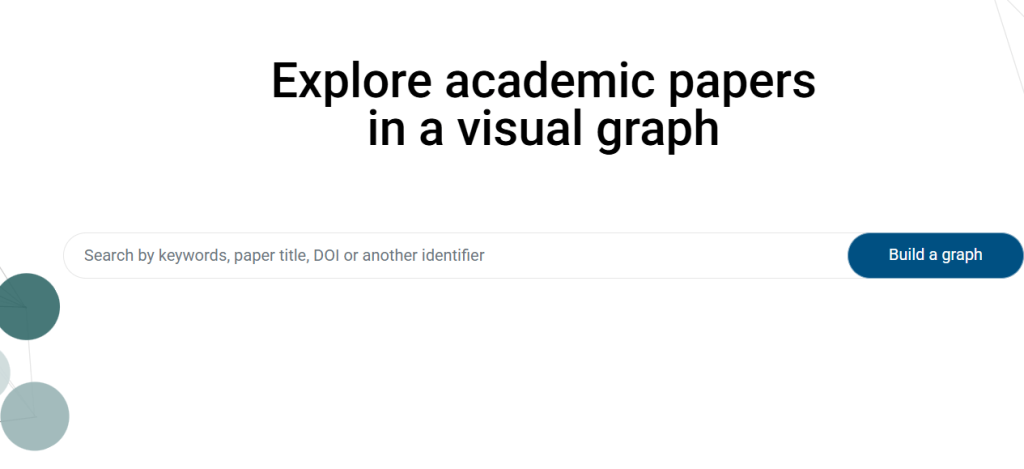
Review: Connected Papers helps you discover related research by generating a visual graph of similar papers, which is perfect when you don’t know what to search next.
Best For
-
Literature review discovery
-
Finding “must-cite” prior works
-
Exploring a new topic area quickly
Key Features
-
Paper graph to explore a field starting from one seed paper
-
“Prior works” and “Derivative works” discovery
-
Multi-origin graphs (compare multiple papers)
Pros
-
Amazing for expanding references beyond obvious keywords
-
Helps you find seminal + recent state-of-the-art papers
-
Visual layout makes it easier to “see” research clusters
Cons
-
Not a writing tool (it’s discovery-focused)
-
Exact paid pricing can vary and may change
Pricing
-
Free tier includes 5 graphs/month
-
Paid plans: “Academic/Business” mentioned by the product (details vary)
6. TutorAI

Review: TutorAI focuses on learning: it creates structured courses based on what you want to study and supports revision with tools like flashcards.
Best For
-
Learning topics before writing an assignment
-
Exam/quiz preparation
-
Building step-by-step understanding
Key Features
-
Personalized on-demand courses and unlimited chat (paid tiers)
-
Flashcards & spaced repetition dashboard (Genius plan)
Pros
-
Great for “I don’t understand this topic” situations
-
Useful for consistent study routines
-
Flashcards/spaced repetition help retention
Cons
-
Not built for citations and formal academic referencing
-
Quality depends on how well you prompt and verify
Pricing
-
Free plan available
-
Mentor: $13.33/month
-
Genius: $17.50/month
7. Perusall

Review: Perusall is a social learning platform for assignments where students annotate readings/videos together. It also uses AI/ML carefully in features like scoring support and confusion reporting.
Best For
-
Group reading + collaborative annotation
-
Discussion-based assignments
-
Courses using assigned papers/PDFs
Key Features
-
Annotate text/video/audio and build learning discussions
-
AI-related algorithms include auto grading support + “confusion report” summaries
-
Flexible support model (books, institutional licenses, course choice fees)
Pros
-
Strong for engagement and learning with classmates
-
Helpful instructor analytics and summaries
-
Works well for “reading-heavy” courses
Cons
-
Pricing/access depends on institution/course setup
-
Not a standalone writing generator
Pricing
-
Often via publisher/institution; for “Course Choice” suggested fee is commonly around $15 (can vary)
8. Coggle.it

Review: Coggle is a clean mind-mapping and flowchart tool that helps you plan assignments visually—great for outlining essays, reports, and presentations.
Best For
-
Brainstorming and outlining
-
Building argument structure
-
Visual study notes
Key Features
-
Mind maps + flowcharts, collaboration, export options
-
Team “Organisation” features with controlled access
Pros
-
Makes structure obvious (especially for essays)
-
Great for group planning
-
Easy exports for submission or study
Cons
-
Doesn’t generate academic citations or research by itself
-
Advanced privacy features require paid plan
Pricing
-
Free Forever: $0
-
Awesome: $5/month
-
Organisation: $8 per member/month
9. Explainpaper
Review: Explainpaper is designed for one thing: making research papers easier to understand by letting you highlight confusing parts and get explanations.
Best For
-
Reading research papers
-
Explaining methods, jargon, and math/figures
-
Faster comprehension for literature review
Key Features
-
Unlimited highlight explanations (free tier)
-
Follow-up questions and Zotero import
-
“Math Explain” and advanced models on Pro
Pros
-
Perfect for breaking down dense paragraphs
-
Great for beginners reading papers
-
Helps you move faster without missing meaning
Cons
-
Not a full research discovery tool
-
Still requires you to cite and write properly yourself
Pricing
-
Free plan: $0/month
-
Pro: $16/month
10. Reverso.net

Review: Reverso is excellent for students writing in a second language—translation, rephrasing, examples-in-context, and document translation.
Best For
-
Translation + paraphrasing support
-
Improving academic wording in another language
-
Document translation while keeping layout
Key Features
-
AI-powered translation + dictionaries and examples in context
-
Document translation (Word/PDF/PPT/Excel)
Pros
-
Strong for multilingual assignments
-
Helpful for natural phrasing (not just literal translation)
-
Useful document translation option
Cons
-
Doesn’t replace proper academic writing skills
-
Always double-check technical terms in your field
Pricing
-
Monthly: €9.99/month
-
Annual: €77.88/year (listed as €6.49/month billed yearly)
-
Students/teachers: €19.47/year (special pricing)
How to Choose the Best AI Assignment Writing Tools
When selecting the best AI tool for assignments, consider the following:
- Specific Needs: Identify the aspects of your assignment writing process that need improvement—whether it’s grammar checking, paraphrasing, or research collaboration.
- Ease of Use: Choose tools that are user-friendly, especially if you’re new to AI-powered writing software.
- Pricing: Some tools offer free versions, while others have premium features. Consider your budget and the tools’ functionalities.
- Integration: Ensure that the tool integrates well with the platforms you already use, such as Google Docs, Microsoft Word, or academic research databases.
Conclusion
AI tools for assignment writing are revolutionizing the way students and professionals approach academic writing. From grammar checking to paraphrasing and plagiarism detection, these tools can significantly improve the quality and efficiency of assignments. By selecting the right AI tool based on your specific needs, you can enhance your writing process and produce high-quality academic work.
FAQs
What is the best AI tool for assignment writing?
The best AI tools for assignment writing depend on your specific needs. Grammarly is excellent for grammar and style checks, QuillBot is ideal for paraphrasing, and Turnitin is great for plagiarism detection. Each tool excels in different aspects of academic writing.
Are there free AI tools available for assignment writing?
Yes, several free AI tools for assignment writing are available. Grammarly offers a free grammar check, QuillBot provides basic paraphrasing features for free, and Google Docs offers free collaboration and basic writing tools. While these may have limitations, they’re still effective for improving your assignments.
How can AI tools help with assignment writing?
AI tools for assignment writing help with grammar checking, paraphrasing, plagiarism detection, content generation, and improving writing clarity. These tools streamline the writing process and ensure your work is polished and original.
Which AI tool is best for plagiarism detection in assignments?
Turnitin is widely considered the best AI tool for plagiarism detection, offering a comprehensive scan of academic papers to check for similarities and ensure originality.
Can AI tools replace human writing for assignments?
While AI tools can assist in improving writing, they cannot fully replace the need for human input in tasks that require critical thinking, analysis, and creativity.

