


In the fast-paced digital world, eye-catching visuals can make or break your online presence. Whether you’re building a brand, launching a product, or running a blog, social media design tools are your secret weapon for creating professional-looking content—without needing to be a graphic designer. From Instagram graphics to Facebook ads and YouTube thumbnails, modern design apps (free and paid) offer everything you need. These platforms are also ideal free programs to make graphics, letting marketers, entrepreneurs, and influencers build scroll-stopping visuals across all major social platforms.
What Are Social Media Design Tools?
Social media design tools are software platforms that help users create digital visual content for social platforms like Instagram, TikTok, LinkedIn, Pinterest, and Facebook. They often come with ready-made templates, drag-and-drop editors, and features that make designing engaging posts, stories, and ads a breeze—even for beginners.
Benefits of Using Social Media Design Tools
- Speed & Efficiency: Save hours with pre-made templates and easy drag-and-drop interfaces.
- Professional Quality: Create high-quality visuals without needing graphic design skills.
- Consistency: Maintain brand style across all posts with preset colors, fonts, and layouts.
- Affordable & Accessible: Many free apps for creating social media posts are feature-packed!
- Collaboration Tools: Work with team members on designs in real time.
15 Social Media Design Tools
- Polotno Studio
- Pixso
- Pixelied
- PosterMyWall
- Designhill
- Pixlr
- PicMonkey
- Stencil
- Remove (remove.bg)
- Genially
- RelayDesign
- Uplevo
- RelayThat
- VistaCreate
- Mediamodifier
Comparison Table: Social Media Design Tools (2026)
| Tool | Best For | Free Plan | Templates | Photo Editing | Video/Animation |
|---|---|---|---|---|---|
| Polotno Studio | Canva-style designing + exports | ✅ | ✅ | ✅ | Limited |
| Pixso | UI + design collaboration | ✅ | ✅ | Limited | ❌ |
| Pixelied | Quick social graphics + branding | ✅ | ✅ | ✅ | Limited |
| PosterMyWall | Flyers, promos, video ads | ✅ | ✅ | ✅ | ✅ |
| Designhill | Logos + brand assets | ❌/Limited | ✅ | Limited | ❌ |
| Pixlr | Advanced photo editing | ✅ | ❌ | ✅✅ | ❌ |
| PicMonkey | Photo edits + social templates | ✅/Trial | ✅ | ✅✅ | Limited |
| Stencil | Fast quote/social posts | ✅ | ✅ | Limited | ❌ |
| Remove | Background remover | ✅ | ❌ | ✅ | ❌ |
| Genially | Interactive posts/presentations | ✅ | ✅ | Limited | ✅✅ |
| RelayDesign | Simple content templates | Varies | ✅ | Limited | Limited |
| Uplevo | Localized templates | ✅ | ✅ | Limited | ❌ |
| RelayThat | Brand consistency automation | ❌ | ✅ | Limited | ❌ |
| VistaCreate | Animated stories & templates | ✅ | ✅✅ | ✅ | ✅ |
| Mediamodifier | Mockups + product visuals | ❌/Limited | ✅ | Limited | Limited |
1. Polotno Studio

2. Pixso

3. Pixelied

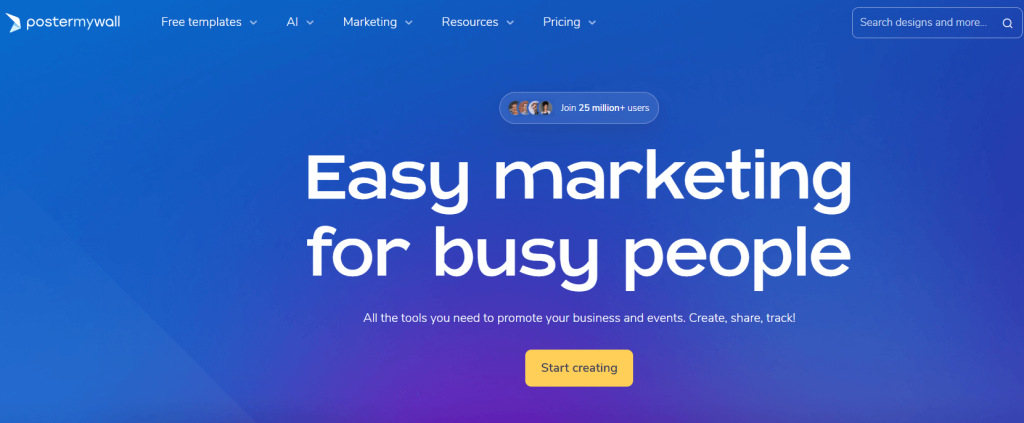
4. PosterMyWall
5. Designhill

Best For: Logos and brand identity
Review:
Designhill is primarily a branding marketplace and logo creation platform. It’s useful when you need logos, brand identity kits, or professional design services alongside do-it-yourself tools. Compared to template-first social design apps, it’s more focused on brand building than everyday social post creation.
Features:
-
Logo maker for quick logo creation
-
Brand assets and identity resources
-
Designer marketplace for professional services
Pros:
-
Strong for brand-building and identity work
-
Many design services available in one place
Cons:
-
Less focused on everyday social post design
Pricing:
Mostly paid; pricing depends on the service/tool chosen
6. Pixlr
 Review: For more advanced editing, Pixlr offers a Photoshop-lite experience in your browser. Great for users who want more control over photo editing.
Best for: Advanced photo editing
Features:
-
AI Cutout
-
Layer support
-
Filters & overlays
Pros:
-
Powerful editor
-
Free and fast
Cons:
-
Not beginner-friendly
Pricing: Free; Premium from $7.99/month
7. PicMonkey

Best For: Photo-based social content
Review:
PicMonkey is a photo-editing and design tool that works especially well for creators who rely heavily on photography—like beauty, lifestyle, and ecommerce brands. It combines retouching tools with templates, overlays, and branding features, making it easier to produce polished, consistent social posts.
Features:
-
Photo retouching and editing tools
-
Templates for social graphics
-
Overlays, effects, and text tools
-
Branding tools for consistent visuals
Pros:
-
Strong photo editing features
-
Ideal for creating polished, professional posts
Cons:
-
Best features are often behind a paid tier
Pricing:
Trial/free limited options; paid plans vary
8. Stencil
 Review: Designed for speed, Stencil is a fast-loading app to help marketers create quick posts with minimal friction.
Best for: Fast, on-brand content
Features:
-
Quote templates
-
Buffer integration
-
Custom sizing
Pros:
-
Lightning fast
-
Simple UI
Cons:
-
Limited template selection
Pricing: Free; Pro from $15/month
9. Remove (remove.bg)

Best For: Background removal
Review:
Remove is a specialized tool that removes image backgrounds instantly, making it perfect for product photos, profile images, thumbnails, and quick cutouts. It’s ideal when you want clean, transparent exports fast—then you can drop the subject into any design tool for final layouts.
Features:
-
1-click background remover
-
Transparent background exports
Pros:
-
Huge time saver for cutouts
-
Excellent accuracy for quick removals
Cons:
-
Not a full design tool
Pricing:
Free limited usage; paid credits/plans available
10. Genially

Best For: Interactive social content
Review:
Genially is built for interactive and animated content—great for interactive stories, clickable visuals, animated posts, and presentation-style social content. It’s a strong choice when you want to go beyond static graphics and create more engaging, interactive experiences, though it can be overkill for simple everyday posts.
Features:
-
Interactive elements (clickable visuals)
-
Animation tools
-
Template library for interactive and social content
Pros:
-
Unique engagement formats
-
Great for interactive storytelling and presentations
Cons:
-
Overkill for simple static posts
Pricing:
Free plan available; premium options available
11. RelayDesign

12. Uplevo
 Review: Uplevo focuses on local language content and is great for small business owners looking to market in non-English regions.
Best for: Local businesses and multilingual design
Features:
-
Custom sizes
-
Vietnamese UI
-
Niche templates
Pros:
-
Localized templates
-
Easy to use
Cons:
-
Limited global reach
Pricing: Free; Premium pricing varies
13. RelayThat
 Review: RelayThat automates brand consistency by generating thousands of post variations from a single design input.
Best for: Branding automation
Features:
-
Automated layouts
-
Brand rules
-
Asset library
Pros:
-
Consistent branding
-
Great for agencies
Cons:
-
No free plan
Pricing: Starts at $25/month
14. VistaCreate

Best For: Animated templates and story content
Review:
VistaCreate is a strong choice for creating animated social designs like Instagram Stories, reel covers, and promo graphics. It’s built for speed with ready-made motion templates, stock assets, and brand kits—making it easy to produce eye-catching content quickly without advanced design skills.
Features:
-
Animated templates for stories and social posts
-
Stock assets for faster content creation
-
Brand kits for consistent visuals
Pros:
-
Great animation options
-
Easy, beginner-friendly UI
Cons:
-
Less advanced editing than professional photo tools
Pricing:
Free plan available; Pro option available
15. Mediamodifier

How to Choose the Best Social Media Design Tool
When choosing the right tool for you, consider:
- Your Skill Level: Canva and VistaCreate are great for beginners; Pixlr is better for advanced users.
- Content Type: Use Vidnami for videos, Placeit for mockups, and Snappa for simple posts.
- Team or Solo Use: Canva and Adobe Express offer better team collaboration.
- Budget: Many apps offer free versions; choose Pro plans based on your scale.
- Mobile vs. Desktop: Over, Canva, and VistaCreate shine on mobile.
Conclusion
From solopreneurs to enterprise marketers, social media design tools have become essential for building a strong online presence. The top 15 tools listed above offer everything you need—whether you’re crafting free Instagram graphics, launching ads, or creating videos with zero editing experience. Explore your options, test a few, and start creating scroll-stopping content today.
What is the best free app to design social media posts?
Canva and VistaCreate offer robust free plans with templates and design tools.
Can I create social media graphics without design skills?
Yes, most tools like Snappa and Adobe Express are built for non-designers.
What’s the best app for Instagram graphics?
Over (GoDaddy Studio) and Canva are perfect for mobile-first Instagram content.
Are there free apps for creating social media content?
Absolutely! Tools like Befunky, Pixlr, and Fotor offer generous free plans.
Which tool is best for creating videos for social media?
Vidnami and VistaCreate are ideal for creating videos, stories, and reels.

