

Descript has become one of the leading platforms for audio and video editing, especially among podcasters and content creators. It is particularly well known for its AI-powered transcription and text-based editing, which makes it easy to edit audio and video by simply editing the transcript. However, its pricing may not be ideal for everyone, especially for smaller creators or those looking for a free solution. Fortunately, there are many free alternatives to Descript that offer similar functionalities for audio and video editing. In this article, we will explore the top 11 free Descript alternatives, comparing their features, benefits, and pricing. Whether you are looking to create podcasts, edit videos, or generate automatic transcriptions, these free Descript competitors provide great options for a variety of needs.
Why Consider a Descript Alternative?
While Descript is an excellent tool, there are several reasons you might consider exploring free alternatives:
- Cost: Descript’s premium plans can be costly, especially for individual users or small teams. Many free alternatives offer similar features without the price tag.
- Customization: Some alternatives provide more control over your editing process, offering deeper customization options for audio and video content.
- Privacy: If privacy is a concern, open-source alternatives like Audacity and Shotcut offer more transparency and control over your data.
- Ease of Use: Alternatives such as Otter.ai and Veed.io offer simple, browser-based interfaces that are easy to use for beginners.
- Specialized Features: Depending on your needs, some alternatives may excel in specific areas like transcription, podcasting, or video streaming.
Let’s dive into the top 11 free alternatives to Descript and explore what each has to offer.
Top 11 Free Descript Alternatives
-
Audacity
-
OBS
-
Shotcut
-
DaVinci Resolve
-
Kdenlive
-
CapCut
-
VEED.IO
-
podman
-
Waveform Free by Tracktion
-
LUMIERE
-
Flowblade
Comparison Table of Descript Alternatives
| Product | Best For | Price Range | Key Features |
|---|---|---|---|
| Audacity | Free audio editing & podcast production | Free | Multitrack audio, effects, plugins |
| OBS | Screen recording, webcam capture & live streaming | Free | High-quality capture, scenes, streaming |
| Shotcut | Open-source video editor with solid timeline tools | Free | Non-linear editing, filters, multi-format |
| DaVinci Resolve | Professional video editing & audio post-production | Free (Studio is paid) | Advanced editing, color grading, Fairlight audio |
| Kdenlive | Open-source video editor (great for Linux) | Free | Multitrack timeline, effects, transitions |
| CapCut | Quick social videos with templates & auto-captions | Free (optional paid extras) | Effects, filters, auto captions, mobile & desktop |
| VEED.IO | Browser-based video editing with subtitles | Free tier available | Online editor, auto subtitles, templates |
| podman | Containerized media workflows for technical users | Free | Run media tools in containers, scriptable workflows |
| Waveform Free (Tracktion) | Full DAW for podcasts, voiceovers & music | Free | Multitrack audio DAW, recording, mixing |
| LUMIERE | AI-assisted fast video editing | Free to try | AI edit suggestions, automated cuts |
| Flowblade | Advanced non-linear video editing on Linux | Free | Multi-track timeline, compositing, effects |
11 Free Descript Alternatives Reviews
1. Audacity
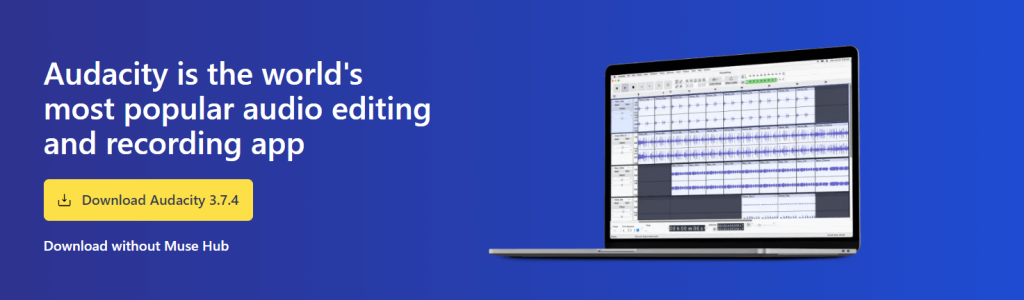
Best For: Free audio editing & podcasting tool
Review:
Audacity is one of the most well-known free audio editing tools, perfect for anyone from beginners to experienced podcasters. This open-source software offers robust features for audio recording, editing, and mixing. It supports multi-track editing, a wide range of plugins, and comprehensive export options. Its versatility and large community make it an excellent alternative to Descript for audio-focused projects.
Features:
-
Multi-track audio editing
-
Supports a variety of audio formats
-
Plugin support for additional features
-
Noise reduction and audio effects
Pros:
-
Free and open-source
-
Large user community
-
Wide compatibility with plugins
Cons:
-
Steeper learning curve for beginners
-
Limited video editing features
Pricing: Free
2. OBS Studio
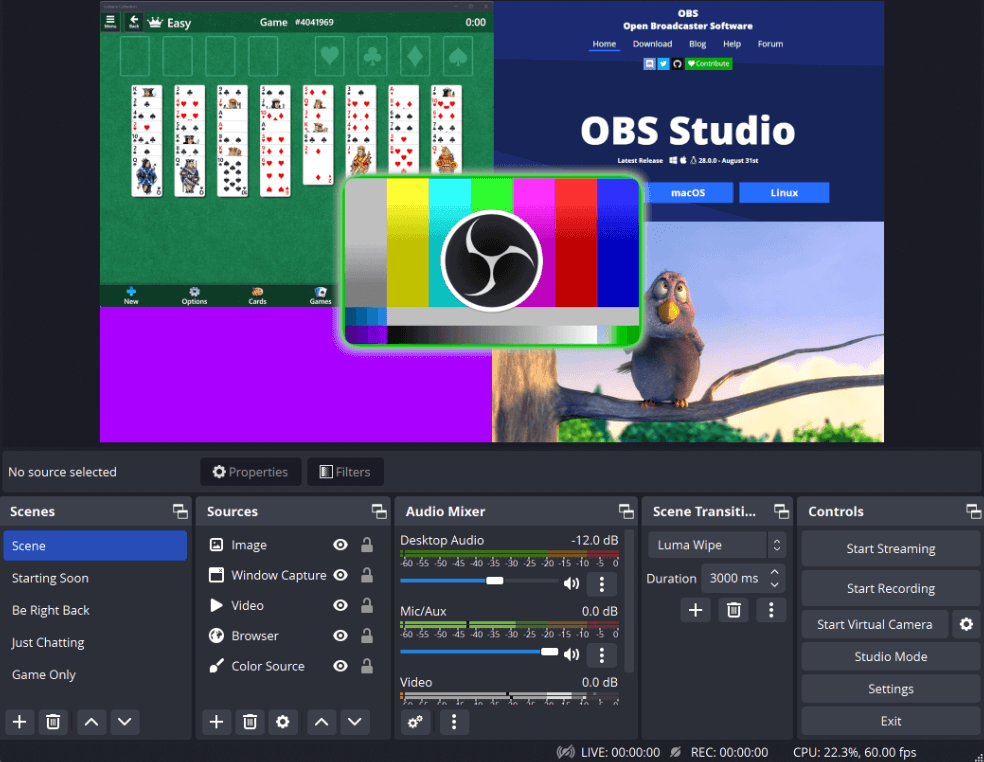
Best For: Screen recording and video streaming
Review:
OBS Studio is a free, open-source software for video recording and live streaming. While it’s more commonly used for live streaming, OBS also offers powerful screen recording capabilities, making it a great alternative to Descript for video content creators. The software is highly customizable and supports multiple sources, scenes, and transitions.
Features:
-
High-quality screen recording
-
Live streaming support
-
Multi-source recording
-
Open-source and highly customizable
Pros:
-
Free and open-source
-
Extensive customization options
-
Ideal for live streaming
Cons:
-
Not as beginner-friendly
-
Primarily focused on streaming rather than editing
Pricing: Free
3. Shotcut
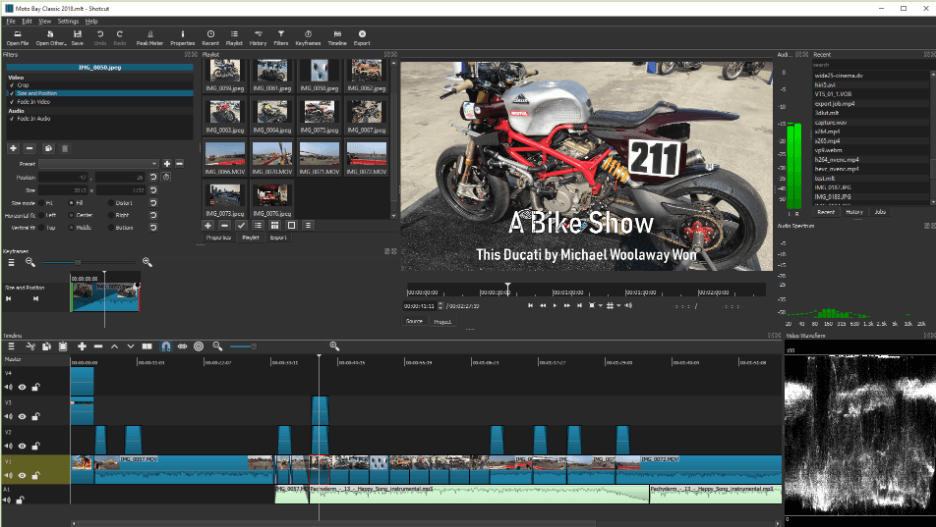
Best For: Free, open-source video editor with powerful features
Review:
Shotcut is an open-source, non-linear video editor with a user-friendly interface. It supports a wide range of video formats and provides powerful editing tools such as multi-track timelines, effects, and color correction. It’s a great free alternative to Descript for those who need both simple and advanced video editing capabilities.
Features:
-
Non-linear video editing
-
Multi-track timelines and video effects
-
Supports many formats and codecs
-
Open-source and free to use
Pros:
-
Great for both beginners and advanced users
-
Free and open-source
-
Powerful video editing capabilities
Cons:
-
Steeper learning curve compared to simpler tools
-
Can be resource-intensive on older systems
Pricing: Free
4. DaVinci Resolve
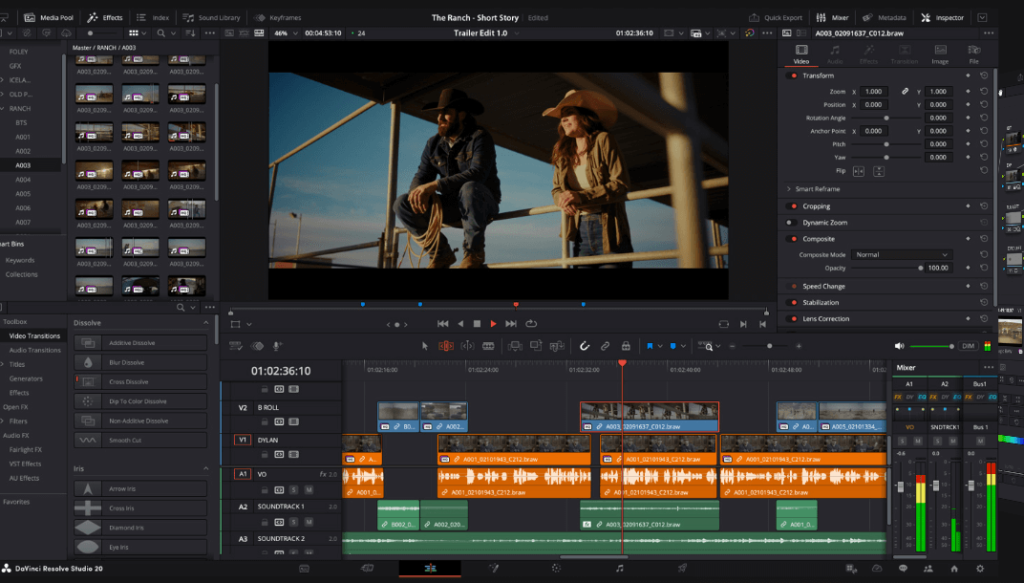
Best For: Professional-grade video editing and audio post-production
Review:
DaVinci Resolve is a professional video editing software that offers a free version packed with advanced features for editing, color grading, and audio post-production. While the free version does have some limitations, it’s still a powerful tool for anyone looking to produce high-quality video content. It’s especially popular among professional editors for its color correction tools.
Features:
-
Advanced video editing and color grading
-
Audio post-production and mixing
-
High-quality export options
-
Multi-camera editing
Pros:
-
Professional-grade tools in the free version
-
Excellent color grading capabilities
-
Wide industry adoption
Cons:
-
Requires a powerful computer to run smoothly
-
Can be overwhelming for beginners
Pricing: Free (Paid plans for additional features)
5. Kdenlive
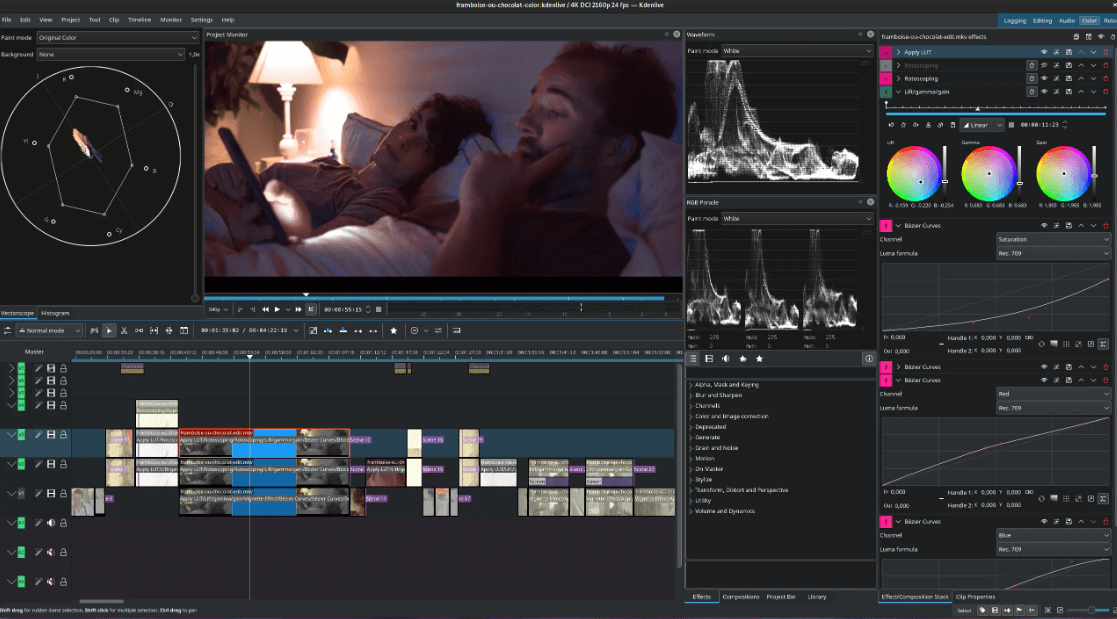
Best For: Linux-friendly, open-source video editor
Review:
Kdenlive is an open-source video editor that works great on Linux but is also available for Windows and macOS. It offers non-linear editing with support for multiple video tracks, transitions, and a wide variety of effects. Kdenlive is ideal for video editors who prefer using Linux-based tools and want a free alternative to Descript.
Features:
-
Non-linear editing
-
Multi-track video and audio editing
-
Supports many video formats
-
Open-source and customizable
Pros:
-
Free and open-source
-
Excellent for Linux users
-
Supports a wide range of formats
Cons:
-
Limited support on Windows and macOS
-
Can be resource-heavy for large projects
Pricing: Free
6. CapCut
Best For: Fast social media videos with templates & auto-captions
Review:
CapCut is a free video editor focused on short-form content like TikToks, Reels, and Shorts. It offers trendy effects, filters, transitions, and automatic captions, making it a good Descript alternative for creators who just want to quickly turn raw clips into platform-ready videos.
Key Features:
-
Mobile and desktop apps
-
Auto captions and subtitle styling
-
Filters, transitions, speed ramps, overlays
-
Exports optimized for TikTok and other platforms
Pros:
-
Very beginner-friendly
-
Perfect for short vertical content
-
Free with lots of creative tools
Cons:
-
Not ideal for long or complex projects
-
Cloud/data policies may concern privacy-focused users
Pricing: Free (optional paid assets/features)
7. Veed.io
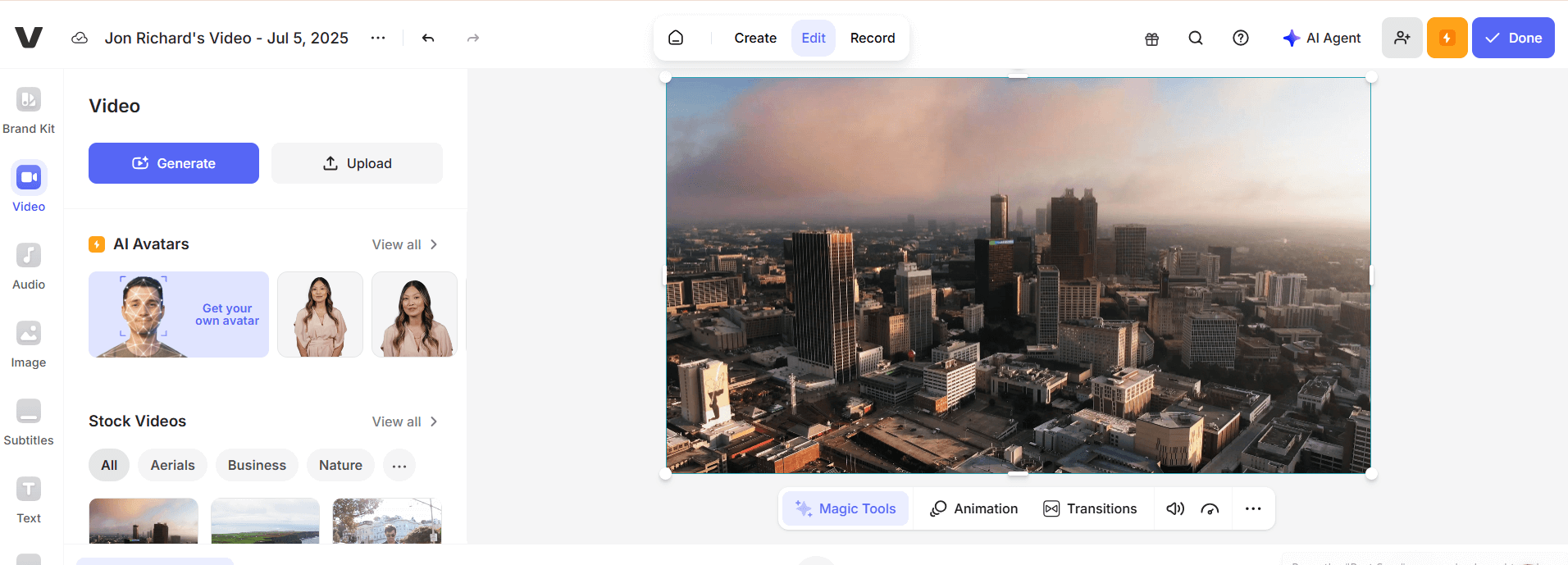
Best For: Browser-based video editing with auto subtitles/transcription
Review:
Veed.io is a browser-based video editor that provides automatic transcription and subtitle generation. It’s ideal for content creators who need to quickly edit and subtitle videos without downloading heavy software. It also offers a simple interface for beginners.
Features:
-
Automatic subtitles and transcription
-
Video editing tools for trimming, cutting, and effects
-
Browser-based, no download required
Pros:
-
Easy to use and intuitive
-
Great for quick video edits
-
Free tier with essential features
Cons:
-
Limited features in the free plan
-
Quality of automatic subtitles may vary
Pricing: Free (with limitations), Paid plans start at $12/month
8. Podmanu
Best For: Beginner-friendly podcast editor with waveform editing
Review:
Podmanu is designed for podcasters and offers an intuitive platform for editing audio with waveform editing. The tool helps users cut, trim, and enhance podcast recordings quickly, making it a great alternative for those looking to produce high-quality audio content.
Features:
-
Waveform editing for podcasts
-
Noise reduction and audio enhancement
-
Easy export options
Pros:
-
Simple and beginner-friendly
-
Excellent for podcast editing
-
Free to use
Cons:
-
Limited advanced features
-
Not as powerful as other audio editing tools
Pricing: Free
9. Waveform Free by Tracktion
Best For: Lightweight digital audio workstation (DAW)
Review:
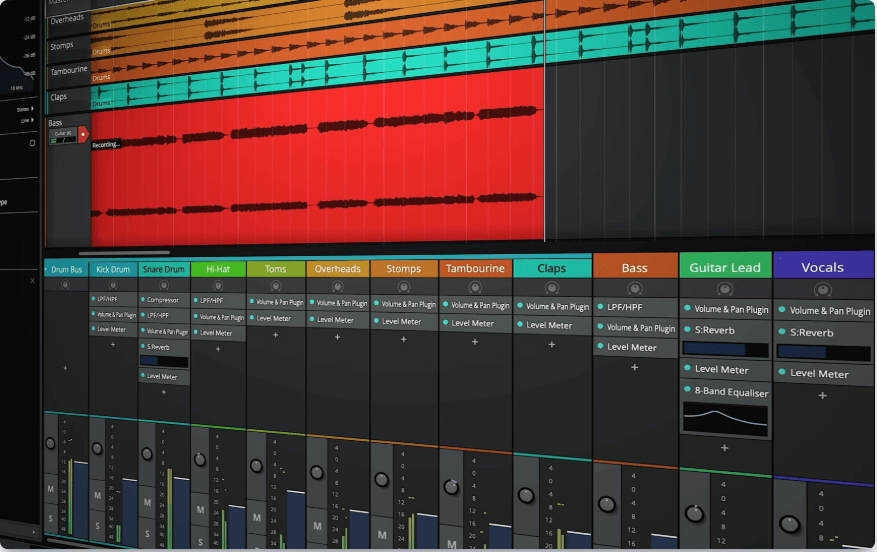
Waveform Free by Tracktion is a lightweight DAW designed for quick and easy audio editing. It’s perfect for users who need basic recording, mixing, and editing tools without the complexity of other professional audio workstations.
Features:
-
Multi-track recording
-
Audio mixing and editing
-
Lightweight interface
Pros:
-
Simple and easy-to-use interface
-
Ideal for beginners and casual audio editors
Cons:
-
Limited advanced features compared to premium DAWs
-
Not as feature-rich as other audio editing tools
Pricing: Free
10. Lumiere

Best For: AI-powered video editing (early development)
Review:
Lumiere is an AI-powered video editor that automates much of the video editing process. It’s designed to help users quickly generate professional-looking video content with minimal effort. Although it’s still in early development, it shows promise as a Descript competitor for quick video production.
Features:
-
AI-powered video editing
-
Automated content generation
-
Simple interface
Pros:
-
Great for quick video edits
-
AI technology makes editing easy
-
Free to try
Cons:
-
Still in early development
-
Limited editing features at this stage
Pricing: Free to try, Paid plans to follow
11. Flowblade
Best For: Linux-based, non-linear video editing for advanced users
Review:
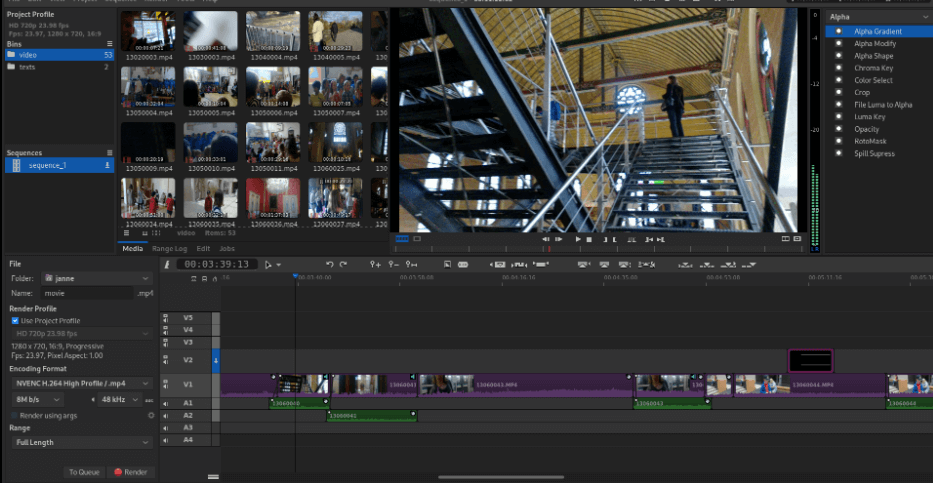
Flowblade is a non-linear video editor designed for Linux users. It provides powerful features for advanced video editing, including multi-track editing, transitions, and audio mixing. It’s open-source and great for users looking for a free, customizable video editing tool.
Features:
-
Multi-track video editing
-
Transitions, effects, and color correction
-
Open-source and free to use
Pros:
-
Excellent for advanced users
-
Open-source and customizable
-
Great for Linux users
Cons:
-
Steep learning curve
-
Limited support on Windows and macOS
Pricing: Free
How to Choose the Best Descript Alternative
When selecting a Descript alternative, consider:
- Ease of Use: If you’re looking for a simple tool, Veed.io or Podmanu might be ideal.
- Privacy: If privacy is your top concern, Signal, Jami, or Session are strong contenders.
- Advanced Features: For advanced editing, DaVinci Resolve, Kdenlive, and Shotcut are great options.
- AI-Powered: If you want AI-powered editing, Lumiere offers an easy solution for quick video edits.
Conclusion
There are many great Descript alternatives for audio and video editing, each offering unique features and strengths. Whether you’re looking for AI-powered transcription, advanced video editing, or open-source privacy solutions, there is an alternative that meets your needs. By considering your requirements for ease of use, features, and privacy, you can find the perfect tool to enhance your content creation process.
What is the best free alternative to Descript?
Audacity and Veed.io are great free alternatives, offering solid features for audio and video editing.
Is DaVinci Resolve a good Descript alternative?
Yes, DaVinci Resolve is perfect for professional-grade video editing with advanced features, although it may have a steeper learning curve. Can I use Otter.ai for podcast transcription?
Yes, Otter.ai offers automatic transcription with a free tier, making it an excellent choice for podcasters.
Is there an alternative to Descript for video editing on Linux?
Shotcut and Flowblade are great free video editing options for Linux users.
What’s the best alternative for quick, browser-based video editing?
Veed.io is a fantastic browser-based video editor, ideal for quick edits and automatic subtitles.

