

Salesforce has long been one of the most popular and widely used customer relationship management (CRM) platforms in the world. It provides a comprehensive set of tools designed to streamline sales, marketing, and customer service operations for businesses of all sizes. However, the high cost of Salesforce, its complexity for small businesses, and the overwhelming array of features can make it a less appealing option for some users. In this article, we’ll explore the top 12 best Salesforce alternatives that can provide the same functionality at a lower price point or with a simpler, more user-friendly interface. Whether you’re a small business owner, a growing startup, or an enterprise looking for a more cost-effective solution, there are many great options to consider.
Why Consider a Salesforce Alternative?
While Salesforce is a powerful CRM platform, there are several reasons why you might want to explore Salesforce alternatives:
- Cost: Salesforce can be expensive, especially for small businesses or startups. Many alternatives provide similar features at a more affordable price.
- Ease of Use: Salesforce can be overwhelming, with its wide range of features. Simpler alternatives like HubSpot CRM or Pipedrive offer user-friendly interfaces that are easier to navigate.
- Customization: Some Salesforce alternatives provide greater flexibility and customization, allowing you to tailor the CRM to your specific needs.
- Specific Needs: Certain businesses may require specialized features that Salesforce doesn’t excel at, such as marketing automation, project management, or customer support. Alternatives like Zoho CRM and Insightly offer these capabilities at competitive pricing.
- Scalability: While Salesforce is great for large enterprises, some businesses may need a CRM that grows with their company. Platforms like Monday Sales CRM or Pipedrive can scale more efficiently for small to mid-sized businesses.
Let’s dive into the top 12 Salesforce alternatives that can help optimize your sales and customer management efforts.
Top 12 Best Salesforce Alternatives
-
HubSpot CRM
-
SugarCRM
-
Odoo CRM
-
Pipeliner CRM (PipelinerSales)
-
Copper CRM
-
Close CRM
-
Streak CRM
-
Oracle NetSuite CRM
-
Insightly
-
Capsule CRM
-
Really Simple Systems CRM
-
Agile CRM
Comparison Table of Salesforce Alternatives
| Product | Best For | Price Range* | Key Features |
|---|---|---|---|
| HubSpot CRM | SMBs needing all-in-one marketing + sales | Free; paid plans from ~$15/month per seat | Contact & deal tracking, email & marketing automation, reporting |
| SugarCRM | Mid-market/enterprise needing high customization | Paid only; from around $49/user/month | Highly customizable CRM, sales automation, on-prem/cloud deployment |
| Odoo CRM | Budget-friendly CRM inside full ERP suite | Free community; paid cloud from ~€19.90/user/mo | Pipeline management, ERP modules (accounting, inventory, etc.) |
| Pipeliner CRM | Visual, sales-driven teams | Paid plans; typically from ~$65/user/month | Visual pipelines, sales analytics, territory management |
| Copper CRM | Google Workspace (Gmail)–centric companies | Paid plans from around $29/user/month | CRM inside Gmail, pipeline tracking, Google integration |
| Close CRM | Calling-heavy inside sales teams | Paid plans from around $25–$49/user/month | Built-in calling, SMS, email, power dialer |
| Streak CRM | Gmail users wanting CRM inside inbox | Free; paid from $49/user/month | Gmail-based pipelines, mail merge, contact & task tracking |
| Oracle NetSuite CRM | Large companies needing full CRM + ERP | Custom pricing (mid–enterprise) | CRM plus ERP, order management, finance, ecommerce |
| Insightly | Project-oriented SMBs | Paid plans from $29/user/month | CRM + project management, workflows, AppConnect integrations |
| Capsule CRM | Small teams wanting a simple, clean CRM | Paid plans around $18/user/month (free tier) | Contact management, simple pipelines, basic automation |
| Really Simple Systems | Small businesses & freelancers | Free; paid from around $14/user/month | Contact & opportunity management, email marketing, reporting |
| Agile CRM | All-in-one sales + marketing + service for SMBs | Free (up to 10 users), paid from $8.99/user/mo | Sales automation, email campaigns, telephony, helpdesk |
12 Best Salesforce Alternatives Reviews
1. HubSpot CRM
Best For: Small to medium businesses
Review:
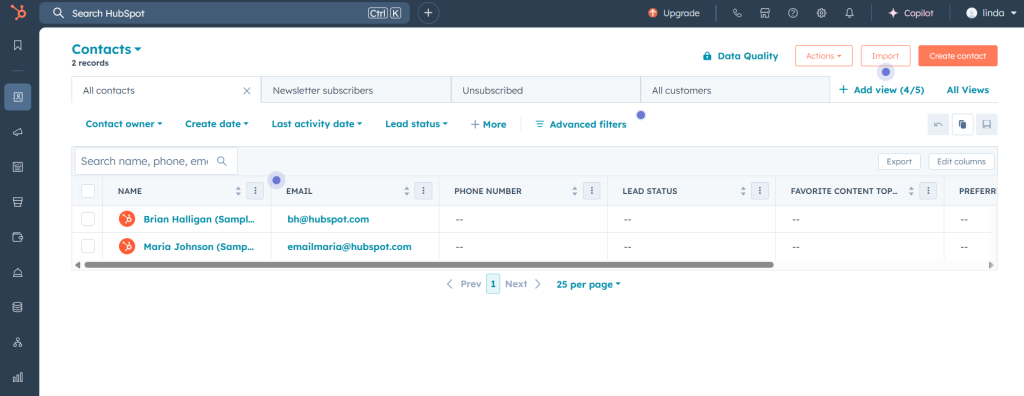
HubSpot CRM is one of the most popular Salesforce alternatives, especially for those seeking an easy-to-use, free CRM tool. HubSpot provides comprehensive CRM features, including lead management, contact tracking, sales pipeline management, and detailed reporting. The best part is that HubSpot offers a free tier with core features, making it perfect for businesses on a tight budget. As your business grows, you can scale by upgrading to HubSpot’s paid marketing and sales hubs for advanced features like marketing automation and custom reporting.
Features:
-
Free CRM with lead management
-
Sales pipeline tracking
-
Marketing automation (paid plans)
-
Reporting and analytics
Pros:
-
Free to start
-
Easy-to-use interface
-
Excellent for lead and deal tracking
Cons:
-
Limited customization in the free plan
-
Paid plans can get expensive
Pricing:
Free, Paid plans start at $45/month
2. SugarCRM
Best For: Mid-sized companies and enterprises that need deep customization
Review:
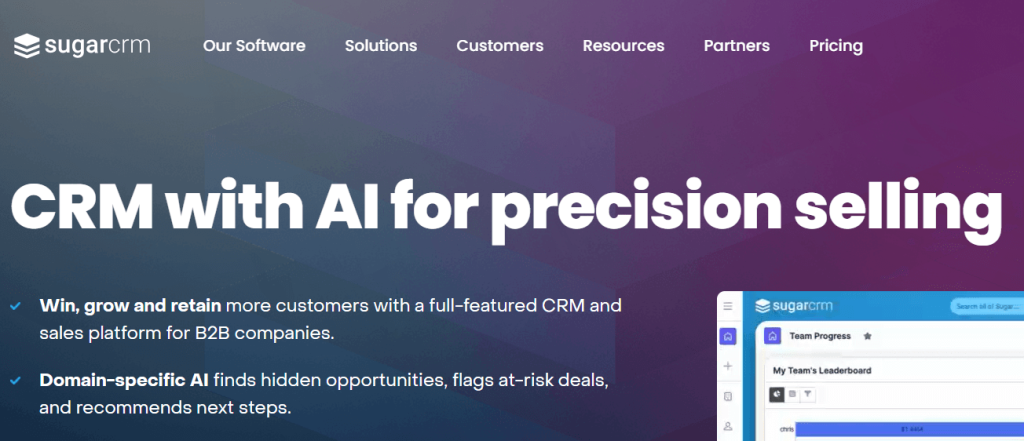
SugarCRM is a highly customizable Salesforce alternative that can be deployed in the cloud or on-premises. It’s designed for organizations that want to tailor everything—from data models to workflows—to their specific processes. It offers strong sales automation, forecasting, and service capabilities, and is often chosen by companies who outgrow simpler SMB tools but don’t want full Salesforce complexity.
Key Features:
-
Sales automation & forecasting
-
Workflow rules & advanced customization
-
On-prem or cloud deployment options
-
Reporting & analytics
Pros:
-
Very flexible and customizable
-
Suitable for complex B2B processes
-
On-premises option for strict compliance
Cons:
-
No free tier; purely paid
-
Setup and customization usually need technical resources
Pricing:
Paid plans only, typically starting around $49/user/month (billed annually).
3. Pipedrive
Best For: Sales-focused teams
Review:
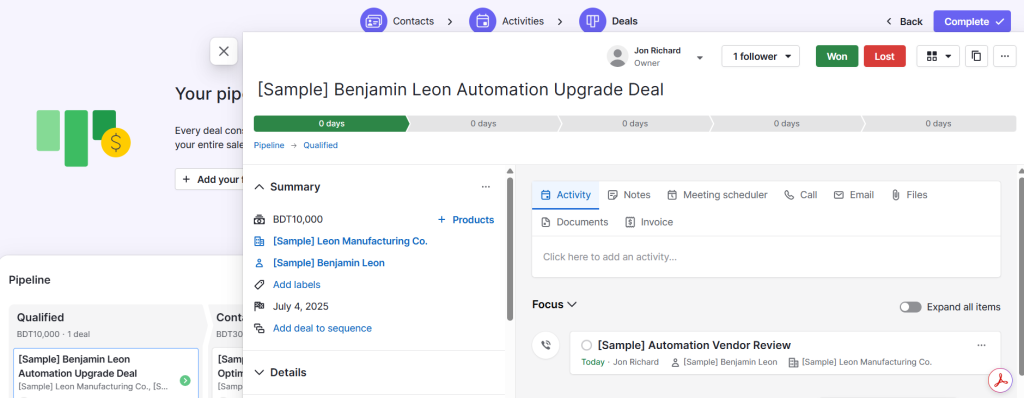
Pipedrive is a Salesforce alternative that focuses on sales pipeline management. It’s an intuitive CRM designed to help sales teams manage their deals, track activities, and close more sales. Pipedrive’s simple, visual interface makes it easy to manage leads and tasks, and its powerful features like custom fields, reporting, and integration with various third-party tools allow for deep customization. Pipedrive is great for teams that need a straightforward CRM tool without the complexity of Salesforce.
Features:
-
Visual sales pipeline
-
Custom fields and reporting
-
Activity tracking and automation
-
150+ integrations
Pros:
-
Intuitive interface
-
Excellent sales pipeline management
-
Affordable pricing
Cons:
-
Lacks some advanced features like marketing automation
-
Limited in features compared to more complex CRMs
Pricing:
Paid plans start at $12.50/month
4. Odoo CRM
Best For: Businesses wanting CRM inside a broader ERP suite
Review:
Odoo is a modular open-source ERP system, and Odoo CRM is one of its most popular apps. You can start with CRM and later add modules for accounting, inventory, HR, or manufacturing as you grow. The CRM itself offers pipeline management, activity tracking, and lead scoring, and is especially attractive for budget-savvy businesses that want everything in a single system.
Key Features:
-
Kanban-style pipeline views
-
Automatic lead assignment & scoring
-
Strong integration with Odoo’s other ERP modules
-
Customizable fields and workflows
Pros:
-
Free community edition
-
Great value when used together with other Odoo modules
-
Highly extensible via apps and community
Cons:
-
UI and UX can feel less polished vs. SaaS-only CRMs
-
Best experience often requires partner implementation
Pricing:
Community edition is free (self-hosted). Cloud pricing for CRM as part of an Odoo app bundle starts at around €19.90/user/month
5. Copper CRM
Best For: Teams that live in Google Workspace (Gmail-native CRM)
Review:
Copper CRM (formerly ProsperWorks) is built specifically for Google Workspace users. It lives inside Gmail and Google Calendar, automatically pulling in contacts and activity. If your team spends all day in Gmail, Copper provides a natural, low-friction way to add CRM to your existing workflows without a separate heavy system.
Key Features:
-
Chrome extension & native Gmail sidebar
-
Automatic contact and activity capture
-
Deal pipelines & task management
-
Tight integration with Google Drive, Docs, and Calendar
Pros:
-
Very smooth for Gmail-centric teams
-
Minimal training required
-
Clean, modern interface
Cons:
-
No free plan
-
Less suited to non-Google environments
Pricing:
Paid plans only, with entry tiers typically starting around $29/user/month (billed annually).
6. Close CRM
Best For: Inside sales teams that rely heavily on calling & outreach
Review:
Close CRM is focused on high-volume outbound sales. It includes built-in calling, SMS, and email, plus power dialers, call recording, and sequences. If your team is doing SDR/BDR work and making lots of calls every day, Close is a strong Salesforce alternative that brings communication and CRM into one place.
Key Features:
-
Integrated calling & SMS
-
Power dialer & call recording
-
Email sequences & templates
-
Pipeline & activity tracking
Pros:
-
Ideal for outbound/call-heavy teams
-
Eliminates the need for separate dialer tools
-
Strong productivity features for reps
Cons:
-
No free plan
-
Less focus on marketing or service modules
Pricing:
Paid plans only, starting from roughly $25–$49/user/month, depending on features and seats.
7. Streak CRM
Best For: Freelancers and small teams who want CRM inside Gmail
Review:
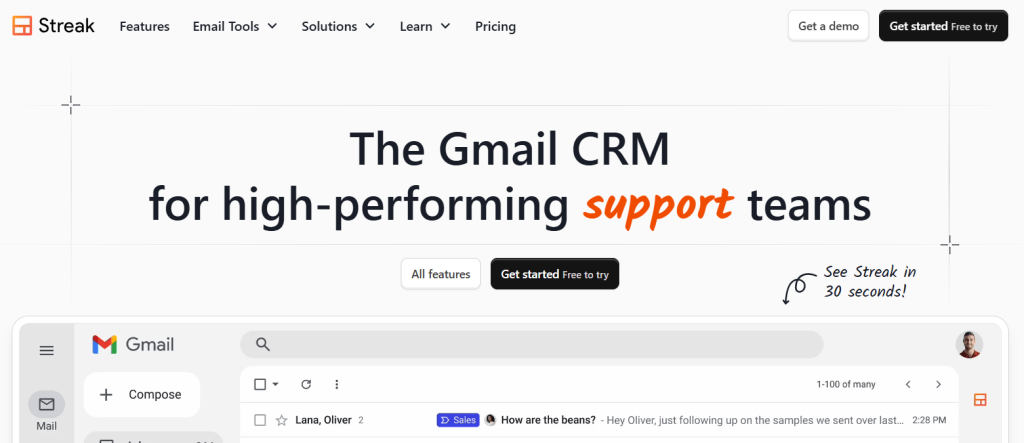
Streak CRM turns your Gmail inbox into a CRM, letting you manage pipelines as folders/boxes right where you handle email. It’s great for solopreneurs, agencies, and small teams that don’t want a separate CRM UI and prefer to keep everything inside Gmail. Capterra
Key Features:
-
Pipelines embedded directly in Gmail
-
Email tracking and mail merge
-
Task and reminder management
-
Shared pipelines for collaboration
Pros:
-
Super lightweight and convenient
-
Very low learning curve for Gmail users
-
Has a free plan
Cons:
-
Not ideal if you don’t use Gmail
-
Lacks deeper enterprise-grade features
Pricing:
Free plan available; paid plans typically start at around $49/user/month for Pro.
8. Oracle NetSuite CRM
Best For: Large enterprises requiring full CRM & ERP integration
Review:
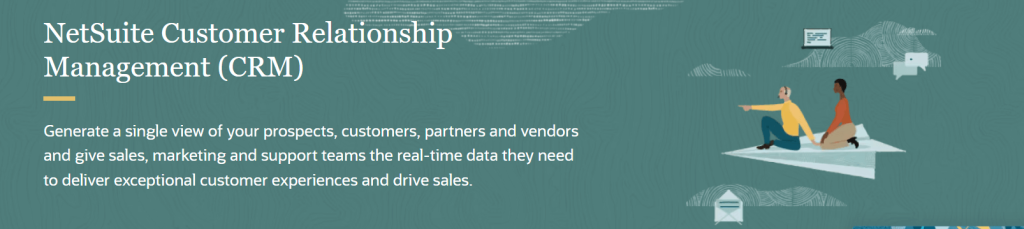
Oracle NetSuite CRM is a comprehensive CRM solution designed for large enterprises with complex business needs. It provides a full suite of tools for sales, marketing, customer service, and financial management. As part of the Oracle suite of products, it integrates seamlessly with other enterprise resource planning (ERP) tools. NetSuite is an excellent choice for companies that need advanced CRM features combined with business management tools.
Features:
-
Full CRM and ERP integration
-
Lead management and sales automation
-
Customizable workflows and reporting
-
Marketing and customer service automation
Pros:
-
All-in-one solution for large enterprises
-
Advanced customization options
-
Strong integration with other Oracle products
Cons:
-
Very expensive for small businesses
-
Complex to set up and use
Pricing:
Custom pricing
9. Insightly
Best For: Project-focused businesses
Review:
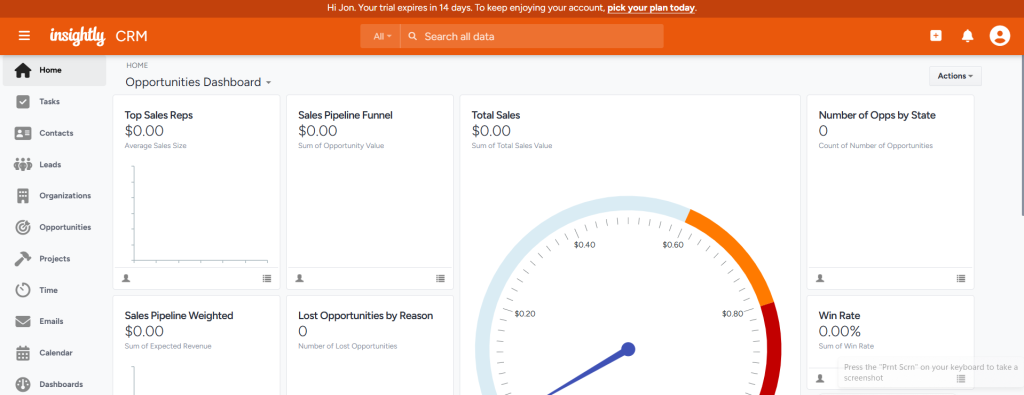
Insightly is a CRM that combines project management features with customer relationship management. It’s ideal for businesses that need to track projects and customer interactions in one place. Insightly’s CRM features include sales pipeline tracking, contact management, and task management, while its project management tools allow teams to track progress, manage deadlines, and collaborate effectively.
Features:
-
Sales pipeline management
-
Project management tools
-
Workflow automation
-
Integrations with Google Workspace, Office 365, and more
Pros:
-
Great for businesses needing project management and CRM
-
Easy-to-use interface
-
Strong integrations with popular tools
Cons:
-
Limited reporting features
-
The learning curve for more complex features
Pricing:
Paid plans start at $29/month
10. Capsule CRM
Best For: Small teams and simple CRM needs
Review:
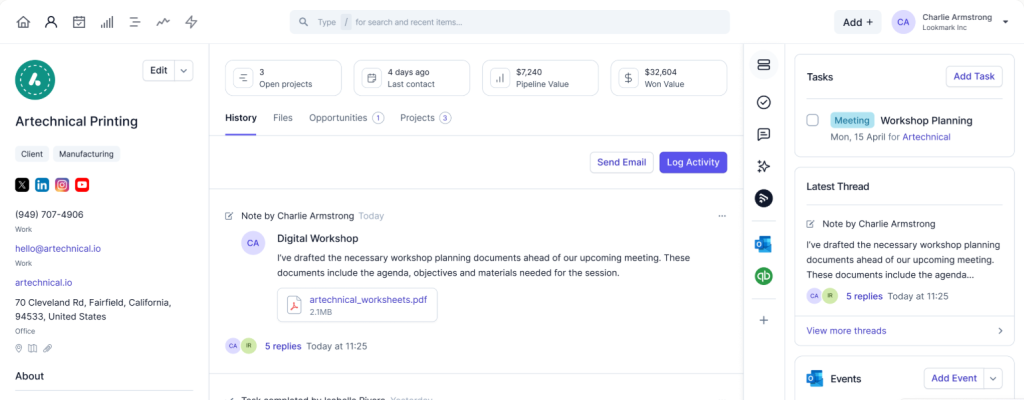
Capsule CRM is a simple, easy-to-use CRM solution that focuses on contact and task management. It’s ideal for small teams that don’t need a lot of bells and whistles but want a straightforward solution to manage leads, sales, and customer relationships. Capsule provides basic features like pipeline management, task tracking, and integration with third-party apps, making it a great choice for those starting out with CRM tools.
Features:
-
Contact and task management
-
Sales pipeline tracking
-
Customizable fields and filters
-
Integrations with Google Apps, Mailchimp, and more
Pros:
-
Simple to set up and use
-
Affordable pricing for small teams
-
Great for basic CRM needs
Cons:
-
Lacks some advanced features found in larger CRMs
-
Limited reporting and automation features
Pricing:
Paid plans start at $18/month
11. Really Simple Systems CRM
Best For: Small businesses and freelancers
Review:
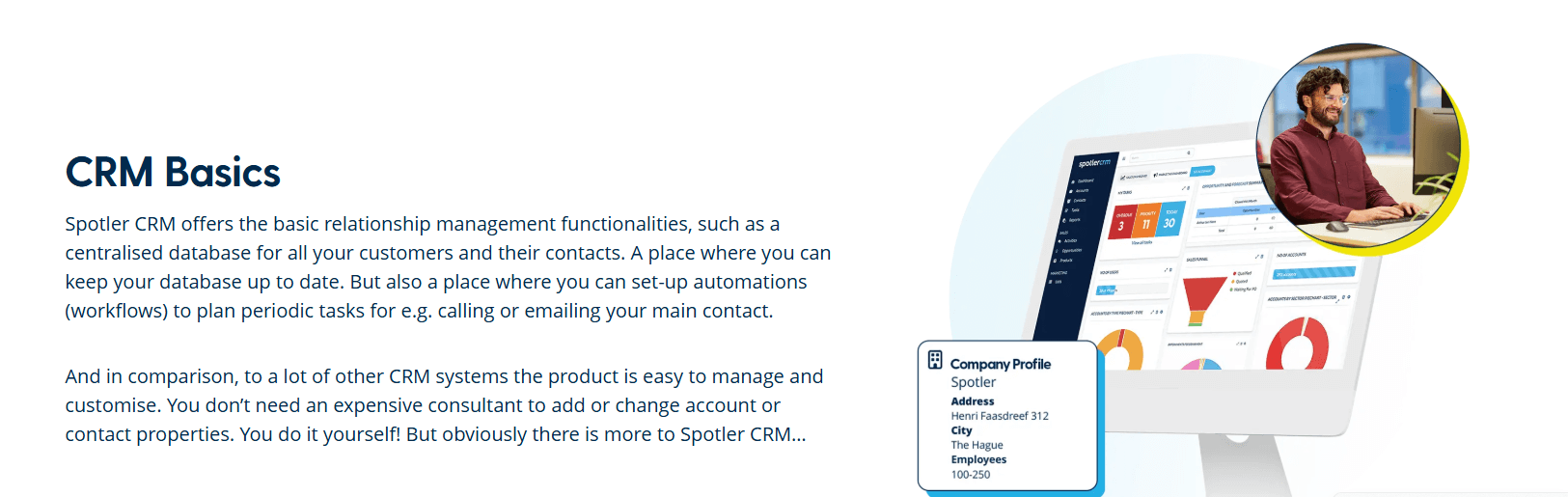
Really Simple Systems CRM is a straightforward CRM solution designed for small businesses and freelancers. It offers core CRM functionalities like contact and opportunity management, along with email marketing, project management, and reporting tools. The platform is easy to use, and the free plan provides essential CRM features, making it an excellent option for startups on a budget.
Features:
-
Contact and opportunity management
-
Email marketing and templates
-
Project management tools
-
Reporting and dashboards
Pros:
-
Easy to use
-
Free plan with essential features
-
Affordable pricing for small businesses
Cons:
-
Limited customization options
-
More advanced features available only in higher-tier plans
Pricing:
Free, Paid plans start at $14/month
12. Agile CRM
Best For: All-in-one sales, marketing & service for small to mid-sized businesses
Review:
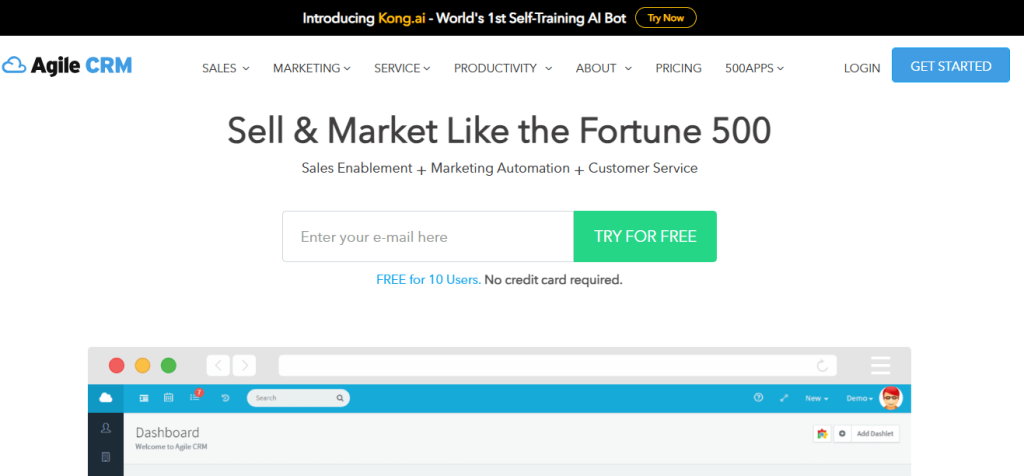
Agile CRM bundles sales automation, marketing automation, and customer service features into a single platform. It includes email campaigns, web tracking, landing pages, telephony, and a helpdesk. For SMBs that want a lot of functionality in one affordable tool, it’s a strong alternative to Salesforce’s Sales + Marketing Cloud combo.
Key Features:
-
Contact & deal management
-
Email campaigns & marketing automation
-
Built-in telephony & appointment scheduling
-
Helpdesk & ticketing
Pros:
-
All-in-one platform for small teams
-
Generous free tier for up to 10 users
-
Good value compared to many competitors
Cons:
-
UI can feel dated vs. newer CRMs
-
Advanced features may require configuration help
Pricing:
Free for up to 10 users, with paid plans starting around $8.99/user/month (billed annually).
How to Choose the Best Salesforce Alternative
When choosing the best Salesforce alternative, consider the following factors:
- Customization: If you need flexibility, platforms like Zoho CRM and HubSpot CRM offer extensive customization.
- Ease of Use: Pipedrive and Freshsales are excellent for teams that need a user-friendly CRM solution.
- Enterprise Needs: For large businesses or enterprises, Microsoft Dynamics 365 or Oracle NetSuite CRM may be better suited.
- Pricing: If cost is a concern, Zoho CRM and HubSpot CRM offer free plans with essential CRM features.
Conclusion
There are many Salesforce alternatives available, each with its own strengths. Whether you’re a small business in need of a simple, easy-to-use CRM or a large enterprise seeking a customizable, feature-rich solution, there is a CRM tool that fits your needs. By evaluating the features, pricing, and scalability of each option, you can find the right CRM to optimize your sales, marketing, and customer relationship efforts.
What is the best free Salesforce alternative?
HubSpot CRM and Zoho CRM both offer free plans with core CRM features.
Is Pipedrive better than Salesforce?
Pipedrive is better for small to medium-sized teams due to its simplicity, while Salesforce is more complex and enterprise-focused.
Can Zoho CRM integrate with other software?
Yes, Zoho CRM integrates with many third-party applications, including email marketing tools, social media, and productivity tools.
Is Freshsales good for small businesses?
Yes, Freshsales is an excellent choice for small businesses due to its affordability and ease of use.
What CRM is best for Microsoft users?
Microsoft Dynamics 365 is the best CRM for Microsoft users as it integrates seamlessly with Microsoft tools like Outlook and Excel.

