

Evernote has been a go-to note-taking app for years, allowing users to capture ideas, organize their thoughts, and stay productive. However, as digital note-taking becomes more popular, many users are seeking free alternatives to Evernote that offer better privacy, simpler interfaces, or more customizable features. Whether you are looking for a cheaper alternative to Evernote, a self-hosted solution, or simply something that’s easier to use, there are many options available. In this article, we will explore the top 14 free Evernote competitors that provide robust note-taking capabilities with additional features such as encryption, Markdown support, and collaboration tools. These alternatives to Evernote offer a wide range of functionalities, and many of them are available for free, making them ideal for anyone looking for a free Evernote replacement.
Why Consider an Evernote Alternative?
While Evernote is one of the most widely used note-taking tools, it might not always be the best fit for everyone. Here are some reasons why you might want to explore Evernote substitutes:
- Privacy Concerns: Some Evernote users are concerned about how their data is handled and prefer more privacy-focused tools.
- Cost: Evernote’s premium plans can become expensive, and many alternatives offer free versions with a similar set of features.
- Simplicity: Some users find Evernote’s interface a bit cluttered and are looking for simpler, minimalist note-taking apps.
- Specialized Features: Some alternatives provide specific functionalities that Evernote does not, such as Markdown support, encrypted storage, or self-hosting options.
This article reviews the best Evernote competitors, focusing on free or open-source alternatives that provide flexible and efficient note-taking experiences.
15 Best Free Alternatives to Evernote
-
Jina Notes (Jnotes)
-
UpNote
-
Joplin
-
Standard Notes
-
Microsoft OneNote
-
Obsidian
-
Turtl
-
QOwnNotes
-
Laverna
-
Zettlr
-
Typora
-
Bear Notes
-
Simplenote
-
TiddlyWiki
-
Zim Wiki
Comparison Table of Evernote Alternatives
| Product | Best For | Price Range | Key Features |
|---|---|---|---|
| Jina Notes (Jnotes) | Handwritten + PDF notes on Android tablets | Free app; optional low-cost premium upgrades | Stylus notes, PDF editing, OCR, AI assistance |
| UpNote | Beautiful cross-platform notes with folders & tags | Free; Premium from ~$1.99/month or $39.99 lifetime | Rich editor, nested notebooks, sync, export |
| Joplin | Open-source encrypted notes & to-dos | Free app; optional Joplin Cloud from ~€2.99/month | Markdown, E2E encryption, web clipper |
| Standard Notes | Privacy-first encrypted notes | Free core; Extended from ~$4.99/month | E2E encryption, cross-platform sync |
| Microsoft OneNote | Heavy Windows / Office users | Free; extra features with Microsoft 365 | Rich text, ink, media, OneDrive sync |
| Obsidian | Local Markdown knowledge base & graph | Free for personal; paid sync/publish add-ons from ~$4/month | Backlinks, graph view, plugins |
| Turtl | Encrypted notes & bookmarks | Free & open source | E2E encryption, tags, Markdown |
| QOwnNotes | Notes synced via Nextcloud/ownCloud | Free & open source | Local Markdown files, Nextcloud integration |
| Laverna | Browser-based encrypted notes | Free & open source | Markdown editor, encryption, Evernote-style |
| Zettlr | Research & long-form writing | Free & open source | Markdown, citations, project management |
| Typora | Minimal Markdown writing | 15-day free trial; one-time ~$14.99 license | Live preview, distraction-free editor |
| Bear Notes | Apple-only polished notes | Free; Bear Pro from $2.99/month | Markdown, tags, beautiful UI |
| Simplenote | Ultra-minimal synced text notes | Free | Markdown, tags, sync across devices |
| TiddlyWiki | Single-file personal wiki | Free & open source | Wiki “tiddlers”, non-linear notes |
| Zim Wiki | Desktop personal wiki & journal | Free & open source | Linked pages, task lists, local files |
1. Jina Notes (Jnotes)

Best For: Handwritten notes, PDF annotation, and tablet users (especially Android)
Review:
Jina Notes (often branded as J Notes / Jnotes) is built for handwriting and stylus input on Android tablets. It combines a digital notebook feel with advanced features like PDF editing, OCR (handwriting-to-text), and AI-assisted note features. If Evernote never felt great for handwritten study notes, lecture PDFs, or visual planning, Jnotes is a strong alternative.
-
Smooth stylus writing with palm rejection
-
PDF annotation and editing (highlight, scribble, comment)
-
OCR / handwriting recognition to convert ink to text
-
Stickers, shapes, color palettes, multiple paper templates
-
Note organization with folders, bookmarks, and search
Pros:
-
Feels like a real notebook for tablet users
-
Strong for PDF-heavy workflows (lectures, homework, contracts)
-
Works offline; cloud backup options like Google Drive / OneDrive
Cons:
-
Focused on Android tablets – not ideal if you mainly work on desktop/web
-
More drawing/PDF centric than traditional text note-taking
Pricing:
Pricing: Free on Android with optional low-cost premium upgrades and memberships (often under $10/year or a small one-time fee, depending on platform and region).
2. UpNote

Best For: Beautiful, focused note-taking with nested notebooks & tags
Review:
UpNote is a polished, cross-platform note app that many ex-Evernote users migrate to because it’s faster, cleaner, and cheaper. It supports rich text and Markdown-style formatting, nested notebooks, tags, and Evernote import. The free plan lets you test the app (up to 50 notes), while Premium unlocks unlimited notes and advanced features.
Features:
-
Rich editor (text, images, code, tables) and beautiful themes
-
Nested notebooks + tags for organization
-
Sync across iOS, Android, Windows, macOS, Linux
-
Export to text, PDF, HTML, Markdown
Pros:
-
Very pleasant interface, fast and lightweight
-
Great for people who want “Evernote but simpler and cheaper”
Cons:
-
Free plan is limited to 50 notes
-
No heavy scripting/PKM features like Obsidian
Pricing:
Pricing: Free plan available; Premium starts at about $1.99/month or a one-time lifetime purchase around $39.99 (varies slightly by region).
3. Joplin (Free & Open Source)
Best For: Self-hosted, encrypted note-taking with Markdown support
Review:
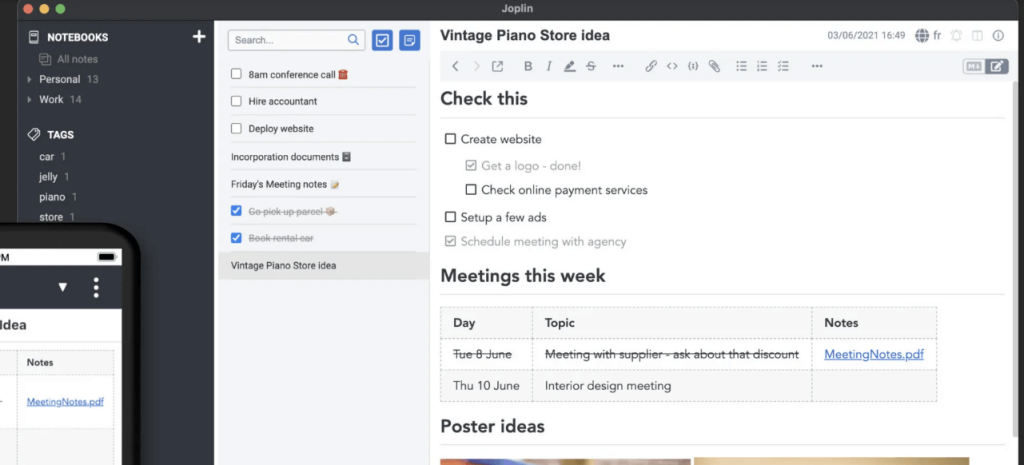
Joplin is an open-source note-taking app designed with privacy in mind. It offers end-to-end encryption, so users can rest assured that their notes are secure. Joplin supports Markdown, making it a great alternative for users who prefer writing in Markdown. It can be self-hosted, allowing for complete control over your notes and data, or synced across devices using cloud storage.
Features:
-
End-to-end encryption
-
Markdown support for notes
-
Self-hosted or cloud sync options
-
Web clipping and task management
Pros:
-
Open-source and free to use
-
Strong privacy and security features
-
Markdown support
Cons:
-
Lacks advanced organizational features
-
Interface could be more user-friendly
Pricing: Free (Open Source)
4. Standard Notes (Free Plan)

Best For: Privacy-focused, lightweight, and encrypted notes
Review:
Standard Notes is a simple yet secure note-taking app that emphasizes privacy and encryption. Unlike Evernote, which is feature-heavy, Standard Notes keeps things lightweight, providing a clean interface and end-to-end encryption for all notes. It’s ideal for users who prioritize privacy and security without the need for complicated features.
Features:
-
End-to-end encryption
-
Markdown support
-
Simple, minimalistic design
-
Sync across devices
Pros:
-
Focused on privacy and security
-
Simple and easy-to-use interface
-
Free and open-source
Cons:
-
Lacks advanced organizational features
-
Limited functionality in the free plan
Pricing: Free plan available, $4.99/month for the Extended plan
5. Microsoft OneNote (Free Version)
Best For: Deep integration with Windows and Microsoft apps
Review:
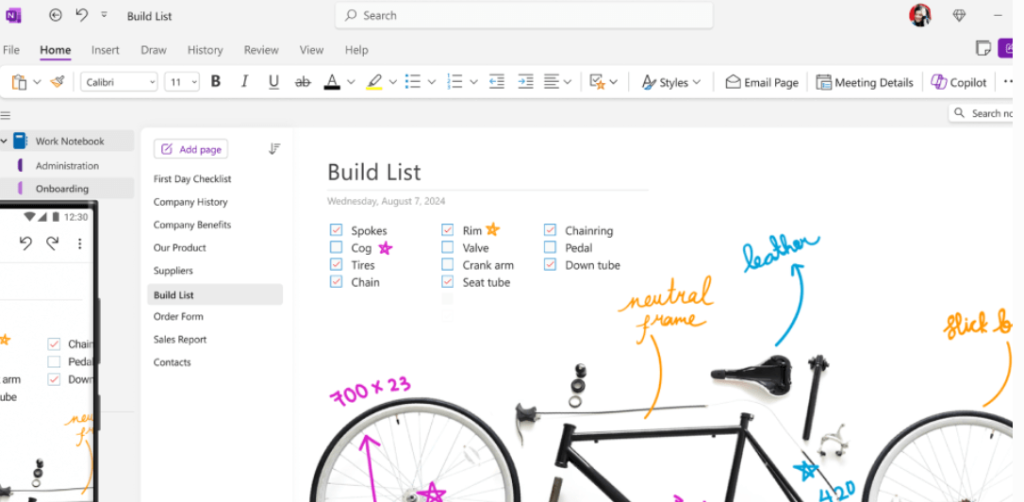
Microsoft OneNote is a robust note-taking tool integrated deeply into the Microsoft ecosystem. It offers a rich-text editor, collaboration features, and excellent cloud sync options, making it ideal for users who are already invested in Windows or Office 365. The free version is great for personal use, though premium features are available with an Office 365 subscription.
Features:
-
Multi-platform support
-
Rich-text note editor
-
Handwriting and annotation tools
-
Integration with Microsoft apps like Word, Outlook, and Teams
Pros:
-
Excellent integration with Windows and Microsoft apps
-
Free version with powerful note-taking features
-
Strong cloud sync and collaboration tools
Cons:
-
Lacks advanced privacy features
-
May feel overkill for simple note-taking needs
Pricing: Free for personal use, $69.99/year for Office 365
6. Obsidian (Free – Desktop Only)

Best For: Markdown-based knowledge management and linking notes
Review:
Obsidian is a Markdown-based note-taking app that emphasizes knowledge management through linked notes. It’s ideal for researchers, writers, or anyone who wants to build a personal knowledge base with full control over their notes. The app allows for local storage of notes, giving users complete ownership of their data.
Features:
-
Local storage and no cloud dependency
-
Note linking and knowledge graph
-
Full Markdown support
-
Plugins for extended functionality
Pros:
-
Perfect for building a personal knowledge base
-
Advanced linking and search features
-
Free with robust features
Cons:
-
Desktop-only version
-
Steep learning curve for new users
Pricing: Free for personal use, $25 for the commercial license
7. Turtl (Open Source & Self-Hosted)
Best For: Fully encrypted, privacy-first bookmarking & note-taking
Review:
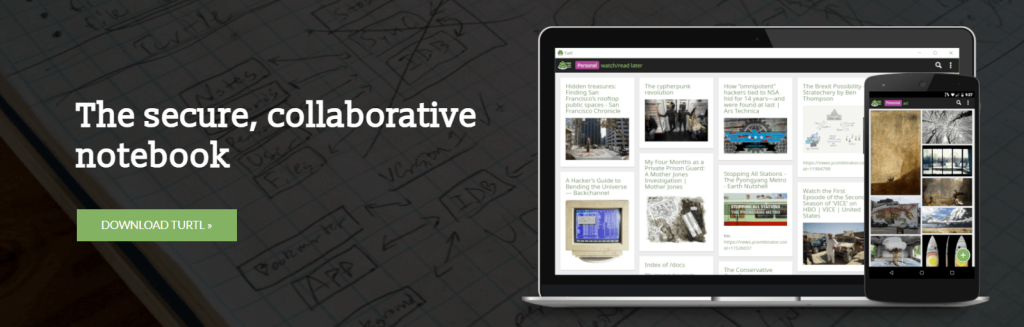
Turtl is an open-source note-taking and bookmarking tool that prioritizes encryption and privacy. It’s designed for users who want to self-host their data or use it in a fully encrypted manner. Turtl supports Markdown and offers a simple, secure interface for personal use.
Features:
-
End-to-end encryption
-
Markdown support
-
Self-hosted or cloud storage options
-
Tagging and note organization
Pros:
-
Free and open-source
-
Privacy-focused with strong encryption
-
Simple, clean interface
Cons:
-
Requires self-hosting for full control
-
Limited mobile app functionality
Pricing: Free (Open Source)
8. QOwnNotes

Best For: Markdown notes synced with Nextcloud / ownCloud
Review:
QOwnNotes is a desktop note app that stores notes as plain Markdown files and integrates tightly with Nextcloud/ownCloud Notes. If you already use Nextcloud for files and calendars, QOwnNotes gives you a native desktop app that keeps everything in your own infrastructure.
Features:
-
Local Markdown files in a normal folder
-
Sync via Nextcloud / ownCloud (and others if you prefer)
-
Tags, search, and scriptable shortcuts
-
Cross-platform: Windows, macOS, Linux
Pros:
-
No vendor lock-in – everything is local text files
-
Great combo with self-hosted Nextcloud
Cons:
-
Mostly desktop-focused; mobile experience depends on other apps
-
UI is more functional than pretty
Pricing:
Pricing: Completely free and open source.
9. Laverna (Open Source Alternative to Evernote)

Best For: Encrypted notes with Markdown support and self-hosting
Review:
Laverna is an open-source Evernote alternative with Markdown support and encrypted notes. It’s perfect for users who prioritize privacy and want a simple, self-hosted solution for storing their notes. Laverna’s clean interface and cloud-sync features make it easy to use for personal or small team note-taking.
Features:
-
Markdown support
-
Encrypted notes for privacy
-
Self-hosting or cloud sync options
-
Simple note editor and task management
Pros:
-
Open-source and free
-
Strong encryption and privacy features
-
Lightweight and simple to use
Cons:
-
Lacks some advanced features like web clipping
-
Limited mobile app support
Pricing: Free (Open Source)
10. Zettlr (Free & Open Source)

Best For: Markdown-focused writing for researchers and writers
Review:
Zettlr is an open-source Markdown editor designed for researchers and writers. It includes features like citation management, note linking, and the ability to organize large writing projects. Zettlr is perfect for those who need a simple, efficient, and open-source writing tool that supports Markdown.
Features:
-
Full Markdown support
-
Citation management for academic writing
-
Note linking and project organization
-
Export options (PDF, Word, LaTeX)
Pros:
-
Ideal for writers and researchers
-
Powerful citation and writing management tools
-
Open-source and free
Cons:
-
Lacks cloud sync functionality
-
Limited collaboration tools
Pricing: Free (Open Source)
11. Typora (Free for Now)
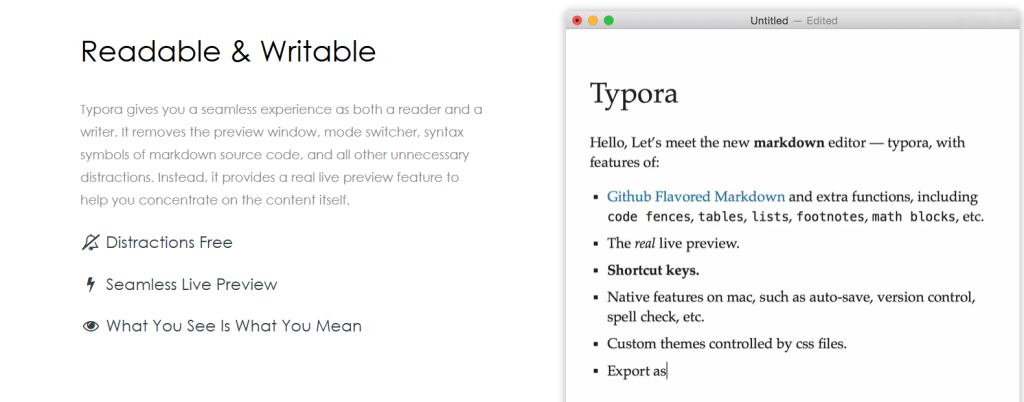
Best For: Minimalist Markdown editor with live preview
Review:
Typora is a minimalist Markdown editor that combines simplicity with powerful writing tools. It provides a live preview of your content while you write, making it an excellent choice for users who prefer a clean and distraction-free writing environment.
Features:
-
Live Markdown preview
-
Minimalist interface
-
Customizable themes
-
Export to various formats (HTML, PDF, etc.)
Pros:
-
Simple, distraction-free writing interface
-
Real-time preview of content
-
Free for now, with robust writing features
Cons:
-
Limited collaboration tools
-
May become paid in the future
Pricing: Free for now (possibly changing)
12. Bear Notes (Free on iOS/macOS – Limited)
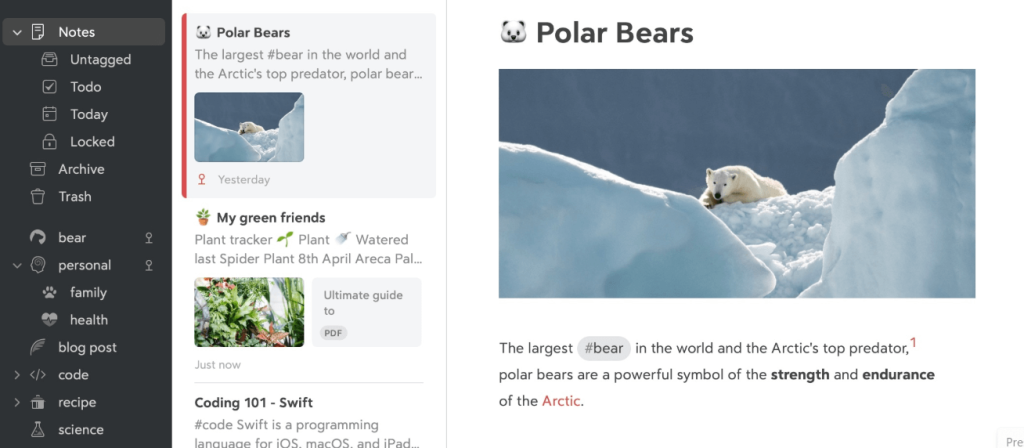
Best For: Beautiful, simple notes app for Apple users
Review:
Bear Notes is a beautiful and intuitive note-taking app designed for Apple devices. It offers a clean, simple interface, along with Markdown support for easy formatting. Bear Notes is perfect for users who want a seamless note-taking experience on macOS and iOS. However, it’s limited to Apple devices.
Features:
-
Markdown support for notes
-
Rich-text editing
-
Tags and note organization
-
Sync between macOS and iOS devices
Pros:
-
Beautiful, user-friendly interface
-
Excellent for Apple users
-
Markdown support and clean design
Cons:
-
Limited to Apple users
-
Some features behind a paid plan
Pricing: Free for iOS/macOS, $1.49/month for the Pro plan
13. Simplenote

Best For: Minimal, text-only notes with effortless sync
Review:
Simplenote is exactly what it sounds like: no clutter, just notes. It supports Markdown, tagging, search, and collaboration, and everything syncs across your devices. If Evernote feels heavy and you really just want text, this is the “it just works” option.
Features:
-
Plain text / Markdown editor
-
Tags and simple search
-
Sync across desktop, mobile, and web
Pros:
-
Completely free
-
Very light, very fast
Cons:
-
No attachments or rich formatting beyond basic Markdown
-
Not ideal for complex projects or large file storage
Pricing:
Pricing: Free.
14. TiddlyWiki

Best For: Personal wiki, non-linear note systems, and life dashboards
Review:
TiddlyWiki is a unique personal wiki: a whole notebook inside a single HTML file that you can store anywhere (disk, git repo, cloud drive). It’s extremely flexible—you can turn it into a planner, knowledge base, website, or all three. It’s more “toolbox” than simple notes app, but very powerful if you like to tinker.
Features:
-
Single-file HTML wiki with embedded JS
-
“Tiddlers” (small note blocks) you can link and tag
-
Highly customizable via plugins, themes, macros
Pros:
-
Totally under your control; runs in a browser
-
Can double as a personal website or documentation site
Cons:
-
Setup and file-saving workflows can confuse non-technical users
-
No official mobile app – mobile use is browser-based
Pricing:
Pricing: Free and open source.
15. Zim Wiki
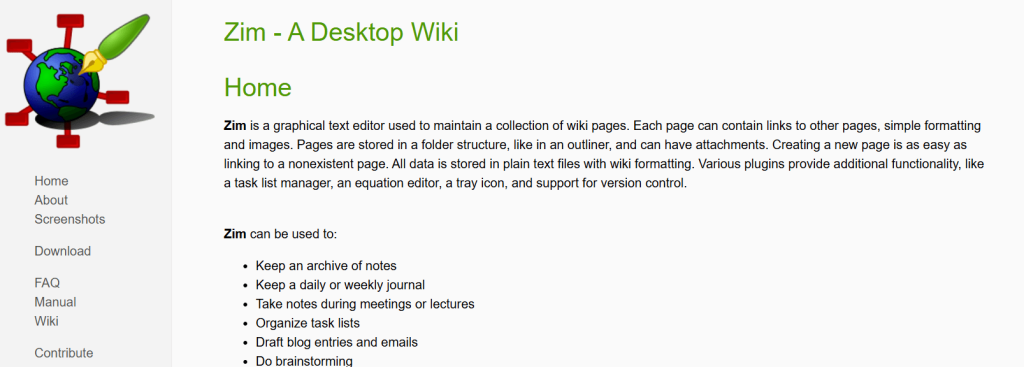
Best For: Desktop wiki with notebooks, tasks, and journaling
Review:
Zim Wiki is a desktop wiki app: each page is a text file on disk, and pages can be organized into a folder hierarchy. It’s excellent for structured notes, meeting logs, and journals. If you like the idea of a local personal wiki that feels like a simple word processor, Zim is an excellent Evernote substitute for desktop-centric users.
Features:
-
Notebook and page hierarchy based on folders
-
Basic wiki markup with headings, lists, and formatting
-
Support for images, links, and checkboxes
-
Works well for journals and task lists
Pros:
-
Everything is stored as local text files
-
Great for long-term archival note-keeping
Cons:
-
Desktop-only; no official mobile apps
-
No built-in cloud sync (you use your own file sync)
Pricing:
Pricing: Free and open source.
How to Choose the Best Evernote Alternative
When choosing the best free Evernote alternative, consider the following factors:
- Platform Compatibility: Ensure that the alternative is available on your preferred platform (Windows, macOS, Linux, iOS, Android).
- Markdown Support: If you prefer writing in Markdown, choose tools like Notion, Joplin, or Typora.
- Privacy and Security: If you prioritize data privacy, look for encrypted alternatives like Standard Notes, Turtl, or Joplin.
- Customization: Some tools like ClickUp and Notion offer highly customizable workspaces, while others like Bear Notes or Obsidian focus on simplicity.
- Collaboration Features: If you need team collaboration, opt for tools like Notion, ClickUp, or OneNote.
Conclusion
There are numerous free alternatives to Evernote that provide a wide range of note-taking functionalities, from simple text editors to advanced project management systems. Whether you’re looking for Markdown support, privacy-focused features, or a minimalist design, there’s a tool here that suits your needs. Tools like Joplin, Notion, and Obsidian offer powerful alternatives to Evernote while maintaining flexibility and ease of use.
What is the best free alternative to Evernote?
Notion and Joplin are excellent free alternatives, offering robust features like Markdown support and customization.
Is there a good open-source alternative to Evernote?
Yes, Joplin, Turtl, and Laverna are open-source alternatives with great features for secure note-taking.
Which Evernote competitor is the most privacy-focused?
Standard Notes and Turtl are designed with privacy and encryption as top priorities.
Can I use an Evernote alternative on Android?
Yes, apps like Folio, Joplin, and Notion are available on Android.
Which tool is best for writing and research?
Obsidian and Zettlr are excellent tools for Markdown-based writing and research management.

