


ClickUp has become one of the most popular project management (PM) platforms, offering an all-in-one workspace for tasks, docs, and communication. It’s known for its flexibility and wide range of features, making it a go-to tool for teams looking to organize their workflows efficiently. However, while ClickUp excels in many areas, it may not be the best fit for every business. Whether due to pricing, complexity, or specific needs, some users may prefer a different project management solution. In this article, we will explore the best alternatives to ClickUp, providing an in-depth review of 17 ClickUp competitors. Each alternative will be analyzed based on its features, pricing, pros, and cons to help you choose the best ClickUp alternative that suits your business needs.
Why Consider a ClickUp Alternative?
While ClickUp offers extensive functionality, there are several reasons why you might look for a ClickUp alternative:
- Complexity: ClickUp is feature-rich, but it can feel overwhelming for teams who only need simple project management tools.
- Pricing: For small teams or freelancers, ClickUp’s pricing structure can be expensive, especially when you require advanced features.
- User Interface: Some users prefer a more straightforward or minimalist design, as ClickUp’s interface can become cluttered with too many options.
- Specific Needs: Depending on your team’s workflow or industry, other tools may offer better customization, integrations, or specific features.
Let’s dive into the top 17 ClickUp alternatives that may better suit your team’s needs.
17 Best Alternatives to ClickUp
-
Nubo
-
Asana
-
Trello
-
Scoro
-
Wrike
-
Airtable
-
TeamGantt
-
Basecamp
-
Todoist
-
Smartsheet
-
ProofHub
-
Jira
-
Taskworld
-
Quire
-
SmartSuite
-
Nifty
-
Teamwork
Comparison Table of ClickUp Alternatives
| Product | Best For | Price Range* | Key Features |
|---|---|---|---|
| Nubo | Construction & interiors project lifecycle management | Custom pricing (contact sales) | Gantt scheduling, site-to-handover tracking, procurement & vendor control |
| Asana | Visual task management with timelines & integrations | Free, paid plans start at $10.99/user/month | Timelines, boards, automation, 100+ integrations |
| Trello | Simple Kanban boards for agile teams | Free, paid plans start at $5/user/month | Kanban boards, unlimited cards, power-ups |
| Scoro | All-in-one services PM with billing & finances | Paid plans start at $19.90/user/month | Projects, time tracking, invoicing, Gantt, resource mgmt |
| Wrike | Robust PM with Gantt & advanced collaboration | Free, paid plans start around $10/user/month | Gantt charts, custom workflows, advanced reporting |
| Airtable | Spreadsheet-database hybrid for structured data & projects | Free, paid plans start at $10/user/month | Databases, grid/kanban/calendar views, automations |
| TeamGantt | Gantt-first project planning & scheduling | Free, paid plans start at $49/month (per manager) | Drag-and-drop Gantt charts, dependencies, collaboration |
| Basecamp | Simple all-in-one hub for small teams & agencies | Paid plans start around $15/user/month; flat plan $299/month | To-dos, message boards, docs, chat, flat pricing |
| Todoist | Personal productivity & light team task management | Free, paid plans start at $4/user/month | Tasks, labels, reminders, recurring due dates |
| Smartsheet | Enterprise-grade spreadsheet-style work execution | Paid plans start at $12/user/month | Grid, Gantt, automation, resource mgmt, reports |
| ProofHub | Flat-rate all-in-one PM with proofing & collaboration | Paid plans start at $45/month (flat) | Tasks, chat, proofing, time tracking, no per-user pricing |
| Jira | Agile software development & issue tracking | Free, paid plans start at $9.05/user/month | Scrum/Kanban boards, sprints, dev integrations |
| Taskworld | Kanban + performance tracking & reporting | Free, paid plans start around $11/user/month | Kanban, time tracking, reports, team chat |
| Quire | Nested task hierarchies with Kanban & timelines | Free, paid plans start at $10.95/user/month | Hierarchical tasks, nested Kanban, timeline & calendar views |
| SmartSuite | Highly customizable work OS for projects & processes | Free, paid plans start at $10/user/month | Project mgmt, automation, custom dashboards, databases |
| Nifty | Goal-based project mgmt with milestones & chat | Free, paid plans start around $7–$7.50/user/month | Milestones, roadmaps, Gantt-like views, time tracking, built-in chat |
| Teamwork | Agencies & client work with time tracking & billing | Free, paid plans start at $10.99/user/month | Client portals, time tracking, invoicing, templates |
Best Alternatives to ClickUp Tools Reviews
1. Nubo (NuboPlan)
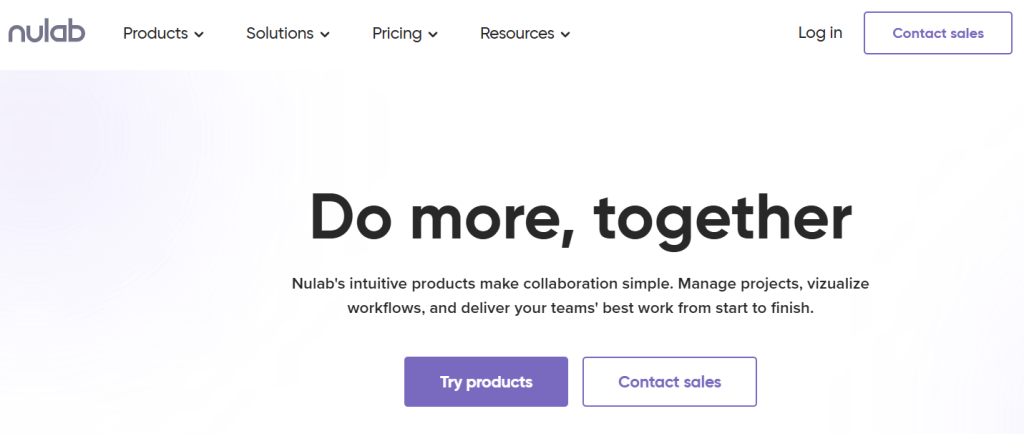
Review:Nubo (often referred to as NuboPlan) focuses on the full lifecycle of construction and interior projects rather than generic task lists. It’s built for developers, contractors, and design studios that need to manage everything from planning and scheduling to procurement, site execution, and handover in one place.
Best For: Construction and interior project lifecycle management
Features:
-
End-to-end construction & interiors project lifecycle management
-
Gantt-style planning and scheduling
-
Execution tracking, RFIs, issues, and progress dashboards
-
Procurement, vendor and BOQ/budget management
-
Collaboration across owners, contractors, and consultants
Pros:
-
Purpose-built for construction and interiors projects
-
Centralizes budgets, vendors, and onsite progress
-
Good fit when ClickUp feels too “generic” for field-heavy work
Cons:
-
Overkill for simple knowledge-work projects
-
No clear public pricing; typically a sales-driven purchase
Pricing:
Pricing: Custom pricing – contact Nubo for a quote.
2. Asana
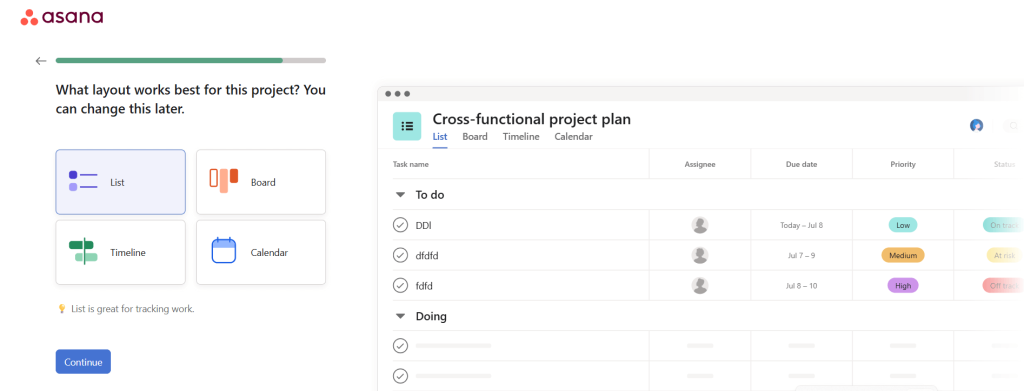
Best For: Visual task management with timelines, boards, and integrations
Review:
Asana is a leading project management tool that helps teams track work, collaborate, and stay organized with its intuitive interface. It offers timelines, boards, and task lists to suit different project styles. Asana’s flexibility in task tracking makes it a great ClickUp competitor for teams seeking a visual and straightforward project management experience.
Features:
-
Project timelines and boards
-
Custom fields and task tracking
-
Team collaboration and messaging
-
Integration with Google Drive, Slack, etc.
Pros:
-
User-friendly interface
-
Great for teams of all sizes
-
Strong integration with third-party tools
Cons:
-
Can get pricey as team size grows
-
Limited reporting on the free plan
Pricing:
Free for small teams, $10.99/month for Premium
3. Trello

Review:
Trello is a simple yet effective Kanban-style board tool that focuses on visual task management. It’s excellent for teams that follow agile methodologies and need an intuitive system to organize tasks. While it’s not as feature-rich as ClickUp, Trello is perfect for smaller teams or individuals who need a straightforward tool for task tracking and organization.
Best For: Kanban-style boards for agile teams and quick task tracking
Features:
-
Kanban boards with customizable columns
-
Task assignment and due dates
-
Power-ups for additional features
-
Collaboration tools for teams
Pros:
-
Simple and intuitive to use
-
Free plan available with essential features
-
Flexible customization options with power-ups
Cons:
-
Lacks advanced project management features
-
Limited reporting tools
Pricing:
Free plan available, $5/month for Business Class
4. Scoro

Review: Scoro combines project management, time tracking, and financials in one system, making it a strong replacement for ClickUp if you also want quoting, invoicing, and detailed financial dashboards tied to projects.
Best For: Agencies and professional services needing projects + billing
Features:
-
Projects, tasks, and Gantt charts with dependencies
-
Quotes, invoices, bills, and cost management
-
Time tracking and resource management
-
Dashboards and work/financial reports
Pros:
-
True “work + money” view in one platform
-
Great for agencies and service businesses
-
Strong reporting and utilization insights
Cons:
-
More complex than lightweight PM tools
-
Best value for multi-project, multi-client operations
Pricing:
Pricing: Starts at $19.90/user/month (Core plan).
5. Wrike
Review:
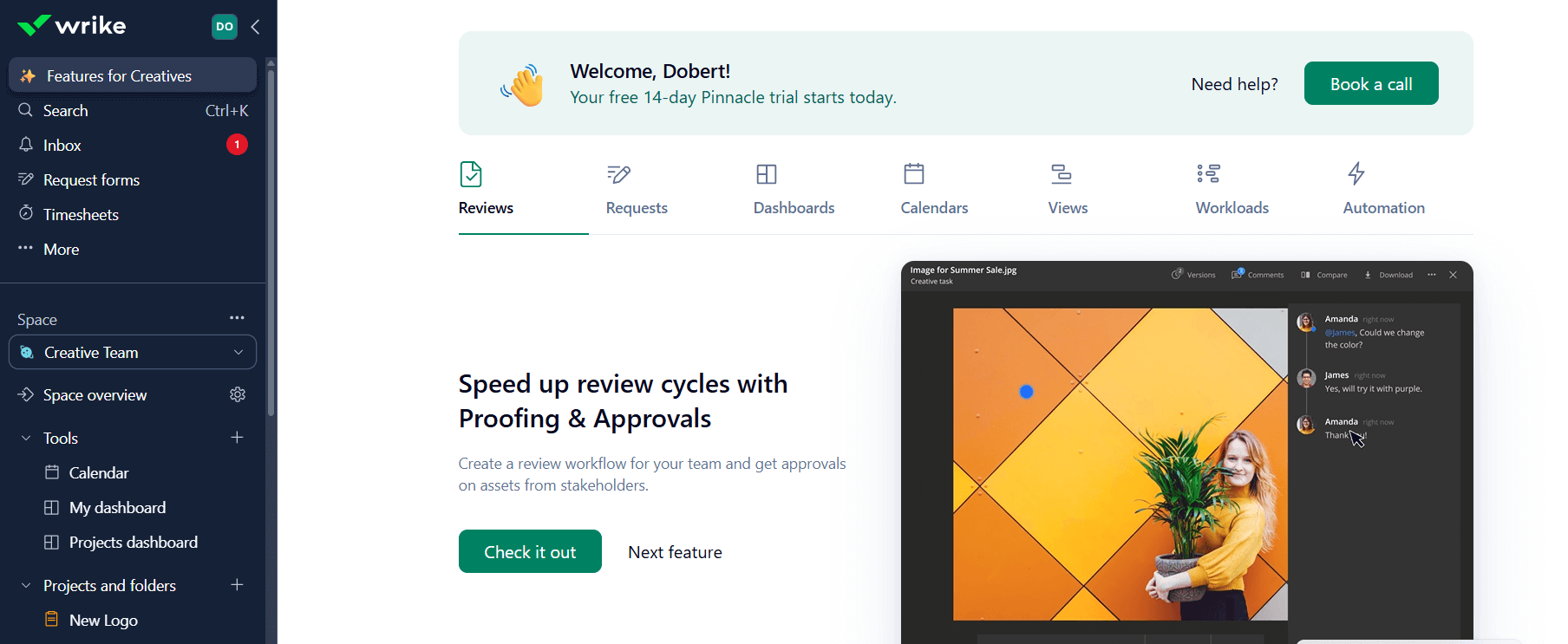
Wrike is a comprehensive project management tool that stands out with its Gantt charts, time tracking, and proofing tools. It’s ideal for teams that need detailed tracking and reporting, especially for clients. While it may be more complex than other tools, Wrike’s range of features is perfect for teams requiring more advanced project management solutions.
Best For: Robust PM tool with Gantt charts, time tracking & proofing tools
Features:
-
Gantt charts for scheduling and tracking progress
-
Time tracking for project billing
-
Proofing and approval tools
-
Advanced reporting and task management
Pros:
-
Extensive project tracking and reporting tools
-
Great for client-facing projects
-
Customizable workflows and permissions
Cons:
-
Steep learning curve for new users
-
Pricing can be high for small teams
Pricing:
Free plan available, $9.80/month for the Professional plan
6. Airtable
7. TeamGantt

Review: TeamGantt focuses on visual timelines and dependencies. If ClickUp’s many views feel distracting and you mainly care about clean Gantt charts, this is a focused alternative.
Best For: Teams that love classic Gantt charts and timeline planning
Features:
-
Drag-and-drop Gantt charts
-
Dependencies and critical path
-
Time tracking and workload management
-
File sharing and collaboration on tasks
Pros:
-
Very clear project timelines
-
Good for waterfall or hybrid planning
-
Easy for clients to understand project status
Cons:
-
Less suited to ad-hoc personal task lists
-
Fewer “all-in-one workspace” features than ClickUp
Pricing:
Pricing: Starts at $49/month (per manager, Pro plan), with a free plan for small personal projects.
8. Basecamp

Review:
Basecamp is a straightforward project management tool designed for simplicity and team collaboration. It’s especially well-suited for freelancers and small teams that need to stay organized without the complexity of traditional enterprise-grade tools. With built-in features like to-do lists, messaging boards, and calendars, Basecamp acts as an all-in-one hub for team communication and task tracking. While it lacks more advanced capabilities such as Gantt charts or detailed analytics, its flat-rate pricing and ease of use make it an attractive option for budget-conscious teams.
Best for: Simple, no-frills PM tool perfect for freelancers and small teams
Features:
-
To-do lists and task assignments
-
Message boards for discussions
-
Calendar and scheduling tools
-
File sharing and document storage
-
Team chat (Campfire)
Pros:
-
Intuitive and easy to use
-
Combines communication and task management
-
Flat-rate pricing with unlimited users
-
Great for remote or distributed teams
Cons:
-
No Gantt charts, time tracking, or advanced reporting
-
Limited customization and automation options
Pricing:
$99/month (flat rate for unlimited users and projects)
9. Todoist

10. Smartsheet

11. ProofHub
Review:
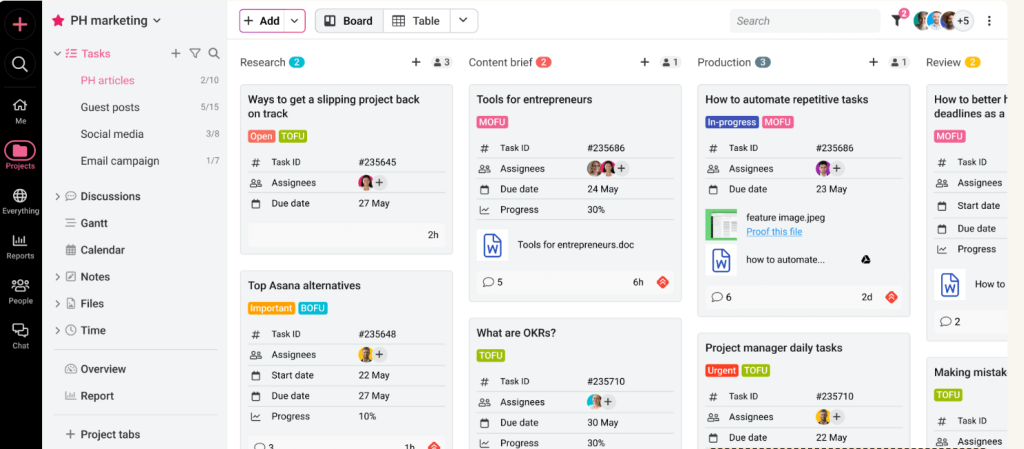
ProofHub is an all-in-one project management and collaboration platform tailored for creative teams. It combines essential features like task tracking, file sharing, built-in chat, and proofing tools into one intuitive interface. Its strength lies in helping teams review, approve, and deliver work efficiently, making it an excellent alternative to ClickUp for teams that rely heavily on content approvals and visual collaboration.
Best for: All-in-one PM with chat, scheduling, file sharing & proofing tools
Features:
-
Task and project management
-
File sharing and document collaboration
-
Online proofing and approval workflows
-
Built-in chat and discussions
-
Scheduling, calendars, and time tracking
Pros:
-
Easy-to-use interface for quick team adoption
-
Great for creative teams needing review and approval tools
-
Centralized platform reduces the need for multiple tools
-
No per-user pricing – flat rate for unlimited users
Cons:
-
Fewer advanced automation and integrations than some competitors
-
Pricing may be high for very small teams
-
Limited third-party app ecosystem
Pricing:
Starts at $45/month (Flat rate for unlimited users)
12. Jira
Review:
Jira is a powerful project management tool designed specifically for software development teams following agile or Scrum methodologies. It offers robust features for managing backlogs, tracking bugs, planning sprints, and generating detailed reports. With seamless integration into the Atlassian ecosystem (including Confluence, Bitbucket, and Trello), Jira stands out as a go-to solution for developers managing complex workflows.
Best for: Built for software development teams using agile or Scrum methods
Features:
-
Agile boards (Scrum and Kanban)
-
Backlog and sprint planning tools
-
Issue and bug tracking
-
Advanced reporting and velocity charts
-
Integration with DevOps and CI/CD pipelines
Pros:
-
Purpose-built for agile development workflows
-
Highly customizable and scalable
-
Strong reporting and analytics features
-
Rich ecosystem of add-ons and integrations
Cons:
-
Steep learning curve, especially for new users
-
Overkill for simple or non-technical project management
-
Interface can feel cluttered
Pricing:
Starts at $7/month per user for the Standard plan
Free plan available for up to 10 users with limited features
13. Taskworld

Review:
Taskworld offers task prioritization and performance tracking, making it great for teams looking to monitor progress and improve accountability. It combines visual project management tools like Kanban boards with reporting and team performance tracking to ensure that teams stay on track. Taskworld is ideal for teams that need detailed insights into how well their projects are progressing.
Best for: Task prioritization with performance tracking and accountability
Features:
-
Kanban boards for task management
-
Team performance tracking and reporting
-
Time tracking and task prioritization
-
File sharing and real-time collaboration
Pros:
-
Easy to use and visually appealing
-
Strong reporting and performance tracking
-
Good for small to mid-sized teams
Cons:
-
Lacks some advanced project management features
-
Can be expensive for larger teams
Pricing: Starts at $10/month per user, with a free trial available.
14. Quire

Review:
Quire is a modern PM tool built around hierarchical (tree) task lists. You can break big initiatives into nested subtasks, then switch to Kanban, table, calendar, or timeline views to manage execution.
Best For: Nested task hierarchies with Kanban and timeline views
Features:
-
Tree-structured nested tasks
-
Kanban boards, table, calendar, and timeline views
-
Real-time collaboration and comments
-
Time-tracking and reporting options on higher tiers
Pros:
-
Excellent for breaking down complex projects
-
Flexible switching between hierarchy and Kanban
-
Generous free plan for small teams
Cons:
-
Reporting and integrations are more limited than big suites
-
Fewer enterprise features compared to Wrike or Jira
Pricing:
Pricing: Starts at about $10.95/user/month (Professional plan), with a free version available.
15. SmartSuite

Review:
SmartSuite is a unified work management platform that lets teams build custom workflows, databases, and dashboards without code. It’s like a more structured bridge between Airtable and ClickUp, with strong automation and reporting.
Best For: Teams wanting a customizable Work OS (projects + processes)
Features:
-
Project and task management across teams
-
Customizable databases, forms, and dashboards
-
Workflow automation and rules
-
Real-time collaboration and role-based permissions
Pros:
-
Very flexible “build your own solution” style
-
Good balance of databases + PM + automation
-
Strong template and integration ecosystem
Cons:
-
Requires some setup/design time to fully leverage
-
Best for teams ready to standardize processes in one system
Pricing:
Pricing: Starts at $10/user/month (Team plan), with higher tiers for advanced features.
16. Nifty
Review:
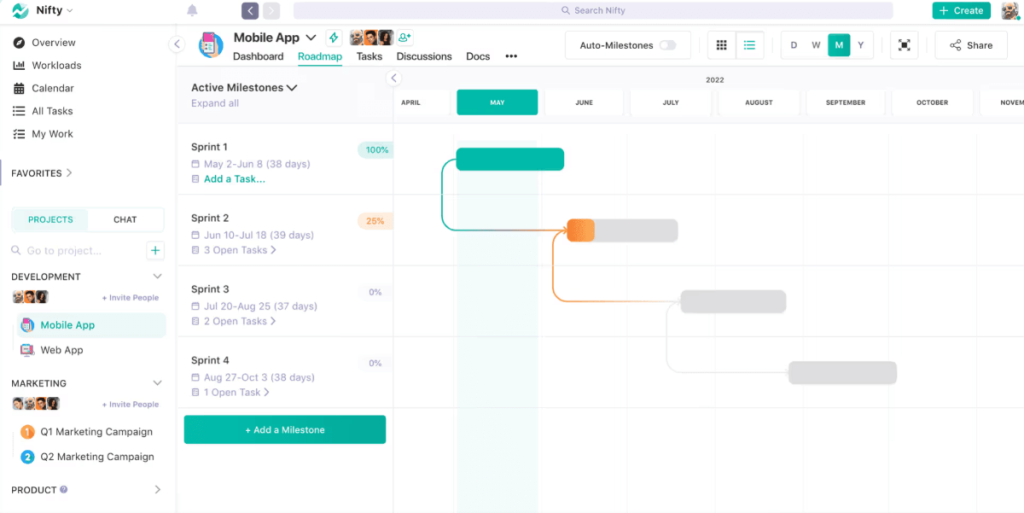
Nifty provides a simplified approach to project management by combining goals, timelines, and collaboration in one platform. It’s ideal for teams who want a user-friendly project management tool that doesn’t require extensive training. Nifty is great for small to medium-sized teams that need clear goals and easy project tracking.
Best for: Simplified PM with built-in goals, timelines & collaboration
Features:
-
Goals and task management
-
Timelines and Gantt charts
-
Collaboration and file sharing
-
Built-in time tracking
Pros:
-
Easy to set up and use
-
Great for small teams and goal-based projects
-
Affordable pricing
Cons:
-
Limited reporting features
-
Somewhat limited integrations
Pricing: Free plan available; paid plans start at $5/month per user for the Starter plan.
17. Teamwork
Review:
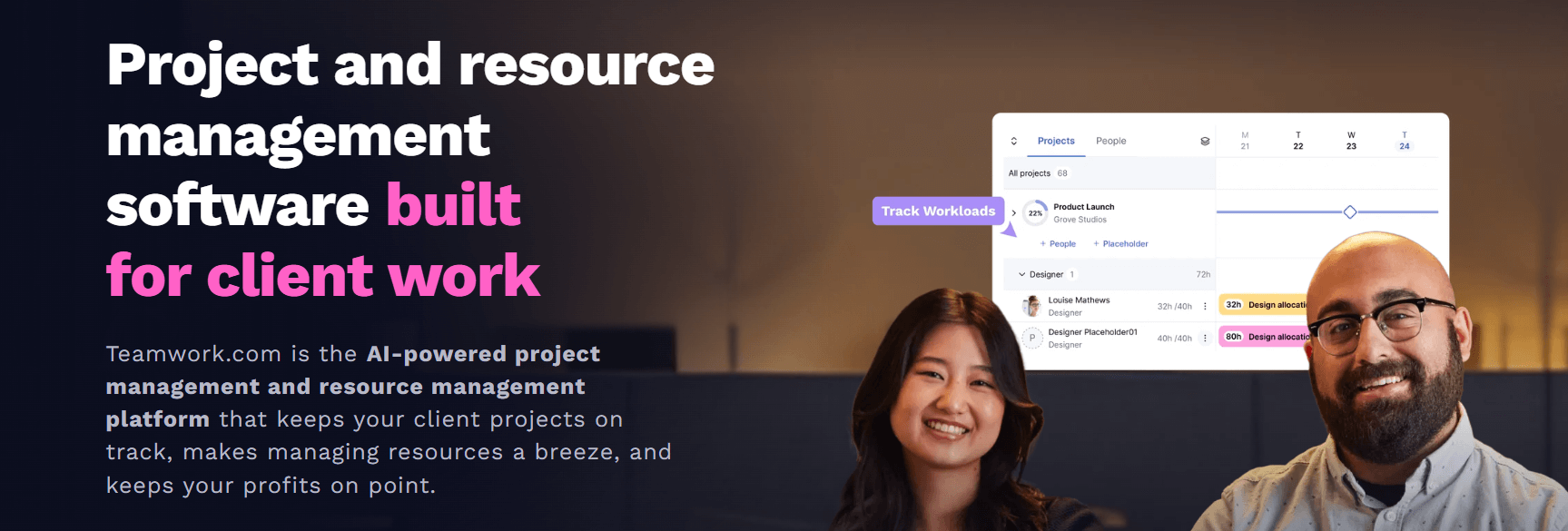
Teamwork is a powerful project management tool designed with agencies and client-facing teams in mind. It offers task management, time tracking, client portals, and reporting tools that are essential for agencies managing multiple projects at once. While Teamwork provides great collaboration features, it may not be as intuitive for teams that don’t need client-focused tools.
Best for: Ideal for agencies and client project management
Features:
-
Client portals for project collaboration
-
Task management and time tracking
-
Customizable project templates
-
Reporting and analytics tools
Pros:
-
Great for client-facing teams and agencies
-
Strong collaboration and reporting features
-
Excellent for tracking billable hours
Cons:
-
Can be overwhelming for non-client projects
-
Lacks some advanced features of competitors
Pricing: Free plan available; paid plans start at $10/month per user for the Pro plan.
How to Choose the Best ClickUp Alternative
When selecting a ClickUp competitor, here are some key factors to consider:
- Ease of Use: If your team prefers a simple, user-friendly interface, consider tools like Trello or Basecamp. These are straightforward with fewer features but are quick to set up and use.
- Task Management Features: If your team needs advanced features like time tracking or Gantt charts, tools like Wrike or Airtable may be better suited for your needs.
- Collaboration Tools: Consider platforms like Notion, Asana, or Monday.com if you require strong team collaboration and communication tools.
- Budget: For smaller teams or freelancers, opt for tools with affordable pricing plans like Trello, Zoho Projects, or Favro.
- Scalability: If your company is growing rapidly, tools like Asana or Wrike can scale with you, offering more advanced features as your needs expand.
Conclusion
Choosing the right ClickUp alternative depends on your team’s specific needs and budget. While ClickUp is a versatile tool, other platforms such as Notion, Monday.com, and Wrike offer similar functionalities with varying degrees of complexity and pricing. Whether you need simple task tracking, agile project management, or advanced collaboration tools, there’s a solution out there that’s better suited to your business.
FAQs
What is the best free alternative to ClickUp?
Trello and Notion offer strong free plans that are great for smaller teams or individuals.
Is Monday.com better than ClickUp?
Monday.com is more customizable and has strong automation, but ClickUp offers more features overall.
Can I use Airtable as a ClickUp alternative?
Yes, Airtable works well for teams needing a visual database or simple task tracking.
Which tool is best for agile project management?
Jira and Trello are both excellent choices for teams following agile or Scrum methodologies.
Is there a ClickUp open-source alternative?
Favro and Zoho Projects are some alternatives with flexibility, although true open-source solutions are rare.

